For all but one Bredemarket client, I provide my deliverables via email. The deliverables usually consist of items such as Microsoft Word documents, Microsoft Excel workbooks, and Portable Document Files.
As I mentioned above, Bredemarket often performs market/competitive analyses. In fact, one of my clients likes my analyses so much that they keep on coming back for more analyses to cover different markets.
For the last three analyses for this particular client, my deliverables have consisted of the following:
An overall report, in PDF format.
The raw data, in XLSX format.
Extracts from the raw data, in PDF format.
The raw text of the report, in DOCX format.
Not a real Bredemarket report. By National Highway Traffic Safety Administration – National Highway Traffic Safety Administration Publication Number: NHTSA-DOT-HS-5-01160, Public Domain, https://commons.wikimedia.org/w/index.php?curid=6709383.
In my analyses I referred to the companies’ publicly available websites to gather information on the competitor products, as well as the markets they address. (Using a made-up example, if my client provided its products to convenience stores, and a particular competitor ALSO targeted convenience stores, my client would obviously want to know this.)
The opportunity
But for this third analysis I didn’t just look at the websites. I also looked at the product brochures that I could download from these websites.
Since I was downloading all the publicly available brochures from the various competitors, why not provide all of these brochures to my client?
It seemed like a great idea. Since I had gone through all the work to collect the brochures, might as well let my client make future use of them.
The problem
So as I wrapped up the project and prepared the deliverables for my client, I discovered that I had amassed over 100 megabytes of brochures. (That’s what happens when you analyze over 100 competitor products.)
So my idea of zipping all the brochures into a single file wouldn’t work. Even the zip file exceeded the attachment sending limits of Bredemarket’s email service provider, Google. (And probably exceeded the attachment receiving limits of my client’s email service provider.)
And if you’ve already figured out the obvious solution to my problem, bear with me. It took me several days to realize the obvious solution myself.
Anyway, I hit upon a great solution to my problem…or so I thought.
The solution, first attempt
But that wasn’t a problem for me. Along with my email account, Google also provides Bredemarket with Google Drive. While the contents of my Google Drive are private to the employees of Bredemarket (all 1 of us), I can designate individual files and folders for access by selected people.
So I set up a designated folder for my client’s access only, uploaded all the deliverables including the 100+ MB zip file to the designated folder, and provided my client’s contact with access.
I then told my client that all the deliverables were in the Google Drive folder and asked the client to let me know when they were downloaded.
Which is when I encountered my second problem.
For security reasons, the client’s IT department forbids employees from accessing unauthorized Google Drives.
So I jumped back to Plan A and emailed all the files to my client except for the one 100+ MB zip file.
Now I just had to get that zip file to the client.
The solution, second attempt
That’s when I recalled the Dropbox account I set up for Bredemarket some time ago.
It was a quick process to upload the single 100+ MB zip file to a designated folder in Dropbox and give my client access.
But the client isn’t allowed to access Dropbox from work either.
The solution, third attempt
By the time that my client was contacting his IT department for a possible fix, I realized the solution that you the reader probably realized several paragraphs ago.
Instead of emailing one zip file, why not email multiple zip files in multiple emails, with each zip file under Google’s 25 MB limit?
So I sent six emails to my client.
This FINALLY worked.
I should have divided and conquered in the first place.
Can you use Bredemarket’s deliverables?
Do you want Bredemarket to send you 100 megabytes of brochures, now that I know how to do it?
More importantly, do you want Bredemarket to send you a market/competitor analysis to your specifications?
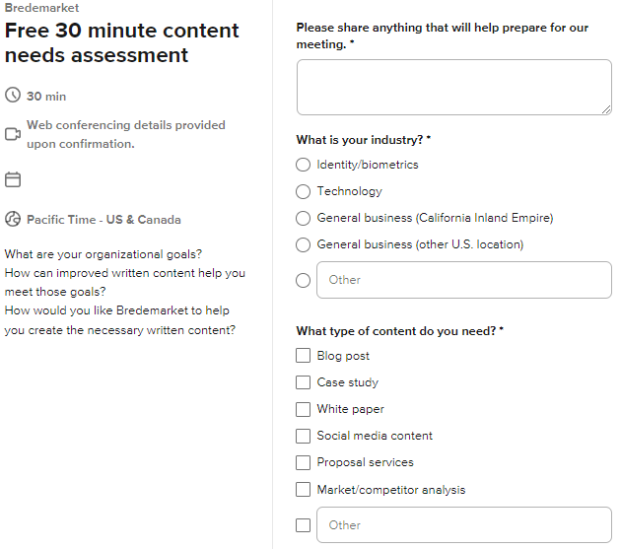
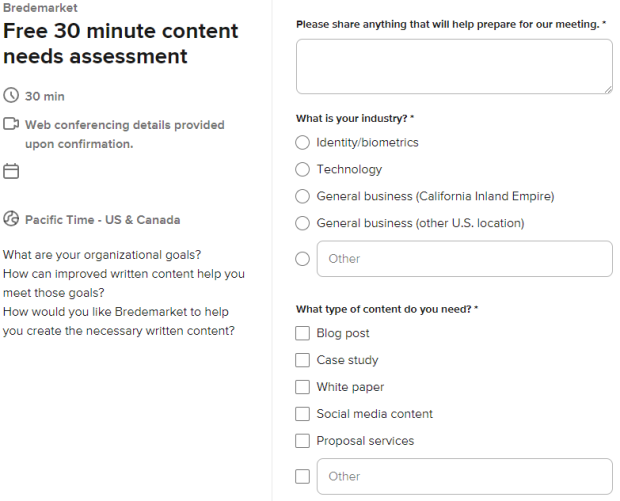
Talk to Bredemarket and discuss your needs. Book a meeting with me at calendly.com/bredemarket. Be sure to fill out the information form so I can best help you.
It discussed both large language models and large multimodal models. In this case “multimodal” is used in a way that I normally DON’T use it, namely to refer to the different modes in which humans interact (text, images, sounds, videos). Of course, I gravitated to a discussion in which an image of a person’s face was one of the modes.
In this post I will look at LMMs…and I will also look at LMMs. There’s a difference. And a ton of power when LMMs and LMMs work together for the common good.
When Google announced its Gemini series of AI models, it made a big deal about how they were “natively multimodal.” Instead of having different modules tacked on to give the appearance of multimodality, they were apparently trained from the start to be able to handle text, images, audio, video, and more.
Other AI models are starting to function in a TRULY multimodal way, rather than using separate models to handle the different modes.
So now that we know that LLMs are large multimodal models, we need to…
…um, wait a minute…
Introducing the Large Medical Model (LMM)
It turns out that the health people have a DIFFERENT definition of the acronym LMM. Rather than using it to refer to a large multimodal model, they refer to a large MEDICAL model.
Our first of a kind Large Medical Model or LMM for short is a type of machine learning model that is specifically designed for healthcare and medical purposes. It is trained on a large dataset of medical records, claims, and other healthcare information including ICD, CPT, RxNorm, Claim Approvals/Denials, price and cost information, etc.
I don’t think I’m stepping out on a limb if I state that medical records cannot be classified as “natural” language. So the GenHealth.AI model is trained specifically on those attributes found in medical records, and not on people hemming and hawing and asking what a Pekingese dog looks like.
But there is still more work to do.
What about the LMM that is also an LMM?
Unless I’m missing something, the Large Medical Model described above is designed to work with only one mode of data, textual data.
But what if the Large Medical Model were also a Large Multimodal Model?
Rather than converting a medical professional’s voice notes to text, the LMM-LMM would work directly with the voice data. This could lead to increased accuracy: compare the tone of voice of an offhand comment “This doesn’t look good” with the tone of voice of a shocked comment “This doesn’t look good.” They appear the same when reduced to text format, but the original voice data conveys significant differences.
Rather than just using the textual codes associated with an X-ray, the LMM-LMM would read the X-ray itself. If the image model has adequate training, it will again pick up subtleties in the X-ray data that are not present when the data is reduced to a single medical code.
In short, the LMM-LMM (large medical model-large multimodal model) would accept ALL the medical outputs: text, voice, image, video, biometric readings, and everything else. And the LMM-LMM would deal with all of it natively, increasing the speed and accuracy of healthcare by removing the need to convert everything to textual codes.
A tall order, but imagine how healthcare would be revolutionized if you didn’t have to convert everything into text format to get things done. And if you could use the actual image, video, audio, or other data rather than someone’s textual summation of it.
Obviously you’d need a ton of training data to develop an LMM-LMM that could perform all these tasks. And you’d have to obtain the training data in a way that conforms to privacy requirements: in this case protected health information (PHI) requirements such as HIPAA requirements.
But if someone successfully pulls this off, the benefits are enormous.
You’ve come a long way, baby.
Robert Young (“Marcus Welby”) and Jane Wyatt (“Margaret Anderson” on a different show). By ABC TelevisionUploaded by We hope at en.wikipedia – eBay itemphoto informationTransferred from en.wikipedia by SreeBot, Public Domain, https://commons.wikimedia.org/w/index.php?curid=16472486.
The Digital Trust & Safety Partnership (DTSP) consists of “leading technology companies,” including Apple, Google, Meta (parent of Facebook, Instagram, and WhatsApp), Microsoft (and its LinkedIn subsidiary), TikTok, and others.
DTSP appreciates and shares Ofcom’s view that there is no one-size-fits-all approach to trust and safety and to protecting people online. We agree that size is not the only factor that should be considered, and our assessment methodology, the Safe Framework, uses a tailoring framework that combines objective measures of organizational size and scale for the product or service in scope of assessment, as well as risk factors.
We’ll get to the “Safe Framework” later. DTSP continues:
Overly prescriptive codes may have unintended effects: Although there is significant overlap between the content of the DTSP Best Practices Framework and the proposed Illegal Content Codes of Practice, the level of prescription in the codes, their status as a safe harbor, and the burden of documenting alternative approaches will discourage services from using other measures that might be more effective. Our framework allows companies to use whatever combination of practices most effectively fulfills their overarching commitments to product development, governance, enforcement, improvement, and transparency. This helps ensure that our practices can evolve in the face of new risks and new technologies.
But remember that the UK’s neighbors in the EU recently prescribed that USB-3 cables are the way to go. This not only forced DTSP member Apple to abandon the Lightning cable worldwide, but it affects Google and others because there will be no efforts to come up with better cables. Who wants to fight the bureaucratic battle with Brussels? Or alternatively we will have the advanced “world” versions of cables and the deprecated “EU” standards-compliant cables.
So forget Ofcom’s so-called overbearing approach and just adopt the Safe Framework. Big tech will take care of everything, including all those age assurance issues.
Incorporating each characteristic comes with trade-offs, and there is no one-size-fits-all solution. Highly accurate age assurance methods may depend on collection of new personal data such as facial imagery or government-issued ID. Some methods that may be economical may have the consequence of creating inequities among the user base. And each service and even feature may present a different risk profile for younger users; for example, features that are designed to facilitate users meeting in real life pose a very different set of risks than services that provide access to different types of content….
Instead of a single approach, we acknowledge that appropriate age assurance will vary among services, based on an assessment of the risks and benefits of a given context. A single service may also use different approaches for different aspects or features of the service, taking a multi-layered approach.
Time for me to make a cryptic LinkedIn post. Although now that I’m sharing the secret here, I’ll have to lower the score to 89.
Bredemarket’s first rule
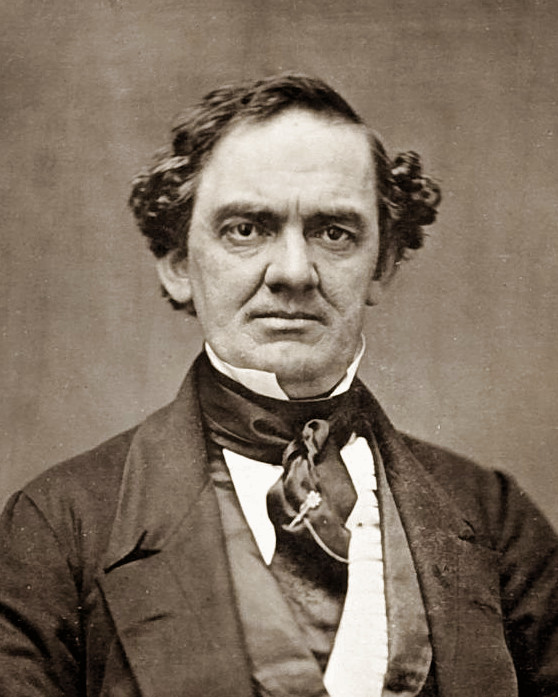
But before I share my revised Phineas-Hirshfield score, I need to share the first Bredemarket Rule, the Bredemarket Rule of Corporate Tool Adoption. (Copyright 2023 Bredemarket.)
In any organization, the number of adopted tools that perform the exact same function is always in excess of one.
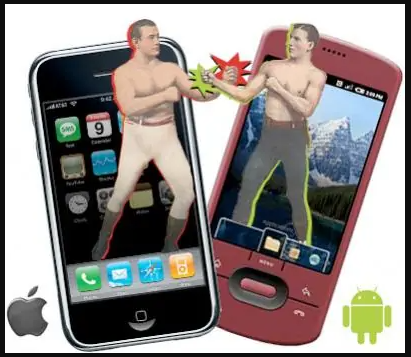
In other words, if there’s someone in your organization who is using an iPhone, there is someone else in your organization who is using an Android phone.
Or someone has a Mac, and another person has a Windows computer.
Or someone has one brand of software, while someone else has the competitior brand.
Even if an organization dictates that everyone will use a single tool, there will be someone somewhere who will rebel against the organization and use a different tool.
Presumably the first panelist was exposed to Asana at one point and liked it, while the second panelist was exposed to Monday and liked it.
Or, since the panelists were from two different companies, maybe each company standardized on one or the other. Or maybe the departments within their companies standardized on a particular tool, but if you poll the entire company, you’ll find some Monday departments and some Asana departments.
Multiple tools in a single department
Even in the same department you may find multiple tools. Let me cite an example.
Several of the people who were in the Marketing department of Incode Technologies have since left the company, and I’m working with one of them on a project this week.
I had to send a PDF to him, and was also going to also send him the source Microsoft Word document…until I remembered from our days at Incode that he was (and I guess still is) a Google Docs guy.
Of course, there are times in which an entire organization agrees on a single tool, but those times never last.
My mid-1990s employer, Printrak International, was preparing to go public. The head of Printrak determined that the company needed some help in this, and brought several staffers on board who were expert in Initial Public Offerings (IPOs).
One of these people took the role of Chief Financial Officer, preparing Printrak for its IPO and for two post-IPO acquisitions, one of which profoundly and positively impacted the future of the firm.
Along the way, he established the rule that Printrak would become a Lotus Notes shop.
For those who don’t remember Lotus Notes, it was one of those Lotus-like products that could do multiple things out of the box. And because the CFO was the CFO, he could enforce Lotus Notes usage.
Until the CFO left a couple of years later to assist another company, and the impetus to use Lotus Notes dropped off significantly.
And that, my friends, is why my former colleagues in IDEMIA aren’t using HCL Notes (the successor to Lotus Notes and IBM Notes) today.
So how do you settle the Tool Wars?
Do you know how you settle the Tool Wars?
You don’t. It’s an eternal battle.
In the case of Bredemarket, I can dictate which tools I use…unless my clients tell me otherwise. Then the client’s word is law…unless there’s a compelling reason why my tool should be used instead of the client’s tool. In Bredemarket’s 3+ years of existence, I haven’t encountered such a compelling reason…yet.
Just be flexible enough to use whatever tool you need to use, and you’ll be fine.
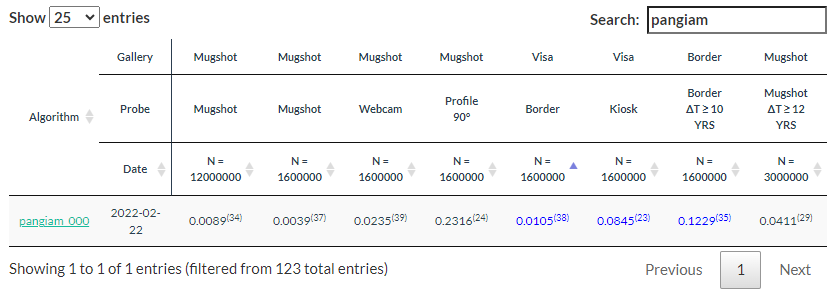
Things change. Pangiam, a company that didn’t even exist a few years ago, and that started off by acquiring a one-off project from a local government agency, is now itself a friendly acquisition target (pending stockholder and regulatory approvals).
From MWAA to Pangiam
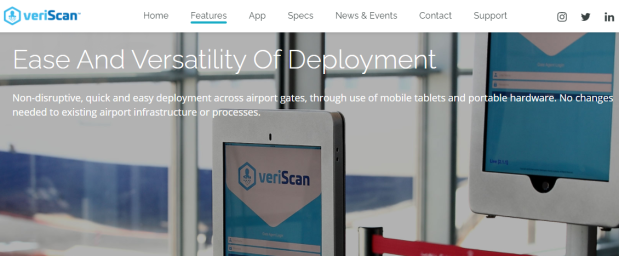
Back when I worked for IDEMIA and helped to market its border control solutions, one of our competitors for airport business was an airport itself—specifically, the Metropolitan Washington Airports Authority. Rather than buying a biometric exit solution from someone else, the MWAA developed its own, called veriScan.
2021 image from the former airportveriscan website.
ALEXANDRIA, Va., March 19, 2021 /PRNewswire/ — Pangiam, a technology-based security and travel services provider, announced today that it has acquired veriScan, an integrated biometric facial recognition system for airports and airlines, from the Metropolitan Washington Airports Authority (“Airports Authority”). Terms of the transaction were not disclosed.
So what will Pangiam work on next? Where will it expand? What will it acquire?
Nothing.
Enter BigBear.ai
Pangiam itself is now an acquisition target.
COLUMBIA, MD.— November 6, 2023 — BigBear.ai (NYSE: BBAI), a leading provider of AI-enabled business intelligence solutions, today announced a definitive merger agreement to acquire Pangiam Intermediate Holdings, LLC (Pangiam), a leader in Vision AI for the global trade, travel, and digital identity industries, for approximately $70 million in an all-stock transaction. The combined company will create one of the industry’s most comprehensive Vision AI portfolios, combining Pangiam’s facial recognition and advanced biometrics with BigBear.ai’s computer vision capabilities, positioning the company as a foundational leader in one of the fastest growing categories for the application of AI. The proposed acquisition is expected to close in the first quarter of 2024, subject to customary closing conditions, including approval by the holders of a majority of BigBear.ai’s outstanding common shares and receipt of regulatory approval.
Yet another example of how biometrics is now just a minor part of general artificial intelligence efforts. Identify a face or a grenade, it’s all the same.
Anyway, let’s check back in a few months. Because of the technology involved, this proposed acquisition will DEFINITELY merit government review.
On September 30, FindBiometrics and Acuity Market Intelligence released the production version of the Biometric Digital Identity Prism Report. You can request to download it here.
But FindBiometrics and Acuity Market Intelligence didn’t invent the Big 3. The concept has been around for 40 years. And two of today’s Big 3 weren’t in the Big 3 when things started. Oh, and there weren’t always 3; sometimes there were 4, and some could argue that there were 5.
So how did we get from the Big 3 of 40 years ago to the Big 3 of today?
The Big 3 in the 1980s
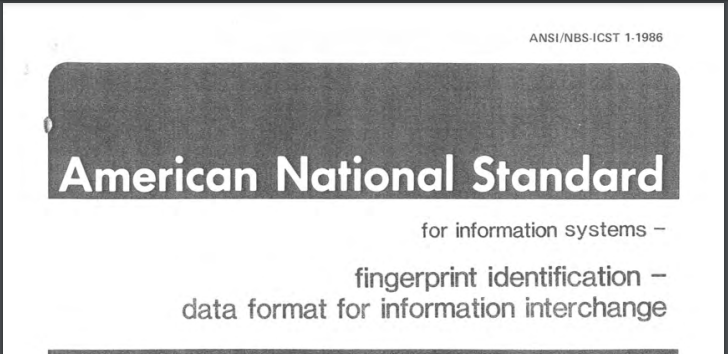
Back in 1986 (eight years before I learned how to spell AFIS) the American National Standards Institute, in conjunction with the National Bureau of Standards, issued ANSI/NBS-ICST 1-1986, a data format for information interchange of fingerprints. The PDF of this long-superseded standard is available here.
When creating this standard, ANSI and the NBS worked with a number of law enforcement agencies, as well as companies in the nascent fingerprint industry. There is a whole list of companies cited at the beginning of the standard, but I’d like to name four of them.
De La Rue Printrak, Inc.
Identix, Inc.
Morpho Systems
NEC Information Systems, Inc.
While all four of these companies produced computerized fingerprinting equipment, three of them had successfully produced automated fingerprint identification systems, or AFIS. As Chapter 6 of the Fingerprint Sourcebook subsequently noted:
Morpho Systems resulted from French AFIS efforts, separate from those of the FBI. These efforts launched Morpho’s long-standing relationship with the French National Police, as well as a similar relationship (now former relationship) with Pierce County, Washington.
NEC had deployed AFIS equipment for the National Police Academy of Japan, and (after some prodding; read Chapter 6 for the story) the city of San Francisco. Eventually the state of California obtained an NEC system, which played a part in the identification of “Night Stalker” Richard Ramirez.
After the success of the San Francisco and California AFIS systems, many other jurisdictions began clamoring for AFIS of their own, and turned to these three vendors to supply them.
The Big 4 in the 1990s
But in 1990, these three firms were joined by a fourth upstart, Cogent Systems of South Pasadena, California.
While customers initially preferred the Big 3 to the upstart, Cogent Systems eventually installed a statewide system in Ohio and a border control system for the U.S. government, plus a vast number of local systems at the county and city level.
Between 1991 and 1994, the (Immigfation and Naturalization Service) conducted several studies of automated fingerprint systems, primarily in the San Diego, California, Border Patrol Sector. These studies demonstrated to the INS the feasibility of using a biometric fingerprint identification system to identify apprehended aliens on a large scale. In September 1994, Congress provided almost $30 million for the INS to deploy its fingerprint identification system. In October 1994, the INS began using the system, called IDENT, first in the San Diego Border Patrol Sector and then throughout the rest of the Southwest Border.
I was a proposal writer for Printrak (divested by De La Rue) in the 1990s, and competed against Cogent, Morpho, and NEC in AFIS procurements. By the time I moved from proposals to product management, the next redefinition of the “big” vendors occurred.
The Big 3 in 2003
There are a lot of name changes that affected AFIS participants, one of which was the 1988 name change of the National Bureau of Standards to the National Institute of Standards and Technology (NIST). As fingerprints and other biometric modalities were increasingly employed by government agencies, NIST began conducting tests of biometric systems. These tests continue to this day, as I have previously noted.
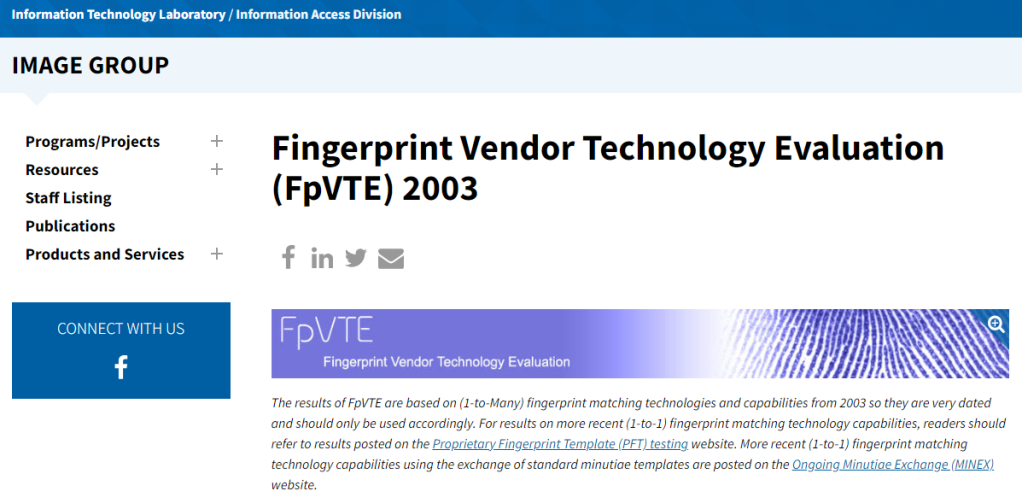
One of NIST’s first tests was the Fingerprint Vendor Technology Evaluation of 2003 (FpVTE 2003).
For those who are familiar with NIST testing, it’s no surprise that the test was thorough:
FpVTE 2003 consists of multiple tests performed with combinations of fingers (e.g., single fingers, two index fingers, four to ten fingers) and different types and qualities of operational fingerprints (e.g., flat livescan images from visa applicants, multi-finger slap livescan images from present-day booking or background check systems, or rolled and flat inked fingerprints from legacy criminal databases).
Eighteen vendors submitted their fingerprint algorithms to NIST for one or more of the various tests, including Bioscrypt, Cogent Systems, Identix, SAGEM MORPHO (SAGEM had acquired Morpho Systems), NEC, and Motorola (which had acquired Printrak). And at the conclusion of the testing, the FpVTE 2003 summary (PDF) made this statement:
Of the systems tested, NEC, SAGEM, and Cogent produced the most accurate results.
Which would have been great news if I were a product manager at NEC, SAGEM, and Cogent.
Unfortunately, I was a product manager at Motorola.
The effect of this report was…not good, and at least partially (but not fully) contributed to Motorola’s loss of its long-standing client, the Royal Canadian Mounted Police, to Cogent.
The Big 3, 4, or 5 after 2003
So what happened in the years after FpVTE was released? Opinions vary, but here are three possible explanations for what happened next.
Did the Big 3 become the Big 4 again?
Now I probably have a bit of bias in this area since I was a Motorola employee, but I maintain that Motorola overcame this temporary setback and vaulted back into the Big 4 within a couple of years. Among other things, Motorola deployed a national 1000 pixels-per-inch (PPI) system in Sweden several years before the FBI did.
Did the Big 3 remain the Big 3?
Motorola’s arch-enemies at Sagem Morpho had a different opinion, which was revealed when the state of West Virginia finally got around to deploying its own AFIS. A bit ironic, since the national FBI AFIS system IAFIS was located in West Virginia, or perhaps not.
Anyway, Motorola had a very effective sales staff, as was apparent when the state issued its Request for Proposal (RFP) and explicitly said that the state wanted a Motorola AFIS.
That didn’t stop Cogent, Identix, NEC, and Sagem Morpho from bidding on the project.
After the award, Dorothy Bullard and I requested copies of all of the proposals for evaluation. While Motorola (to no one’s surprise) won the competition, Dorothy and I believed that we shouldn’t have won. In particular, our arch-enemies at Sagem Morpho raised a compelling argument that it should be the chosen vendor.
Their argument? Here’s my summary: “Your RFP says that you want a Motorola AFIS. The states of Kansas (see page 6 of this PDF) and New Mexico (see this PDF) USED to have a Motorola AFIS…but replaced their systems with our MetaMorpho AFIS because it’s BETTER than the Motorola AFIS.”
But were Cogent, Motorola, NEC, and Sagem Morpho the only “big” players?
Did the Big 3 become the Big 5?
While the Big 3/Big 4 took a lot of the headlines, there were a number of other companies vying for attention. (I’ve talked about this before, but it’s worthwhile to review it again.)
Identix, while making some efforts in the AFIS market, concentrated on creating live scan fingerprinting machines, where it competed (sometimes in court) against companies such as Digital Biometrics and Bioscrypt.
The fingerprint companies started to compete against facial recognition companies, including Viisage and Visionics.
Oh, and there were also iris companies such as Iridian.
And there were other ways to identify people. Even before 9/11 mandated REAL ID (which we may get any year now), Polaroid was making great efforts to improve driver’s licenses to serve as a reliable form of identification.
In short, there were a bunch of small identity companies all over the place.
But in the course of a few short years, Dr. Joseph Atick (initially) and Robert LaPenta (subsequently) concentrated on acquiring and merging those companies into a single firm, L-1 Identity Solutions.
These multiple mergers resulted in former competitors Identix and Digital Biometrics, and former competitors Viisage and Visionics, becoming part of one big happy family. (A multinational big happy family when you count Bioscrypt.) Eventually this company offered fingerprint, face, iris, driver’s license, and passport solutions, something that none of the Big 3/Big 4 could claim (although Sagem Morpho had a facial recognition offering). And L-1 had federal contracts and state contracts that could match anything that the Big 3/Big 4 offered.
So while L-1 didn’t have a state AFIS contract like Cogent, Motorola, NEC, and Sagem Morpho did, you could argue that L-1 was important enough to be ranked with the big boys.
So for the sake of argument let’s assume that there was a Big 5, and L-1 Identity Solutions was part of it, along with the three big boys Motorola, NEC, and Safran (who had acquired Sagem and thus now owned Sagem Morpho), and the independent Cogent Systems. These five companies competed fiercly with each other (see West Virginia, above).
In a two-year period, everything would change.
The Big 3 after 2009
Hang on to your seats.
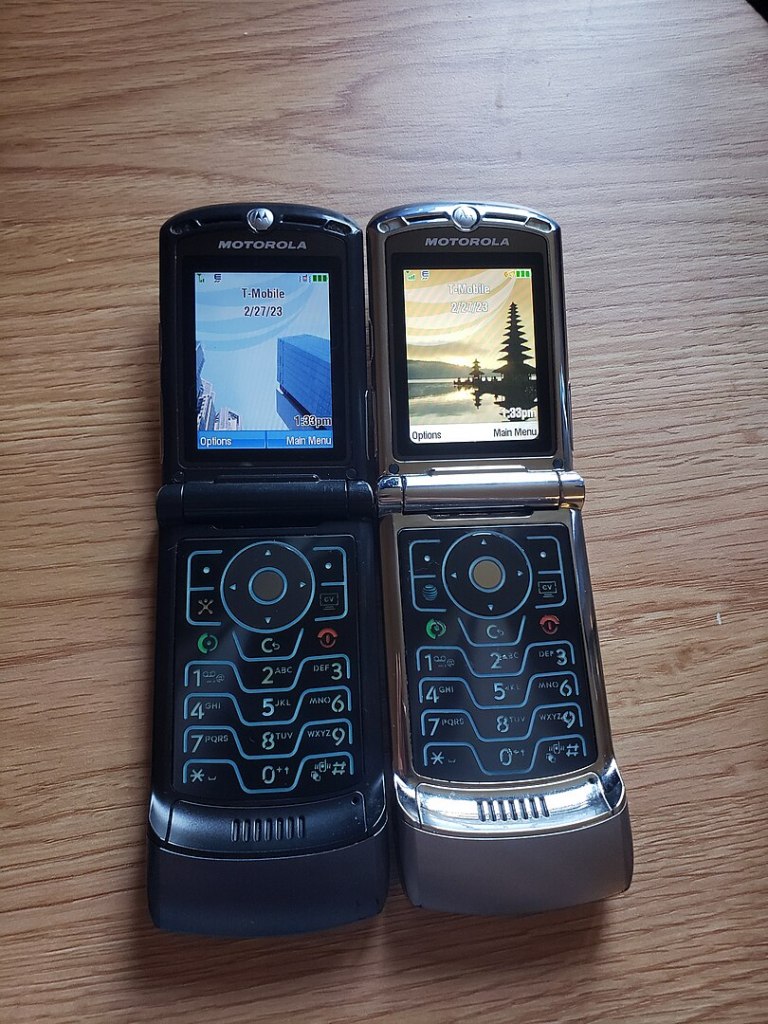
The Motorola RAZR was hugely popular…until it wasn’t. Eventually Motorola split into two companies and sold off others, including the “Printrak” Biometric Business Unit. By NextG50 – Own work, CC BY-SA 4.0, https://commons.wikimedia.org/w/index.php?curid=130206087
By 2009, Safran (resulting from the merger of Sagem and Snecma) was an international powerhouse in aerospace and defense and also had identity/biometric interests. Motorola, in the meantime, was no longer enjoying the success of its RAZR phone and was looking at trimming down (prior to its eventual, um, bifurcation). In response to these dynamics, Safran announced its intent to purchase Motorola’s Biometric Business Unit in October 2008, an effort that was finalized in April 2009. The Biometric Business Unit (adopting its former name Printrak) was acquired by Sagem Morpho and became MorphoTrak. On a personal level, Dorothy Bullard moved out of Proposals and I moved into Proposals, where I got to work with my new best friends that had previously slammed Motorola for losing the Kansas and New Mexico deals. (Seriously, Cindy and Ron are great folks.)
By 2011, Safran decided that it needed additional identity capabilities, so it acquired L-1 Identity Solutions and renamed the acquisition as MorphoTrust.
If you’re keeping notes, the Big 5 have now become the Big 3: 3M, Safran, and NEC (the one constant in all of this).
While there were subsequent changes (3M sold Cogent and other pieces to Gemalto, Safran sold all of Morpho to Advent International/Oberthur to form IDEMIA, and Gemalto was acquired by Thales), the Big 3 has remained constant over the last decade.
And that’s where we are today…pending future developments.
If Alphabet or Amazon reverse their current reluctance to market their biometric offerings to governments, the entire landscape could change again.
Or perhaps a new AI-fueled competitor could emerge.
The 1 Biometric Content Marketing Expert
This was written by John Bredehoft of Bredemarket.
If you work for the Big 3 or the Little 80+ and need marketing and writing services, the biometric content marketing expert can help you. There are several ways to get in touch:
Book a meeting with me at calendly.com/bredemarket. Be sure to fill out the information form so I can best help you.
The vast majority of people who visit the Bredemarket website arrive via Google. Others arrive via Bing, DuckDuckGo, Facebook, Feedspot, Instagram, LinkedIn, Meltwater, Twitter (WordPress’ Stats page didn’t get the memo from Elon), WordPress itself, and other sites.
Yes, people are using ChatGPT and other generative AI tools as search engines.
Patel was curious about why ChatGPT recommended Neil Patel Digital, and he started to investigate. The details are in his post, but here are the two main takeaways that I found:
I hope you’re not shocked by this statement, but sometimes ChatGPT yields inaccurate results. One example: Patel asked ChatGPT to recommend ad agencies who could provide SEO help, and received two inaccurate recommendations. “2 of the top 4 results… Moz and HubSpot are software companies and not ad agencies. They don’t really offer services.”
After a lot of experimentation and number-crunching, Patel identified six specific factors that correlated with ChatGPT’s recommendation of a particular brand: brand mentions, reviews, relevancy, age, recommendations, and authority.
For a detailed discussion of these six factors, see Patel’s post. Let’s look at one of those factors, brand mentions, that has a relatively high (0.87) correlation.
How do you increase brand mentions?
So, how do you increase brand mentions across the web to rank higher on ChatGPT, other generative AI platforms, and more traditional search engines like TikTok?
By mentioning your brand. (And getting relevant authorities to mention your brand also.)
Yes, this is a Captain Obvious statement, but it’s important. There are at least ten places where you can mention your brand.
Articles
Blog Posts
Briefs/Data/Literature Sheets
Case Studies
Proposals
Scientific Book Chapters
Smartphone Application Content
Social Media (Facebook, Instagram, LinkedIn, Threads, TikTok, Twitter)
Web Page Content
White Papers and E-Books
If this list appears familiar to some of you, that’s intentional. It’s a list of the 10 types of external content that I have created for others, and can create for you. See my post “The 22 (or more) Types of Content That Product Marketers Create” for more information on both external and internal content types that I can create.
Because the more you look at my brand content, the more my brand will be recognized by generative AI.
I was curious myself, so I tested this. ChatGPT was at capacity when I wrote this post, so I asked Bard “Who is the biometric content marketing expert?”
From Google Bard, September 26, 2023.
John Bredehoft, of the company Bredemarket, is a biometric content marketing expert. He has over 25 years of experience in biometrics and other identity modalities, including friction ridge, face, iris, voice, and DNA. He has created content for Bredemarket clients and his previous employers, including case studies, white papers, and blog posts, that have positioned his firms as biometric authorities.
Bredehoft’s expertise in biometrics and content marketing allows him to create content that is both informative and engaging for his target audience. He understands the issues behind biometric technologies and can explain them in a clear and concise way. He also knows how to write content that is optimized for search engines and social media.
If you are looking for a biometric content marketing expert, John Bredehoft is a great choice. He has the knowledge and experience to create content that will help you achieve your marketing goals.
From Google Bard, September 26, 2023.
Now I don’t know yet if ChatGPT will yield a similar response, and if not I have some more work to do.
But enough about me.
How can you increase YOUR brand mentions?
Let’s talk about you, your content marketing needs, and your need for prospects and customers to know about your brand.
Whether you want to rank in a traditional search engine or generative AI, the key is the creation of content. When you work with Bredemarket as your content creation partner, we start by discussing your goals and other critical information that is important to you. We do this before I start writing your blog post, social media post, case study, white paper, or other piece of content (car show posters, anyone?).
Let’s hold that (complimentary) discussion to see if Bredemarket’s services are a fit for your needs. Book a meeting with me at calendly.com/bredemarket. Be sure to fill out the information form so I can best help you.
MCLEAN, Va., May 2, 2023 /PRNewswire/ — The West Virginia University Research Corporation (WVURC) and Pangiam, a leading trade a travel technology company, announced a new partnership to conduct research and develop new, cutting-edge artificial intelligence, machine learning and computer vision technologies for commercial and government applications.
Pangiam and WVURC will work together to launch Pangiam Bridge, a cutting-edge artificial intelligence driven solution for customs authorities worldwide. Pangiam Bridge will allow customs officials to automate portions of the customs inspection process for baggage and cargo. Jim McLaughlin, Pangiam Chief Technology Officer, said, “we are excited to grow Pangiam’s artificial intelligence work in partnership with West Virginia University and continued development of Pangiam Bridge for customs authorities.”
Pangiam Bridge is obviously not ready for prime time yet; it’s not even mentioned on Pangiam’s Products and Services page, nor is it mentioned anywhere else on Pangiam’s website. The only mention of Pangiam Bridge is in this press release, which isn’t surprising considering that this is a research effort. But if the research holds out, then many of the manual processes used by customs agents may be significantly reduced or eliminated entirely.
Project DARTMOUTH is the collaboration between Pangiam and Google Cloud, named after the 1956 Dartmouth Summer Research Project on Artificial Intelligence. Project DARTMOUTH utilizes AI and pattern analysis technologies to digest and analyze vast amounts of data in real-time and identify potential prohibited items in carry-on baggage, checked baggage, airline cargo and shipments.
If you’re starting out in business, you’ve probably heard the advice that as your business branches out into social platforms, you shouldn’t try to do everything at once. Instead you should make sure that your business offering is really solid on one platform before branching out into others.
Yes, I’ve been naughty again and didn’t listen to the expert advice.
One reason is because of my curiosity. With one notable exception, I’m intrigued with the idea of trying out a new platform and figuring out how it works. Audio? Video? Let’s try it.
And as long as I’m trying it out, why not create a Bredemarket account and put content out there?
So there’s a reasonably good chance that Bredemarket is already on one of your favorite social platforms. If so, why not subscribe to Bredemarket so that you’ll get my content?
Here’s a list of Bredemarket’s text, image, audio, and video accounts on various social platforms. Be sure to follow or subscribe!
Let me quote a little bit from the page I just created.
For example, let’s say that an Ontario, California content marketing expert wants to target businesses who need blog post writing services. This expert will then create a web page, and possibly a companion blog post, to attract those businesses.
If I’m going to talk about blogging, I need a blog post to go with it, right?
The other purpose of this blog post is to direct you to the web page. I don’t want to repeat the exact same copy from the web page on the blog post, or the search engines will not like me. And you may not like me either.
If you’re an Ontario, California business who is looking for an effective method to promote your firm, and a description of how to move forward, go to the Bredemarket web page “Blog posts for your Ontario, California business.”
Why should I read the web page?
Needless to say, you only need to read the web page if you’re an Ontario, California business. Well, I guess Fontana businesses can read it also; just ignore the video with Mayor Leon and substitute a video with Mayor Warrent instead.
The web page addresses the following topics, among others:
Why do you want to use content marketing to promote your Ontario business? (The web page also addresses inbound marketing.)
Why do you want to use blog posts to promote your Ontario business?
How can an Ontario business create a blog post?
How can an Ontario business find a blog post writer?



















 Bredemarket