Then there was the time I was performing U.S. go-to-market activities for a global identity/biometric offering.
The product marketing launch went great…
…until the home office received a communication from a competitor.
A competitor with a previously existing product with a name VERY similar to that of our subsequently launched solution.
Oops.
We definitely made a mistake by not thoroughly checking the name.
Of course, with the way that some companies want to imitate the things their competitors do, I’m sure some firms perform this intentionally, rather than accidentally.
You may remember the May hoopla regarding amendments to Illinois’ Biometric Information Privacy Act (BIPA). These amendments do not eliminate the long-standing law, but lessen its damage to offending companies.
The General Assembly is expected to send the bill to Illinois Governor JB Pritzker within 30 days. Gov. Pritzker will then have 60 days to sign it into law. It will be immediately effective.
While the BIPA amendment has passed the Illinois House and Senate and was sent to the Governor, there is no indication that he has signed the bill into law within the 60-day timeframe.
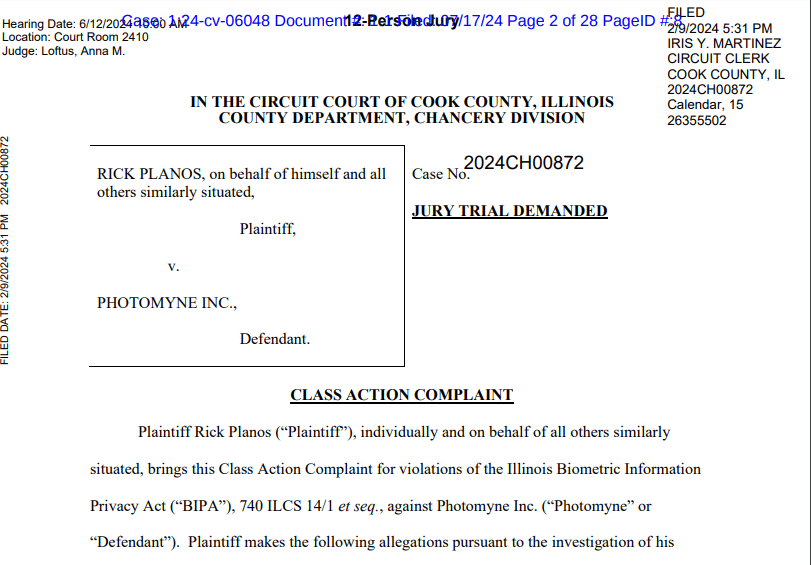
A proposed class action claims Photomyne, the developer of several photo-editing apps, has violated an Illinois privacy law by collecting, storing and using residents’ facial scans without authorization….
The lawsuit contends that the app developer has breached the BIPA’s clear requirements by failing to notify Illinois users of its biometric data collection practices and inform them how long and for what purpose the information will be stored and used.
In addition, the suit claims the company has unlawfully failed to establish public guidelines that detail its data retention and destruction policies.
Any endeavor, scientific or non-scientific, tends to generate a host of acronyms that the practitioners love to use.
For people interested in fingerprint identification, I’ve written this post to delve into some of the acronyms associated with NIST MINEX testing, including ANSI, INCITS, FIPS, and PIV.
NIST was involved with fingerprints before NIST even existed. Back when NIST was still the NBS (National Bureau of Standards), it issued its first fingerprint interchange standard back in 1986. I’ve previously talked about the 1993 version of the standard in this post, “When 250ppi Binary Fingerprint Images Were Acceptable.”
But let’s move on to another type of interchange.
MINEX
It’s even more important that we define MINEX, which stands for Minutiae (M) Interoperability (IN) Exchange (EX).
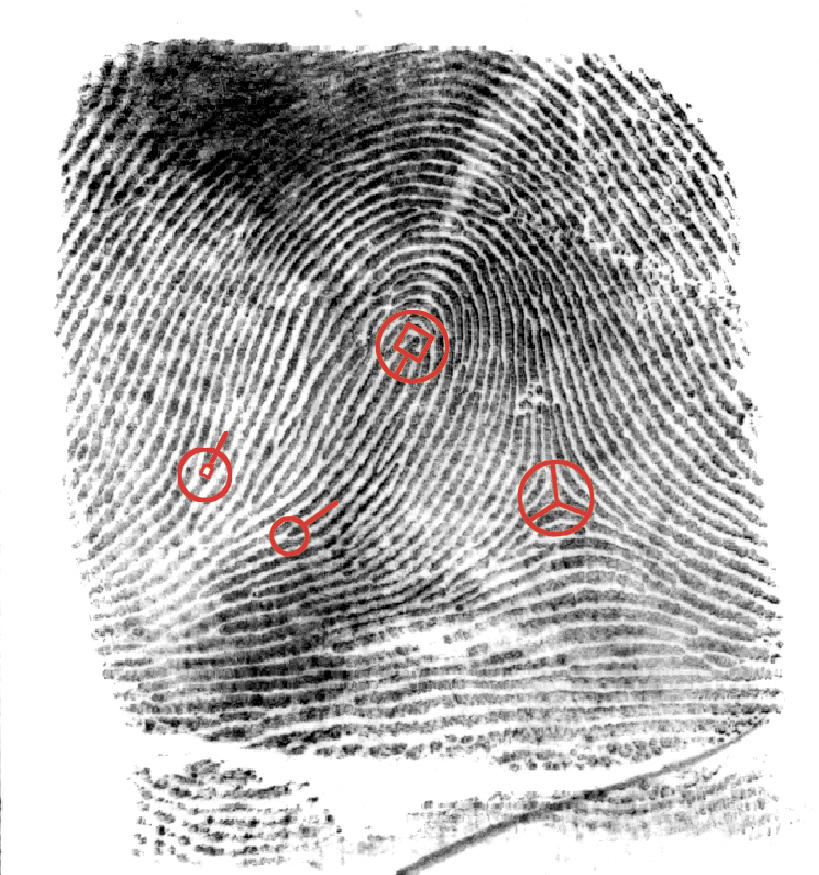
You’ll recall that the 1993 (and previous, and subsequent) versions of the ANSI/NIST standard included a “Type 9” to record the minutiae generated by the vendor for each fingerprint. However, each vendor generated minutiae according to its own standard. Back in 1993 Cogent had its standard, NEC its standard, Morpho its standard, and Printrak its standard.
So how do you submit Cogent minutiae to a Printrak system? There are two methods:
First, you don’t submit them at all. Just ignore the Cogent minutiae, look at the Printrak image, and use an algorithm regenerate the minutiae to the Printrak standard. While this works with high quality tenprints, it won’t work with low quality latent (crime scene) prints that require human expertise.
The second method is to either convert the Cogent minutiae to the Printrak minutiae standard, or convert both standards into a common format.
The American National Standards Institute (ANSI) is a private, non-profit organization that administers and coordinates the U.S. voluntary standards and conformity assessment system. Founded in 1918, the Institute works in close collaboration with stakeholders from industry and government to identify and develop standards- and conformance-based solutions to national and global priorities….
ANSI is not itself a standards developing organization. Rather, the Institute provides a framework for fair standards development and quality conformity assessment systems and continually works to safeguard their integrity.
So ANSI, rather than creating its own standards, works with outside organizations such as NIST…and INCITS.
INCITS
Now that’s an eye-catching acronym, but INCITS isn’t trying to cause trouble. Really, they’re not. Believe me.
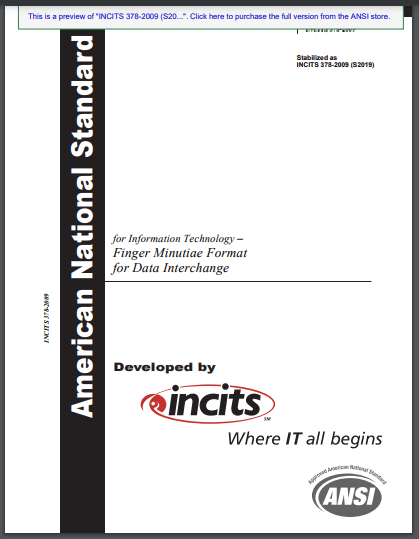
Back in 2004, INCITS worked with ANSI (and NIST, who created samples) to develop three standards: one for finger images (ANSI INCITS 381-2004), one for face recognition (ANSI INCITS 385-2004), and one for finger minutiae (ANSI INCITS 378-2004, superseded by ANSI INCITS 378-2009 (S2019)).
When entities used this vendor-agnostic minutiae format, then minutiae from any vendor could in theory be interchanged with those from any other vendor.
This came in handy when the FIPS was developed for PIV. Ah, two more acronyms.
FIPS and PIV
One year after the three ANSI INCITS standards were released, this happened (the acronyms are defined in the text):
Federal Information Processing Standard (FIPS) 201 entitled Personal Identity Verification of Federal Employees and Contractors establishes a standard for a Personal Identity Verification (PIV) system (Standard) that meets the control and security objectives of Homeland Security Presidential Directive-12 (HSPD-12). It is based on secure and reliable forms of identity credentials issued by the Federal Government to its employees and contractors. These credentials are used by mechanisms that authenticate individuals who require access to federally controlled facilities, information systems, and applications. This Standard addresses requirements for initial identity proofing, infrastructure to support interoperability of identity credentials, and accreditation of organizations issuing PIV credentials.
So the PIV, defined by a FIPS, based upon an ANSI INCITS standard, defined a way for multiple entities to create and support fingerprint minutiae that were interoperable.
But how do we KNOW that they are interoperable?
Let’s go back to NIST and MINEX.
Testing interoperability
So NIST ended up in charge of figuring out whether these interoperable minutiae were truly interoperable, and whether minutiae generated by a Cogent system could be used by a Printrak system. Of course, by the time MINEX testing began Printrak no longer existed, and a few years later Cogent wouldn’t exist either.
You can read the whole history of MINEX testing here, but for now I’m going to skip ahead to MINEX III (which occurred many years after MINEX04, but who’s counting?).
Like some other NIST tests we’ve seen before, vendors and other entities submit their algorithms, and NIST does the testing itself.
In this case, all submitters include a template generation algorithm, and optionally can include a template matching algorithm.
Then NIST tests each algorithm against every other algorithm. So the “innovatrics+0020” template generator is tested against itself, and is also tested against the “morpho+0115” algorithm, and all the other algorithms.
NIST then performs its calculations and comes up with summary values of interoperability, which can be sliced and diced a few different ways for both template generators and template matchers.
From NIST. Top 10 template generators (Ascending “Pooled 2 Fingers FNMR @ FMR≤10-2“) as of July 29, 2024.
And this test, like some others, is an ongoing test, so perhaps in a few months someone will beat Innovatrics for the top pooled 2 fingers spot.
Are fingerprints still relevant?
And entities WILL continue to submit to the MINEX III test. While a number of identity/biometric professionals (frankly, including myself) seem to focus on faces rather than fingerprints, fingers still play a vital role in biometric identification, verification, and authentication.
Who are the competitors in the market for my product?
Which features do competitive products offer? How do they compare to the features my product offers?
Which industries do competitors target? How do they compare with the industries my company targets?
Which contracts have the competitors won? How do they compare with the contracts my company has won?
How effective is my company’s product marketing? My website? My social media? My key employees’ social media?
Bredemarket can help you answer these questions.
Types of analyses Bredemarket performs
For those who don’t know, or who missed my previous discussion on the topic, Bredemarket performs analyses that contain one or more of the following:
Analysis of one or more markets/industries for a particular product or product line.
Analysis of one or more (perhaps tens or hundreds) of competitors and/or competitive products for a particular product or product line.
Analysis of a firm’s own product or product line, including how it is marketed.
How Bredemarket conducts its analyses
Bredemarket analyses only use publicly available data.
I’m not hacking websites to get competitor prices or plans.
I’m not asking past employees to violate their non-disclosure agreements.
How Bredemarket packages its analyses
These analyses can range in size from very small to very large. On the very small side, I briefly analyzed the markets of three prospect firms in advance of calls with them. On the large side, I’ve performed analyses that take between one and six weeks to complete.
For the small self-analyses (excluding the very small quick freebies before a prospect call), I deliver these under my Bredemarket 404 Web/Social Media Checkup banner. When I first offered this service in 2020, I had a complex price calculation mechanism that depended upon the number of pages I had to analyze. Now I’ve simplified it and charge one of two flat rates.
Because the larger analyses are of undetermined length, I offer these at an hourly rate under my Bredemarket 4000 Long Writing Service banner. These reports can number 40 pages or more in length, sometimes accompanied by a workbook describing 700 or more competitor products or contracts.
Obviously I can’t provide specifics upon the analyses I’ve already performed since those are confidential to my customers, but I always discuss the customers’ needs before launching the analysis to ensure that the final product is what you want. I also provide drafts along the way in case we need to perform a course correction.
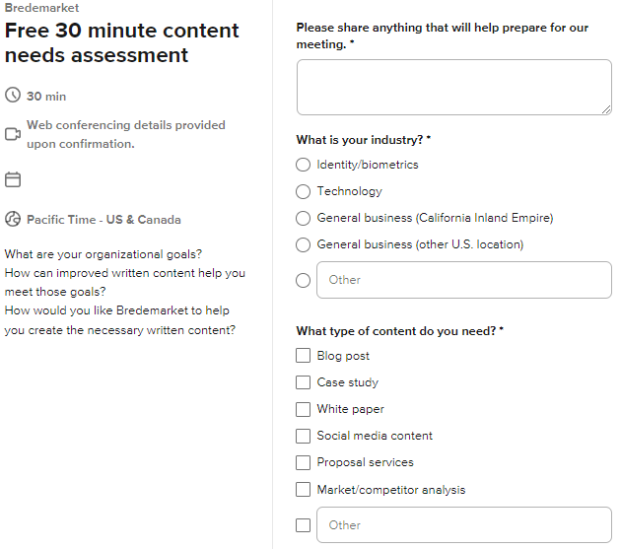
Do you need a market, competitor, or self analysis? Contact me. Or book a meeting with me at calendly.com/bredemarket to talk about your needs (and check the “Market/competitor analysis” check box).
Normal people look forward to the latest album or movie. A biometric product marketing expert instead looks forward to an inaugural test report from the National Institute of Standards and Technology (NIST) on age estimation and verification using faces.
I’ve been waiting for this report for months now (since I initially mentioned it in July 2023), and in April NIST announced it would be available in the next few weeks.
NIST news release
Yesterday I learned of the report’s public availability via a NIST news release.
A new study from the National Institute of Standards and Technology (NIST) evaluates the performance of software that estimates a person’s age based on the physical characteristics evident in a photo of their face. Such age estimation and verification (AEV) software might be used as a gatekeeper for activities that have an age restriction, such as purchasing alcohol or accessing mature content online….
The new study is NIST’s first foray into AEV evaluation in a decade and kicks off a new, long-term effort by the agency to perform frequent, regular tests of the technology. NIST last evaluated AEV software in 2014….
(The new test) asked the algorithms to specify whether the person in the photo was over the age of 21.
Well, sort of. We’ll get to that later.
Current AEV results
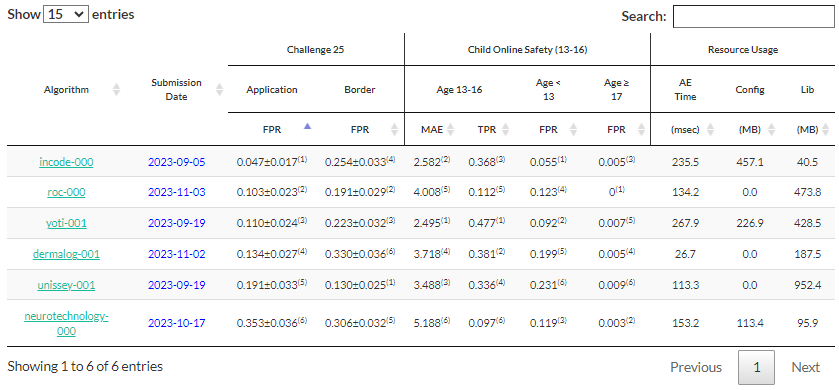
I was in the middle of a client project on Thursday and didn’t have time to read the detailed report, but I did have a second to look at the current results. Like other ongoing tests, NIST will update the age estimation and verification (AEV) results as these six vendors (and others) submit new algorithms.
Why does NIST test age estmation, or anything else?
The Information Technology Laboratory and its Information Access Division
NIST campus, Gaithersburg MD. From https://www.nist.gov/ofpm/historic-preservation-nist/gaithersburg-campus. I visited it once, when Safran’s acquisition of Motorola’s biometric business was awaiting government approval. I may or may not have spoken to a Sagem Morpho employee at this meeting, even though I wasn’t supposed to in case the deal fell through.
One of NIST’s six research laboratories is its Information Technology Laboratory (ITL), charged “to cultivate trust in information technology (IT) and metrology.” Since NIST is part of the U.S. Department of Commerce, Americans (and others) who rely on information technology need an unbiased source on the accuracy and validity of this technology. NIST cultivates trust by a myriad of independent tests.
Some of those tests are carried out by one of ITL’s six divisions, the Information Access Division (IAD). This division focuses on “human action, behavior, characteristics and communication.”
The difference between FRTE and FATE
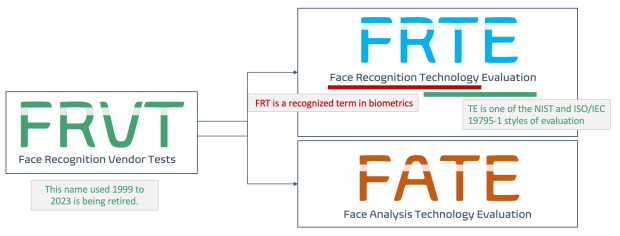
While there is a lot of IAD “characteristics” work that excites biometric folks, including ANSI/NIST standard work, contactless fingerprint capture, the Fingerprint Vendor Technology Evaluation (ugh), and other topics, we’re going to focus on our new favorite acronyms, FRTE (Face Recognition Technology Evaluation) and FATE (Face Analysis Technology Evaluation). If these acronyms are new to you, I talked about them last August (and the deprecation of the old FRVT acronym).
Basically, the difference between “recognition” and “analysis” in this context is that recognition identifies an individual, while analysis identifies a characteristic of an individual. So the infamous “Gender Shades” study, which tested the performance of three algorithms in identifying people’s sex and race, is an example of analysis.
Age analysis
The age of a person is another example of analysis. In and of itself an age cannot identify an individual, since around 385,000 people are born every day. Even with lower birth rates when YOU were born, there are tens or hundreds of thousands of people who share your birthday.
They say it’s your birthday. It’s my birthday too, yeah. From https://www.youtube.com/watch?v=fkZ9sT-z13I. Paul’s original band never filmed a promotional video for this song.
And your age matters in the situations I mentioned above. Even when marijuana is legal in your state, you can’t sell it to a four year old. And that four year old can’t (or shouldn’t) sign up for Facebook either.
You can check a person’s ID, but that takes time and only works when a person has an ID. The only IDs that a four year old has are their passport (for the few who have one) and their birth certificate (which is non-standard from county to county and thus difficult to verify). And not even all adults have IDs, especially in third world countries.
Self-testing
So companies like Yoti developed age estimation solutions that didn’t rely on government-issued identity documents. The companies tested their performance and accuracy themselves (see the PDF of Yoti’s March 2023 white paper here). However, there are two drawbacks to this:
While I am certain that Yoti wouldn’t pull any shenanigans, results from a self-test always engender doubt. Is the tester truly honest about its testing? Does it (intentionally or unintentionally) gloss over things that should be tested? After all, the purpose of a white paper is for a vendor to present facts that lead a prospect to buy a vendor’s solution.
Even with Yoti’s self tests, it did not have the ability (or the legal permission) to test the accuracy of its age estimation competitors.
How NIST tests age estimation
Enter NIST, where the scientists took a break from meterological testing or whatever to conduct an independent test. NIST asked vendors to participate in a test in which NIST personnel would run the test on NIST’s computers, using NIST’s data. This prevented the vendors from skewing the results; they handed their algorithms to NIST and waited several months for NIST to tell them how they did.
I won’t go into it here, but it’s worth noting that a NIST test is just a test, and test results may not be the same when you implement a vendor’s age estimation solution on CUSTOMER computers with CUSTOMER data.
The NIST internal report I awaited
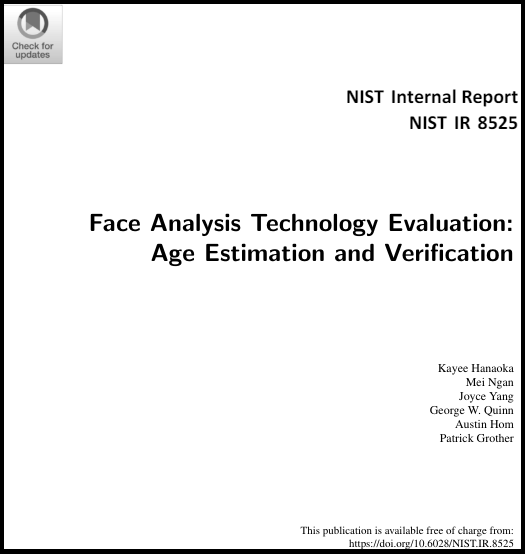
NOW let’s turn to the actual report, NIST IR 8525 “Face Analysis Technology Evaluation: Age Estimation and Verification.”
NIST needed a set of common data to test the vendor algorithms, so it used “around eleven million photos drawn from four operational repositories: immigration visas, arrest mugshots, border crossings, and immigration office photos.” (These were provided by the U.S. Departments of Homeland Security and Justice.) All of these photos include the actual ages of the persons (although mugshots only include the year of birth, not the date of birth), and some include sex and country-of-birth information.
For each algorithm and each dataset, NIST recorded the mean absolute error (MAE), which is the mean number of years between the algorithm’s estimate age and the actual age. NIST also recorded other error measurements, and for certain tests (such as a test of whether or not a person is 17 years old) the false positive rate (FPR).
The challenge with the methodology
Many of the tests used a “Challenge-T” policy, such as “Challenge 25.” In other words, the test doesn’t estimate whether a person IS a particular age, but whether a person is WELL ABOVE a particular age. Here’s how NIST describes it:
For restricted-age applications such as alcohol purchase, a Challenge-T policy accepts people with age estimated at or above T but requires additional age assurance checks on anyone assessed to have age below T.
So if you have to be 21 to access a good or service, the algorithm doesn’t estimate if you are over 21. Instead, it estimates whether you are over 25. If the algorithm thinks you’re over 25, you’re good to go. If it thinks you’re 24, pull out your ID card.
And if you want to be more accurate, raise the challenge age from 25 to 28.
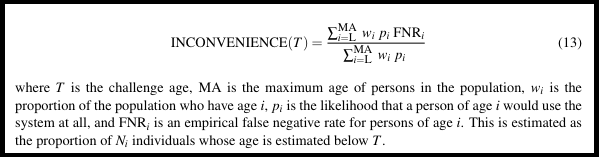
NIST admits that this procedure results in a “tradeoff between protecting young people and inconveniencing older subjects” (where “older” is someone who is above the legal age but below the challenge age).
NIST also performed a variety of demographic tests that I won’t go into here.
What the NIST age estimation test says
OK, forget about all that. Let’s dig into the results.
So depending upon the test, the best age estimation vendor (based upon accuracy and or resource usage) may be Dermalog, or Incode, or ROC (formerly Rank One Computing), or Unissey, or Yoti. Just look for that “(1)” superscript.
You read that right. Out of the 6 vendors, 5 are the best. And if you massage the data enough you can probably argue that Neurotechnology is the best also.
So if I were writing for one of these vendors, I’d argue that the vendor placed first in Subtest X, Subtest X is obviously the most important one in the entire test, and all the other ones are meaningless.
But the truth is what NIST said in its news release: there is no single standout algorithm. Different algorithms perform better based upon the sex or national origin of the people. Again, you can read the report for detailed results here.
What the report didn’t measure
NIST always clarifies what it did and didn’t test. In addition to the aforementioned caveat that this was a test environment that will differ from your operational environment, NIST provided some other comments.
The report excludes performance measured in interactive sessions, in which a person can cooperatively present and re-present to a camera. It does not measure accuracy effects related to disguises, cosmetics, or other presentation attacks. It does not address policy nor recommend AV thresholds as these differ across applications and jurisdictions.
Of course NIST is just starting this study, and could address some of these things in later studies. For example, its ongoing facial recognition accuracy tests never looked at the use case of people wearing masks until after COVID arrived and that test suddenly became important.
What about 22 year olds?
As noted above, the test used a Challenge 25 or Challenge 28 model which measured whether a person who needed to be 21 appeared to be 25 or 28 years old. This makes sense when current age estimation technology measures MAE in years, not days. NIST calculated the “inconvenience” to 21-25 (or 28) year olds affected by this method.
While a lot of attention is paid to the use cases for 21 year olds (buying booze) and 18 year olds (viewing porn), states and localities have also paid a lot of attention to the use cases for 13 year olds (signing up for social media). In fact, some legislators are less concerned about a 20 year old buying a beer than a 12 year old receiving text messages from a Meta user.
NIST tests for these in the “child online safety” tests, particularly these two:
Age < 13 – False Positive Rates (FPR) are proportions of subjects aged below 13 but whose age is estimated from 13 to 16 (below 17).
Age ≥ 17 – False Positive Rates (FPR) are proportions of subjects aged 17 or older but whose age is estimated from 13 to 16.
However, the visa database is the only one that includes data of individuals with actual ages below age 13. The youngest ages in the other datasets are 14, or 18, or even 21, rendering them useless for the child online safety tests.
Why NIST researchers are great researchers
The mark of a great researcher is their ability to continue to get funding for their research, which is why so many scientific papers conclude with the statement “further study is needed.”
Here’s how NIST stated it:
Future work: The FATE AEV evaluation remains open, so we will continue to evaluate and report on newly submitted prototypes. In future reports we will: evaluate performance of implementations that can exploit having a prior known-age reference photo of a subject (see our API); consider whether video clips afford improved accuracy over still photographs; and extend demographic and quality analyses.
Translation: if Congress doesn’t continue to give NIST money, then high school students will get drunk or high, young teens will view porn, and kids will encounter fraudsters on Facebook. It’s up to you, Congress.
When marketing your facial recognition product (or any product), you need to pay attention to your positioning and messaging. This includes developing the answers to why, how, and what questions. But your positioning and your resulting messaging are deeply influenced by the characteristics of your product.
If facial recognition is your only modality
There are hundreds of facial recognition products on the market that are used for identity verification, authentication, crime solving (but ONLY as an investigative lead), and other purposes.
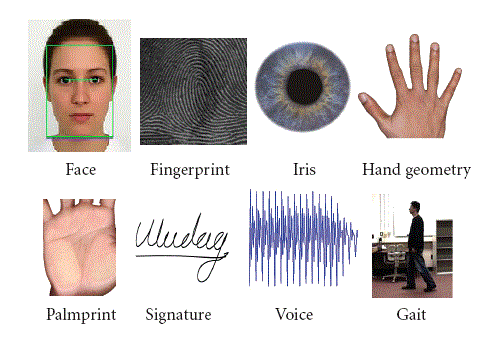
Some of these solutions ONLY use face as a biometric modality. Others use additional biometric modalities.
Similarly, a face-only company will argue that facial recognition is a very fast, very secure, and completely frictionless method of verification and authentication. When opponents bring up the demonstrated spoofs against faces, you will argue that your iBeta-conformant presentation attack detection methodology guards against such spoofing attempts.
Of course, if you initially only offer a face solution and then offer a second biometric, you’ll have to rewrite all your material. “You know how we said that face is great? Well, face and gait are even greater!”
It seems that many of the people that are waiting the long-delayed death of the password think that biometrics is the magic solution that will completely replace passwords.
For this reason, your company might have decided to use biometrics as your sole factor of identity verification and authentication.
Or perhaps your company took a different approach, and believes that multiple factors—perhaps all five factors—are required to truly verify and/or authenticate an individual. Use some combination of biometrics, secure documents such as driver’s licenses, geolocation, “something you do” such as a particular swiping pattern, and even (horrors!) knowledge-based authentication such as passwords or PINs.
This naturally shapes your positioning and messaging.
The single factor companies will argue that their approach is very fast, very secure, and completely frictionless. (Sound familiar?) No need to drag out your passport or your key fob, or to turn off your VPN to accurately indicate your location. Biometrics does it all!
The multiple factor companies will argue that ANY single factor can be spoofed, but that it is much, much harder to spoof multiple factors at once. (Sound familiar?)
So position yourself however you need to position yourself. Again, be prepared to change if your single factor solution adopts a second factor.
A final thought
Every company has its own way of approaching a problem, and your company is no different. As you prepare to market your products, survey your product, your customers, and your prospects and choose the correct positioning (and messaging) for your own circumstances.
And if you need help with biometric positioning and messaging, feel free to contact the biometric product marketing expert, John E. Bredehoft. (Full-time employment opportunities via LinkedIn, consulting opportunities via Bredemarket.)
In the meantime, take care of yourself, and each other.













 Bredemarket