For all but one Bredemarket client, I provide my deliverables via email. The deliverables usually consist of items such as Microsoft Word documents, Microsoft Excel workbooks, and Portable Document Files.
As I mentioned above, Bredemarket often performs market/competitive analyses. In fact, one of my clients likes my analyses so much that they keep on coming back for more analyses to cover different markets.
For the last three analyses for this particular client, my deliverables have consisted of the following:
An overall report, in PDF format.
The raw data, in XLSX format.
Extracts from the raw data, in PDF format.
The raw text of the report, in DOCX format.
Not a real Bredemarket report. By National Highway Traffic Safety Administration – National Highway Traffic Safety Administration Publication Number: NHTSA-DOT-HS-5-01160, Public Domain, https://commons.wikimedia.org/w/index.php?curid=6709383.
In my analyses I referred to the companies’ publicly available websites to gather information on the competitor products, as well as the markets they address. (Using a made-up example, if my client provided its products to convenience stores, and a particular competitor ALSO targeted convenience stores, my client would obviously want to know this.)
The opportunity
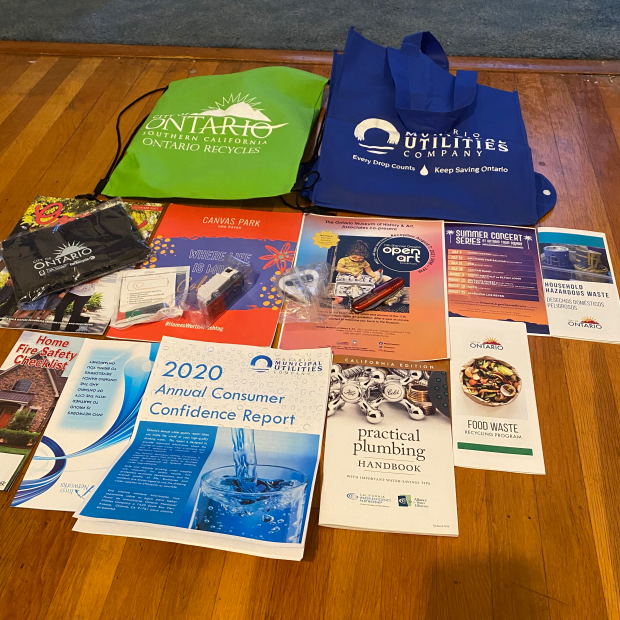
But for this third analysis I didn’t just look at the websites. I also looked at the product brochures that I could download from these websites.
Since I was downloading all the publicly available brochures from the various competitors, why not provide all of these brochures to my client?
It seemed like a great idea. Since I had gone through all the work to collect the brochures, might as well let my client make future use of them.
The problem
So as I wrapped up the project and prepared the deliverables for my client, I discovered that I had amassed over 100 megabytes of brochures. (That’s what happens when you analyze over 100 competitor products.)
So my idea of zipping all the brochures into a single file wouldn’t work. Even the zip file exceeded the attachment sending limits of Bredemarket’s email service provider, Google. (And probably exceeded the attachment receiving limits of my client’s email service provider.)
And if you’ve already figured out the obvious solution to my problem, bear with me. It took me several days to realize the obvious solution myself.
Anyway, I hit upon a great solution to my problem…or so I thought.
The solution, first attempt
But that wasn’t a problem for me. Along with my email account, Google also provides Bredemarket with Google Drive. While the contents of my Google Drive are private to the employees of Bredemarket (all 1 of us), I can designate individual files and folders for access by selected people.
So I set up a designated folder for my client’s access only, uploaded all the deliverables including the 100+ MB zip file to the designated folder, and provided my client’s contact with access.
I then told my client that all the deliverables were in the Google Drive folder and asked the client to let me know when they were downloaded.
Which is when I encountered my second problem.
For security reasons, the client’s IT department forbids employees from accessing unauthorized Google Drives.
So I jumped back to Plan A and emailed all the files to my client except for the one 100+ MB zip file.
Now I just had to get that zip file to the client.
The solution, second attempt
That’s when I recalled the Dropbox account I set up for Bredemarket some time ago.
It was a quick process to upload the single 100+ MB zip file to a designated folder in Dropbox and give my client access.
But the client isn’t allowed to access Dropbox from work either.
The solution, third attempt
By the time that my client was contacting his IT department for a possible fix, I realized the solution that you the reader probably realized several paragraphs ago.
Instead of emailing one zip file, why not email multiple zip files in multiple emails, with each zip file under Google’s 25 MB limit?
So I sent six emails to my client.
This FINALLY worked.
I should have divided and conquered in the first place.
Can you use Bredemarket’s deliverables?
Do you want Bredemarket to send you 100 megabytes of brochures, now that I know how to do it?
More importantly, do you want Bredemarket to send you a market/competitor analysis to your specifications?
Talk to Bredemarket and discuss your needs. Book a meeting with me at calendly.com/bredemarket. Be sure to fill out the information form so I can best help you.
I’m going to describe one example of how Bredemarket has helped its customers, based upon one of my client projects from several years ago.
Stupid Word Tricks. Tell your brother, your sister and your mama too. See below.
I’ve told this story before, but I wanted to take a fresh look at the problem the firm had, and the solution Bredemarket provided. I’m not identifying the firm, but perhaps YOUR firm has a similar problem that I can solve for you. And your firm is the one that matters.
The problem
This happened several years ago, but was one of Bredemarket’s first successes.
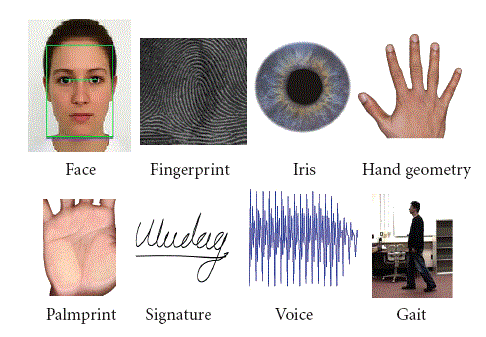
The firm that asked for my help is one that focuses on one particular biometric modality, and provides a high-end solution for biometric identification.
In addition, the firm’s solution has multiple applications, crime solving and disaster victim identification being two of them.
The firm needed a way to perform initial prospect outreach via budgetary quotations, targeted to the application that mattered to the prospect. A simple proposal problem to be solved…or so it seemed.
Why the obvious proposal solution didn’t work
I had encountered similar problems while employed at Printrak and MorphoTrak and while consulting here at Bredemarket, so the solution was painfully obvious.
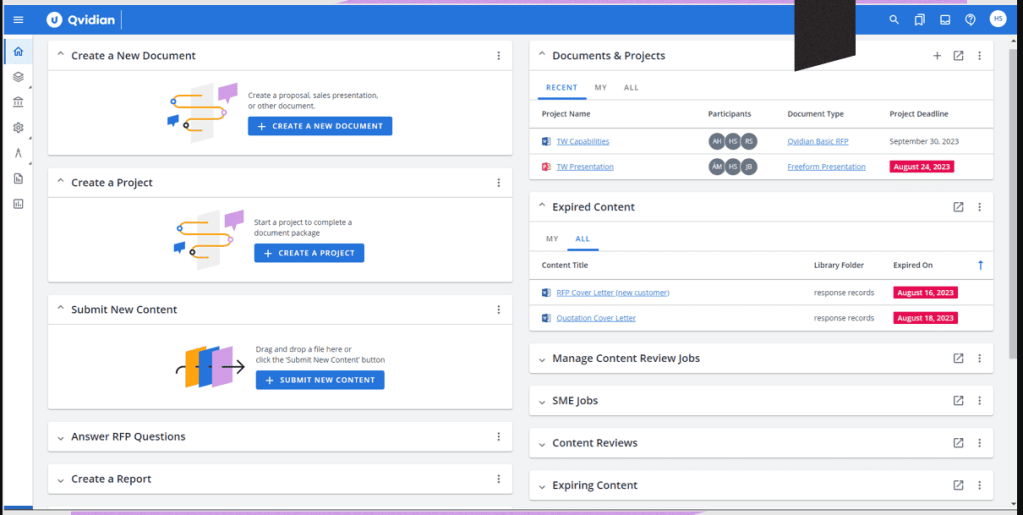
Qvidian, one proposal automation software package that I have used. But there are a LOT of proposal automation software packages out there, including some new ones that incorporate artificial intelligence. From https://uplandsoftware.com/qvidian/.
Have your proposal writers create relevant material in their proposal automation software that could target each of the audiences.
So when your salesperson wants to approach a medical examiner involved in disaster victim identification, the proposal writer could just run the proposal automation software, create the targeted budgetary quotation, populate it with the prospect’s contact information, and give the completed quotation to the salesperson.
Unfortuntely for the firm, the painfully obvious solution was truly painful, for two reasons:
This firm had no proposal automation software. Well, maybe some other division of the firm had such software, but this division didn’t have access to it. So the whole idea of adding proposal text to an existing software solution, and programming the solution to generate the appropriate budgetary quotation, wasn’t going to fly.
In addition, this firm had no proposal writers. The salespeople were doing this on their own. The only proposal writer they had was the contractor from Bredemarket. And they weren’t going to want to pay for me to generate every budgetary quotation they needed.
In this case, the firm needed a way for the salespeople to generate the necessary budgetary quotations as easily as possible, WITHOUT relying on proposal automation software or proposal writers.
Bredemarket’s solution
To solve the firm’s problem, I resorted to Stupid Word Tricks.
I created two similar budgetary quotation templates: one for crime solving, and one for disaster victim identification. (Actually I created more than two.) That way the salesperson could simply choose the budgetary quotation they wanted.
The letters were similar in format, but had little tweaks depending upon the audience.
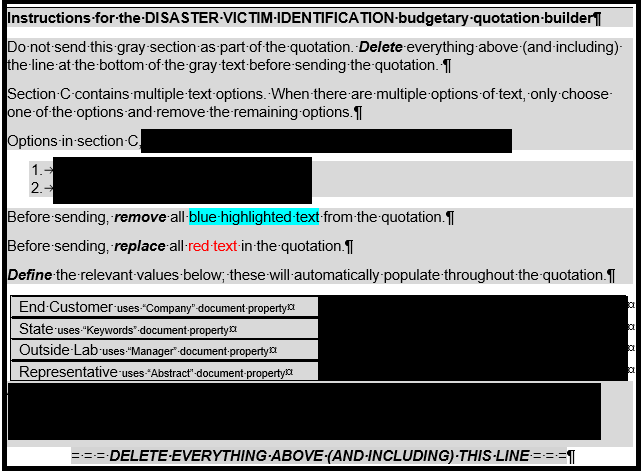
Using document properties to create easy-to-use budgetary quotations.
The Stupid Word Tricks came into play when I used Word document property features to allow the salesperson to enter the specific information for each prospect, which then rippled throughout the document, providing a customized budgetary quotation to the prospect.
The result
The firms’ salespeople used Bredemarket’s templates to generate initial outreach budgetary quotations to their clients.
And the salespeople were happy.
I’ve used this testimonial quote before, but it doesn’t hurt to use it again.
“I just wanted to truly say thank you for putting these templates together. I worked on this…last week and it was extremely simple to use and I thought really provided a professional advantage and tool to give the customer….TRULY THANK YOU!”
Comment from one of the client’s employees who used the standard proposal text
While I actively consulted for the firm I maintained the templates, updating as needed as the firm achieved additional certifications.
Why am I telling this story again?
I just want to remind people that Bredemarket doesn’t just write posts, articles, and other collateral. I can also create collateral such as these proposal templates that you can re-use.
Time for me to make a cryptic LinkedIn post. Although now that I’m sharing the secret here, I’ll have to lower the score to 89.
Bredemarket’s first rule
But before I share my revised Phineas-Hirshfield score, I need to share the first Bredemarket Rule, the Bredemarket Rule of Corporate Tool Adoption. (Copyright 2023 Bredemarket.)
In any organization, the number of adopted tools that perform the exact same function is always in excess of one.
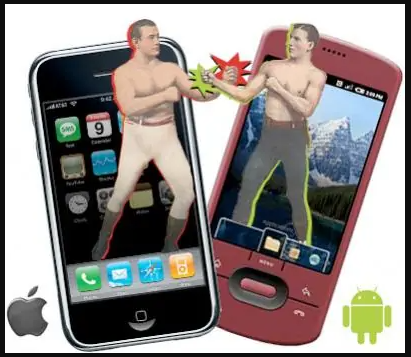
In other words, if there’s someone in your organization who is using an iPhone, there is someone else in your organization who is using an Android phone.
Or someone has a Mac, and another person has a Windows computer.
Or someone has one brand of software, while someone else has the competitior brand.
Even if an organization dictates that everyone will use a single tool, there will be someone somewhere who will rebel against the organization and use a different tool.
Presumably the first panelist was exposed to Asana at one point and liked it, while the second panelist was exposed to Monday and liked it.
Or, since the panelists were from two different companies, maybe each company standardized on one or the other. Or maybe the departments within their companies standardized on a particular tool, but if you poll the entire company, you’ll find some Monday departments and some Asana departments.
Multiple tools in a single department
Even in the same department you may find multiple tools. Let me cite an example.
Several of the people who were in the Marketing department of Incode Technologies have since left the company, and I’m working with one of them on a project this week.
I had to send a PDF to him, and was also going to also send him the source Microsoft Word document…until I remembered from our days at Incode that he was (and I guess still is) a Google Docs guy.
Of course, there are times in which an entire organization agrees on a single tool, but those times never last.
My mid-1990s employer, Printrak International, was preparing to go public. The head of Printrak determined that the company needed some help in this, and brought several staffers on board who were expert in Initial Public Offerings (IPOs).
One of these people took the role of Chief Financial Officer, preparing Printrak for its IPO and for two post-IPO acquisitions, one of which profoundly and positively impacted the future of the firm.
Along the way, he established the rule that Printrak would become a Lotus Notes shop.
For those who don’t remember Lotus Notes, it was one of those Lotus-like products that could do multiple things out of the box. And because the CFO was the CFO, he could enforce Lotus Notes usage.
Until the CFO left a couple of years later to assist another company, and the impetus to use Lotus Notes dropped off significantly.
And that, my friends, is why my former colleagues in IDEMIA aren’t using HCL Notes (the successor to Lotus Notes and IBM Notes) today.
So how do you settle the Tool Wars?
Do you know how you settle the Tool Wars?
You don’t. It’s an eternal battle.
In the case of Bredemarket, I can dictate which tools I use…unless my clients tell me otherwise. Then the client’s word is law…unless there’s a compelling reason why my tool should be used instead of the client’s tool. In Bredemarket’s 3+ years of existence, I haven’t encountered such a compelling reason…yet.
Just be flexible enough to use whatever tool you need to use, and you’ll be fine.
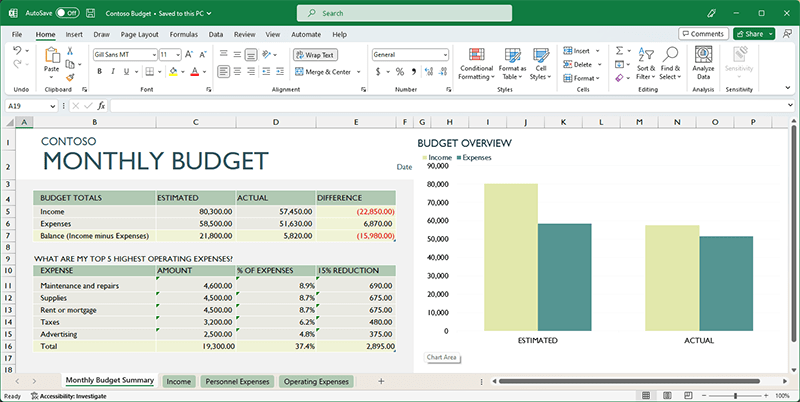
When talking about marketing tools, two words that don’t seem to go together are “marketing” and “Excel” (the Microsoft spreadsheet product). Because I’m in marketing, I encounter images like this all the time.
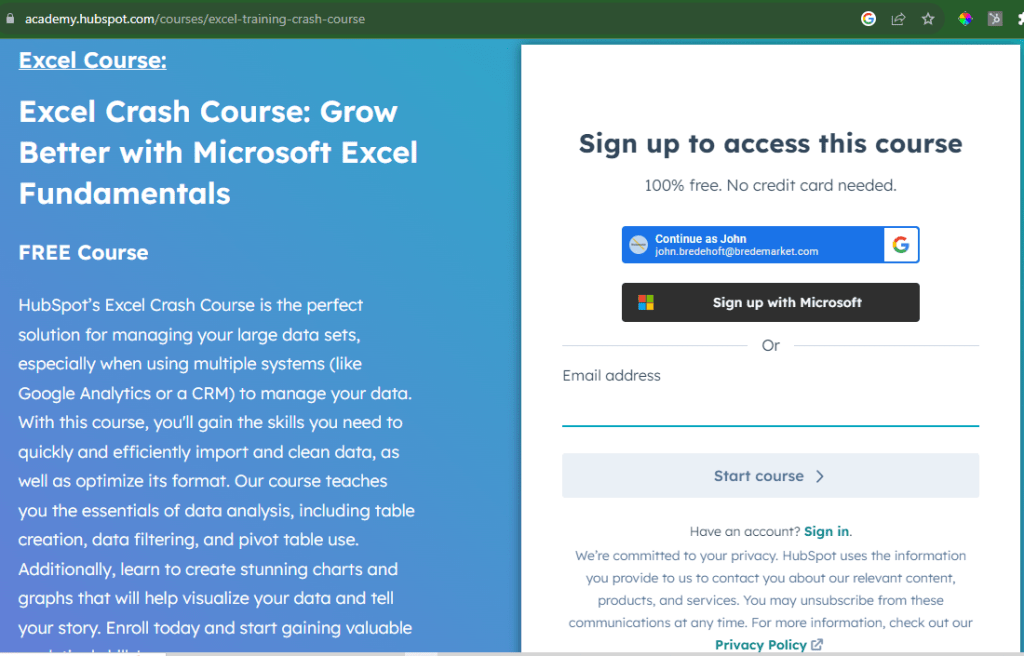
It’s true that marketing analytics requires a ton of Excel work. I’m not going to talk about marketing analytics here, but if you have an interest in using Excel for marketing analytics, you may want to investigate HubSpot Academy’s free Excel crash course.
As I write this, Bredemarket is neck-deep in a research project for a client. A SECRET research project.
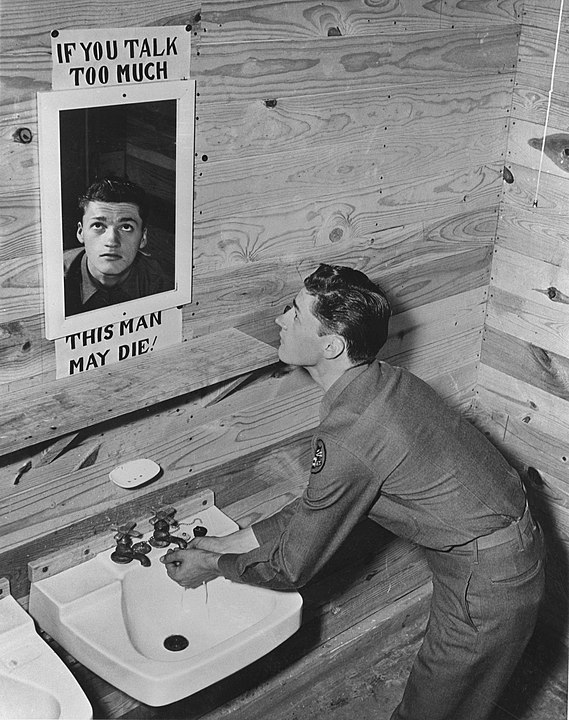
By Unnamed photographer for Office of War Information. – U.S. Office of War Information photo, via Library of Congress website [1], converted from TIFF to .jpg and border cropped before upload to Wikimedia Commons., Public Domain, https://commons.wikimedia.org/w/index.php?curid=8989847
While I won’t reveal the name of the client or the specifics about the research project, I can say that the project requires me to track the following information:
Organization name.
Organization type (based upon fairly common classifications).
Organization geographic location.
Vendor providing services to the organization.
Information about the contract between the vendor and the organization.
A multitude of information sources about the organization, the vendor, and the relationship between the two.
To attack the data capture for this project, I did what I’ve done for a number of similar projects for Bredemarket, Incode, IDEMIA, MorphoTrak, et al.
I threw all the data into a worksheet in an Excel workbook.
I can then sort and filter it to my heart’s content. Ror example, if I want to just view the rows for which I have contract information, I can just look at that.
Bredemarket as an identity/biometric research service
For one organization I created a number of different worksheets within a single workbook, in which the worksheet data all fed into a summary worksheet. This allowed my clients to view data either at the detailed level or at the summary level.
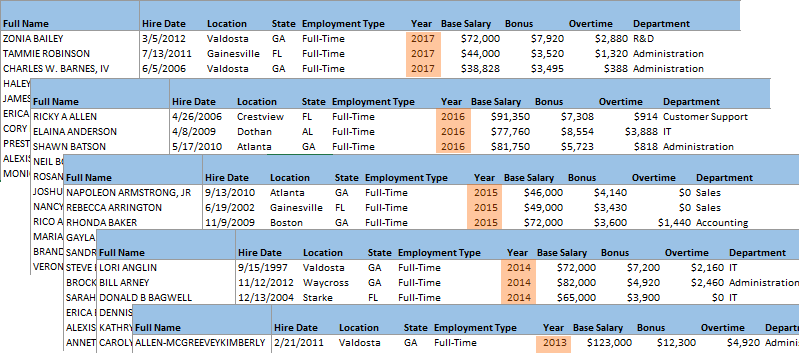
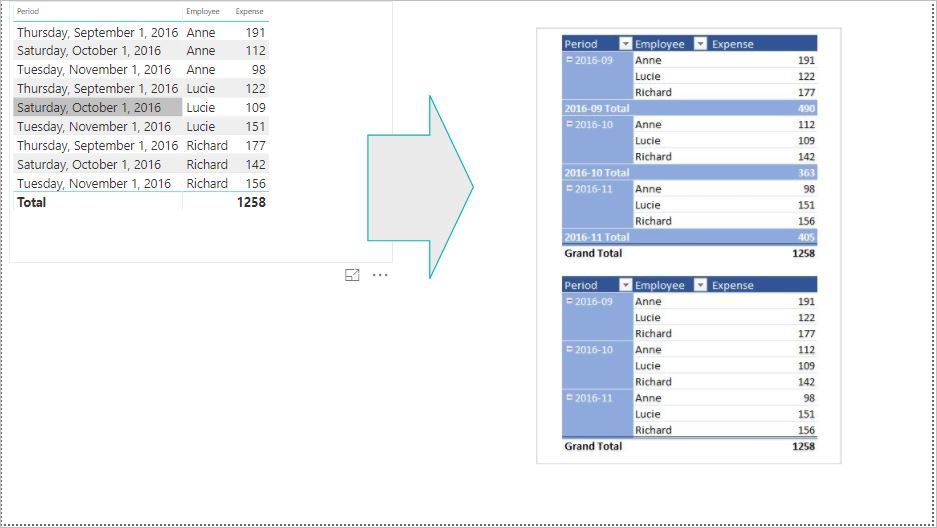
For another organization I collected the data from an external source, opened it in Excel, performed some massaging, and then pivoted the data into a new view so that it could then be exported out of Excel and into a super-secret document that I cannot discuss here.
Now none of this (well, except maybe for the pivot) is fancy stuff, and most of it (except for the formulas linking the summary and detailed worksheets) is all that hard to do. But it turns out that Excel is an excellent tool to deal with this data in certain cases.
Which brings me to YOUR research needs.
After all, Bredemarket doesn’t just write stuff.
Sometimes it researches stuff, especially in the core area of biometrics and identity.
After all, I offer 29 years of experience in this area, and I draw on that experience to get answers to your questions.
Unlike the better-bounded projects that require only a single blog post or a single white paper, I quote research projects at an hourly rate or on retainer (where I’m embedded with you).
This post talks about the Bredemarket 2800 Medium Writing Service, describes why your firm would elect that service over three of my other services, and explains how the Bredemarket 2800 Medium Writing Service works.
Four ways that Bredemarket provides written content
I know that the experts say that you’re NOT supposed to give your prospects a multitude of choices, and that you should keep your offerings simple. Sometimes REALLY simple.
But I’ve ignored the experts (again) and I’m giving Bredemarket’s prospects four options for content creation. I’ll briefly touch on three of them before describing the fourth one, the Bredemarket 2800 Medium Writing Service. Once I’m done, you’ll know when you want to elect Bredemarket 2800, and when you’ll want to elect one of the other three options:
Bredemarket 4000 (by the hour),
Bredemarket 4444 (by the month), or
Bredemarket 400 (by the small project).
One: by the hour (Bredemarket 4000 Long Writing Service)
Sometimes you don’t know the parameters of your project, or perhaps you may have multiple projects that require Bredemarket’s assistance. In those cases, Bredemarket bills by the hour using something I call the Bredemarket 4000 Long Writing Service.
Whether it’s proposal work or something else, I do the work (however much work there is) and bill you for the hours that I worked.
Two: by the month (Bredemarket 4444 Partner Retainer)
Perhaps you have ongoing needs and just need me to be available for a certain number of hours each month, yet you’re not ready to hire a full-time person to do the work. In that case, the Bredemarket 4444 Partner Retainer is the package that is best for you. With this level of commitment, I am embedded as part of your organization.
As I assert in the post “Three Levels of Engagement With Your Content Creator,” a retainer offers a happy middle ground between full-time employment and single project work. It gives you work flexibility, budget predictability, and consultant accessibility.
Three: by the small project (Bredemarket 400 Short Writing Service)
But what if you know the scope of your project, and it is a single simple project? If you only need between 400 and 600 words of text, then the ideal package for you is the Bredemarket 400 Short Writing Service.
If your project only requires 400 to 600 words (give or take), the Bredemarket 400 Short Writing Service is ideal for you.
But what if you need more words than that? A lot more?
Why would you need 3,000 words?
There are a few cases in which your firm may need roughly 3,000 words of text, rather than the roughtly 500 words of text described above.
Longer blog posts. Often blog posts are pretty short and fit well within a 400 to 600 word limit. But sometimes you need longer, more detailed blog posts that delve into a topic more deeply. If you need 3,000 words to tell your story, tell it.
Longer LinkedIn articles. In most cases, social media postings will not hit the 3,000 word mark. (For some social media platforms it’s near impossible to hit that limit anyway.) One notable exception is LinkedIn articles, which can enter into the same detail as a long blog post. If your audience is on LinkedIn, then place your content natively on LinkedIn (repurposing it to your blog for your non-LinkedIn prospects if you like).
Longer case studies. Case studies can vary in length. As it turns out, the case studies that Bredemarket has written for its clients are simple two-pagers (including graphics) and fit well within the Bredemarket 400 parameters. But perhaps your case study demands richer detail.
White papers. While one may debate about the semantics of what is a white paper vs. what is not a white paper, you may demand a document that requires around 3,000 words of detail.
The content type that you know about, but I don’t. You may require a particular piece of content that doesn’t fit into the nice neat categories above, but requires text of between 2,800 and 3,200 words.
In these cases, the Bredemarket 2800 Medium Writing Service provides the content you need.
But is Bredemarket 2800 the same as Bredemarket 400, with more words and a higher price?
No.
Longer content requires a slightly different process.
How the Bredemarket 2800 process differs from the Bredemarket 400 process
Admittedly there are some obvious similarities between Bredemarket 400 and Bredemarket 2800.
The kickoff is an important part of the content creation process, since the questions I ask during the kickoff (since expanded) ensure that I produce the right content at the end of the process.
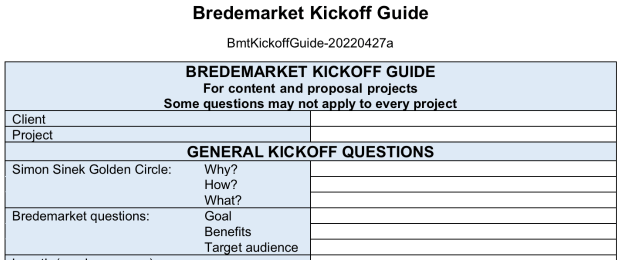
The kickoff ensures that the final written content (a) answers the WHY/HOW/WHAT questions about you, (b) advances your GOAL, (c) communicates your BENEFITS, and (d) speaks to your TARGET AUDIENCE. It is both iterative and collaborative.
The beginning of the Bredemarket Kickoff Guide that I use. There are many, many more questions that I haven’t disclosed. Do you want to learn them? Buy the service.
The basic work during the kickoff is pretty much the same as for Bredemarket 400, although you and I will probably go in-depth on certain items, and there is a higher chance that the content specifications will be more detailed (for example, goals for each subsection of the content).
You and Bredemarket agree upon the topic, goal, benefits, and target audience (and, if necessary, outline, section sub-goals, relevant examples, and relevant key words/hashtags, and interim and final due dates).
For complex content requiring input and approval of multiple subject matter experts, you and Bredemarket agree on a preliminary list of tasks, assigned persons, and due dates.
For content that must be incorporated into your content management system, you and Bredemarket agree on the necessary format and other parameters. Otherwise, the final copy will be provided in Microsoft Word docx format, including (as appropriate) callout indicators, hyperlinks, key words, and/or hashtags.
For projects requiring multiple related pieces of content, you and Bredemarket agree upon the desired frequency of content.
The Bredemarket 2800 prework
Sometimes one or two additional things will happen before I start writing the first draft.
I may need to interview one of your customers or subject matter experts—for example, to obtain the facts necessary for a case study or white paper.
I may need to conduct additional research, as agreed upon by us during the kickoff.
The Bredemarket 2800 drafts
Once I’m ready, I start writing.
Between you and me, I create a draft 0.5, sleep on it (sometimes literally), and then create a much more succinct draft 1.0. See “Your writers (in this case me) should be succinct,” in my post “Which Words Should Your Marketers Use? My Four Suggestions.”
It shouldn’t surprise you to learn that it takes longer to write 3,000 words than it takes to write only 500 words. Therefore, I allow myself up to seven days (actual days, not working days) to produce the first draft. (Contrast this with Bredemarket 400, in which I commit to create a draft within three days.)
Then I hand the draft over to you for the first review.
After I receive your review comments, I work on the second draft (again, taking up to seven days) and hand it over for the second review.
Then (if necessary) I work on the third draft and hand it over for the third review. Unlike Bredemarket 400, which only includes two reviews, Bredemarket 2800 includes three reviews because of the higher complexity of the content.
At the end, I provide you with the final copy.
But what if you need your content much more quickly than the 1-2 months it may take to go through all three of the draft and review cycles?
Then we’ll mutually adjust the parameters (and the billing) accordingly.
However, remember that when I adjust my deliverable schedule, it also affects your deliverable schedule as described below.
The Bredemarket 2800 reviews
As decribed above, you will receive up to three review copies during the process.
Because this is a collaborative process, your participation is important to ensure that I create the proper content for your firm. So be prepared to spent the time necessary to ensure that the content is right.
I realize that you probably don’t have a lot of time to review consultant content. If you did have a lot of time, then you’d probably write the content yourself rather than asking a consultant to do it. For this reason, I give you seven days to review each draft, rather than the three days that I give to firms that elect the Bredemarket 400 Short Writing Service.
Of course, if you require a more rapid turnaround, then you’ll need to review the drafts much more quickly, in the same way that I’ll need to write the drafts much more quickly.
The Bredemarket 2800 end product
After the kickoffs, drafts, and reviews, I’ll provide the final copy in Microsoft Word docx format, unless we’ve agreed on some other format. This will give you the content you need to put in your blog, in an article on your LinkedIn page, or in whatever content you need.
I’ve been meaning to write about the tools that I’ve found to be most useful in my Bredemarket work, but I’ve never gotten around to actually write about them. Maybe one of the companies will sponsor my post or something.
Well, this post isn’t a sponsored post, because I don’t think that Microsoft regards me as an important enough influencer to throw money Bredemarket’s way. But I recently used a Microsoft feature to save myself some significant time on a client project.
As part of the work that I do for one of my clients, I participate in half-hour interviews with the client’s customers and ask them questions about the client’s software. Before the interview begins, the client asks the customer for permission to record the conversation. After the interview is over, I can then refer to that recording to extract nuggets of information.
You can imagine the process.
Advance two minutes on the recording to get past the preliminaries.
Listen for a few seconds.
Fast forward 30 seconds.
Fast forward 30 seconds again.
Oh, that’s good! Back up 10 seconds.
Listen for a few seconds while typing.
Stop.
Listen and type more.
Fast forward 30 seconds.
As you can see, it takes a while. So I began thinking about transcribing the recording to make things easier.
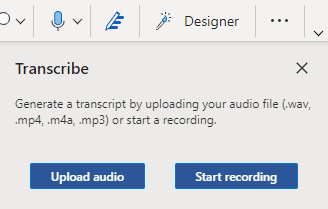
My first attempt didn’t go so well. I opened up a copy of Microsoft Word on my computer and opened up the recording, then I pressed Word’s “Dictate” button while starting the recording.
Good idea in theory, but it didn’t work in practice. And even if it had worked, it would have taken 30 minutes to dictate the entire interview.
So I did some research and found this article from Beebom. It described a “transcribe” feature in Microsoft Word, but you could only use it under certain conditions.
You have to have a paid version of Microsoft Office 365.
You have to use the web version of Word, not the on-computer version.
Your audio file cannot be larger than 200 megabytes.
Your audio has doesn’t have to be in the English language. While this was apparently true at the time the Beebom article was written, it looks like the transcription software now supports dozens of languages.
You cannot transcribe more than five hours’ worth of audio in any month.
I was able to meet all of these conditions, luckily. When you use the online version of Word, the “Dictate” button becomes a “Dictate/Transcribe” button, allowing you to upload an audio file to OneDrive and then transcribe it.
Transcription is much faster than real time. In my case, the service transcribed 30 minutes’ worth of audio in a few minutes.
You can then save the transcription to Microsoft Word (cloud or on-premise), and can include timestamps if you desire. The transcription also attempts to identify speakers separately.
I can say that the transcription was fairly good. I did not need five nines’ accuracy on the transcription; I just needed to figure out what we were talking about. And if I had needed to clean up any portion of the transcript, the timestamps could guide me to the exact place in the audio.
So this provided time savings for me, and also provided benefits for my client, since I was able to easily identify more “nuggets of information” than I could have the old fashioned way.
Now there are certainly other services out there, and this particular service isn’t technically a free service (since I had to pay for the Microsoft Office 365 subscription), but in certain cases transcription services are worth the money you paid for them.