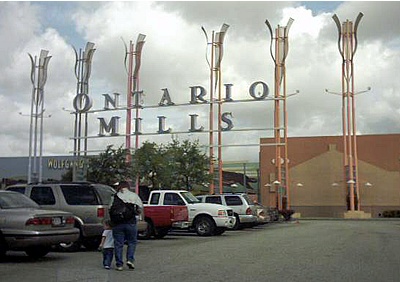
In a prior post, I spent some time identifying the multiple stakeholders at a city police department (in my example, my hometown of Ontario, California) that is procuring an automated fingerprint identification system.
If I may recycle what I previously said, here are those stakeholders:
The field investigators who run across biometric evidence at the scene of a crime, such as a knife with a fingerprint on it or a video feed showing someone breaking into a liquor store.
The examiners who look at crime scene evidence and use it to identify individuals.
The people who capture biometrics from arrested individuals at livescan stations.
The information technologies (IT) people who are responsible for ensuring that Ontario, California’s biometric data is sent to San Bernardino County, the state of California, perhaps other systems such as the Western Identification Network, and the Federal Bureau of Investigation.
The purchasing agent who has to make sure that all of Ontario’s purchases comply with purchasing laws and regulations.
The privacy advocate who needs to ensure that the biometric data complies with state and national privacy laws.
The mayor (Paul Leon as I write this), who has to deal with angry citizens asking why their catalytic converters are being stolen from their vehicles, and demanding to know what the mayor is doing about it.
Probably a dozen other stakeholders that I haven’t talked about yet, but who are influenced by the city’s purchasing decision.
Why is this important? And who are the multiple stakeholders OUTSIDE of the city police department?
Subscribe to get access
Subscribe to Bredemarket Premium to access this premium content.
Subscriptions just $5 per month.
Access Bredemarket’s expertise without spending hundreds or thousands of dollars.
After Castro identifies the various ways in which people prove identity online, and the drawbacks of these methods, here’s what Castro says about the problem that needs to be addressed:
…poor identity verification is one of the reasons that identity theft is such a growing problem as more services move online. The Federal Trade Commission received 1.4 million reports of identity theft last year, double the number in 2019, with one security research firm estimating $56 billion in losses.
Castro then goes on to state his ideal solution:
The best solution to this problem would be for the federal government to develop an interoperable framework for securely issuing and validating electronic IDs and then direct a federal agency to start issuing these electronic IDs upon request.
Castro then notes that the federal government has NOT done this:
But in the absence of federal action, a number of states have already begun this work on their own by creating digital driver’s licenses that provide a secure digital alternative to a physical identity document.
Why Americans oppose mandatory national physical and digital IDs
Castro’s proposal, while ideal from a technological standpoint, doesn’t fully account for the realities of American politics.
Many Americans (regardless of political leanings) are strongly opposed to ANY mandatory national ID system. For example, many Americans don’t want our Social Security Numbers to become mandatory national IDs (even though they are de facto national IDs today). And while the federal government does issue passports, it isn’t mandatory that people GET them.
And many Americans don’t want state driver’s licenses to become mandatory national IDs. I went into this whole issue in great detail in my prior post “How 6 CFR 37 (REAL IDs) exhibits…federalism,” which made the following points:
States are NOT mandated to issue REAL IDs. (And, no citizen is mandated to GET a REAL ID.)
The federal government CAN mandate which IDs are accepted for federal purposes.
Because the federal government can mandate the IDs to use when entering a federal facility or flying at a commercial airport, ALL of the states were eventually “persuaded” to issue REAL IDs. (Of course, it has take nearly two decades, so far, for that persuasion to work, and it won’t work until 2023, or later.)
So, considering all of the background regarding the difficulties in mandating a national PHYSICAL ID, imagine how things would erupt if the federal government mandated a national DIGITAL ID.
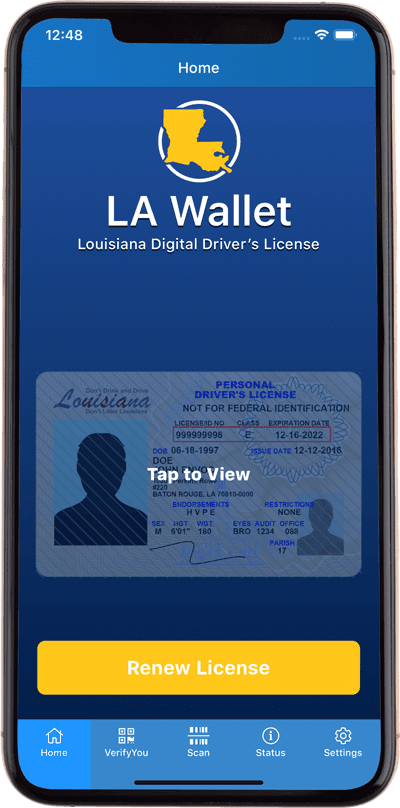
And this is why some states are moving ahead on their own with mobile driver’s licenses.
LA Wallet Louisiana Digital Driver’s License. lawallet.com.
However, there’s a teeny tiny catch: while the states can choose to mandate that their mDLs be accepted at the STATE level, states cannot mandate that their digital identities be used for FEDERAL purposes.
Here we go again.
Of course, federal government agencies are starting to look at the issues with a mobile version of a “REAL ID,” including the standard(s) to which any mobile ID used for federal purposes must adhere.
Improving Digital Identity Act of 2020, or 2021, or 2025…
While the government agencies are doing this work, another government agency (the U.S. Congress) is also working on this. Castro mentions Rep. Bill Foster’s H.R. 8215, introduced in the last Congress. I’m not sure why he bothered to introduce it in September 2020, when Congress wasn’t going to do anything with it. As you may have heard, we had an election at that time.
Regardless, the “Improving Digital Identity Act” proposes the creation of a task force at the federal level with federal, state participants, and local participants. It also mandates that NIST create a digital identity “framework,” with an interim version available 240 days after the Act is passed. Among other things, the ACT also mandates that NIST Special Publication 800-63 become “binding operational directives” for federal agencies.
(Does that mean that it will be illegal to mandate password changes every 90 days? Woo hoo!)
Should this Act actually pass at some point, its directives will need to be harmonized with what the Department of Homeland Security is already doing, and of course with what the states are already doing.
Oh, and remember my reference to the DHS’ work in this area? Among those who have submitted verbal and/or written comments, several (primarily from privacy organizations) have stated that the government should NOT be promoting ANY digital ID at all. The sentiments in this written comment, submitted anonymously, are all too common.
There are a lot of security and privacy concerns with accepting digital ID’s. First and foremost, drivers licenses contain a lot of sensitive information. If digital ID’s are accepted, then it could potentially leak that info to hackers if it is not secured properly. Plus, there is the added concern that using digital ID’s will lead to extra surveillance where unnecesary. Finally, digital ID will not allow individuals who are poorer to be abele to submit an ID because they might not have access to the same facilities. I am strongly against this rule and I do NOT think that digital ID should be an option.
I expect other privacy organizations to submit comments that may be better-written, but they echo the same sentiment.
Back when I initially entered the automated fingerprint identification systems industry in the last millennium, I primarily dealt with two markets: the law enforcement market that seeks to solve crimes and identify criminals, and the welfare benefits market that seeks to make sure that the right people receive benefits (and the wrong people don’t).
Other markets simply didn’t exist. If I pulled out my 1994-era mobile telephone and looked at it, nothing would happen. Today, I need to look at my 2020-era mobile telephone to obtain access to its features.
And there are other biometric markets also.
Pangiam and stadium bans
Back in 1994 I couldn’t envision a biometrics story in Sports Illustrated magazine. But SI just ran a story on how facial recognition can be used to keep fans out of stadiums who shouldn’t be there.
Some fans (“fanatics”) perform acts in stadiums that cause the sports teams and/or stadium authorities to officially ban them from the stadium, sometimes for life.
John Green is the man in the blue shirt and white baseball cap to Artest’s left. By Copyright 2004 National Basketball Association. – Television broadcast of the Pacers-Pistons brawl on ESPN., Fair use, https://en.wikipedia.org/w/index.php?curid=6824157
But in the past, these measures were ineffective.
For a long time, those “measures” were limited at best. Fans do not have to show ID upon entering arenas. Teams could run checks on all the credit cards to purchase tickets to see whether any belonged to banned fans, but those fans could easily have a friend buy the tickets.
But there are other ways to enforce stadium bans, and Sports Illustrated quoted an expert on the matter.
“They’ve kicked the fan out; they’ve taken a picture—that fan they know,” says Shaun Moore, CEO of a facial-recognition company called Trueface. “The old way of doing things was, you give that picture to the security staff and say, ‘Don’t let this person back in.’ It’s not really realistic. So the new way of doing it is, if we do have entry-level cameras, we can run that person against everyone that’s coming in. And if there’s a hit, you know then; then there’s a notification to engage with that person.”
This, incidentally, is an example of a “deny list,” or the use of a security system to deny a person access. We’ll get to that later.
But Pangiam/Trueface isn’t the only company serving stadium (and entertainment) venues.
CLEAR and stadium entry
Most of the time, sports stadiums aren’t concentrating on the practice of DENYING people entry to a stadium. They make a lot more money by ALLOWING people entry to a stadium…and allowing them to enter as quickly as possible so they can spend money on concessions.
One such company that supports this is CLEAR, which was recently in the news because of its Initial Public Offering. Coincidentally, CLEAR also provides airport security technology, but it has branched out from that core market and is also active in other areas.
The Mets don’t just let anyone into the stadium; you have to purchase a ticket. So you need to take your ticket out of your pocket and show it to the gate staff, or you need to take your smartphone out of your pocket and show your digital ticket to the gate staff.
What if you could get into the stadium without taking ANYTHING out of your pocket? Well, you can.
In the CLEAR Lane, your fingerprint is all you need to use tickets in your MLB Ballpark app – no need to pull out your phone or printed ticket as you enter the game.
Now that is really easy.
Pangiam and CLEAR aren’t the only companies in this space, as I well know. But there’s the possibility that biometrics will be used more often for access to sports games, concerts, and similar events.
This post explains what LinkedIn showcase pages are, how Bredemarket uses LinkedIn showcase pages, and (a little more importantly) how YOUR company can use LinkedIn showcase pages.
What are LinkedIn showcase pages?
LinkedIn offers a variety of ways to share information. Two of those ways are as follows:
A personal LinkedIn page. This allows an individual to share their job history and other information. Here’s an example.
A company LinkedIn page, which contains information about a company, including “about” details, jobs, employees, and other facts. Here’s another example.
A third method is a LinkedIn showcase page. This is tied to a company page, but rather than telling EVERYTHING about the company, a showcase page allows the company to zero in on a PARTICULAR aspect of the company’s product/service offering.
Most companies, even very small ones like Bredemarket, can segment their products and services in various ways. In Bredemarket’s case, the company offers some prepackaged services, such as a “short writing service” and a “medium writing service.”
However, it didn’t make sense for me to segment my services in this way. The people who are interested in 400 word written content are not dramatically different from the people who are interested in 2800 word written content. So instead of segmenting by service, I chose to segment by market.
Since then I’ve expanded my offerings. On LinkedIn, I presently have TWO showcase pages, one concentrated on the identity market, and one concentrated on the more general technology market.
These concentrations made the most sense to me, although I could segment even further if I chose to do so (separate showcase pages for fingers and palms, anyone?).
An aside for Facebook users
Incidentally, you can perform similar segmentation in Facebook. In Facebook terms, you can have a page associated with a particular company, and then (rather than showcase pages) you can have groups that link to the company page and delve into topics in more detail.
So Bredemarket (which is committed to disseminating information via multiple communication streams; see my goal number 3 here) has Facebook groups that are somewhat similar to the Bredemarket LinkedIn showcase pages. One difference is that I have three groups on Facebook. In addition to the identity and technology groups, I also have a general business group. At this point it didn’t make sense to create a LinkedIn showcase page for general business, but it did make sense for Bredemarket to have such a group on Facebook.
Enough about me. What about you?
Obviously Bredemarket is an unusual case, although for some of you it may make sense to segment based on markets.
Most companies, however, will choose to segment based upon products or product lines. This especially makes sense for multinational companies that offer a slew of products. However, even smaller companies with multiple product lines may benefit from showcase page segmentation. If a potential customer is only interested in your square blue widgets, but doesn’t care about your other widgets, a showcase page allows the customer to read about blue widgets without having to wade through everything else.
Some of you may have received a pitch from me suggesting how a showcase page can help you highlight one product or product line in this way.
Perhaps it’s best to show an example. I’ve previously highlighted Adobe as an example of a company with showcase pages, but for now I’d like to highlight another company with a similar issue.
Let’s look at Microsoft, which has an obvious interest in using LinkedIn to its fullest potential. Microsoft’s product and service lines have expanded over the years, and while some Microsoft entities (such as LinkedIn itself) have their own regular LinkedIn pages, Microsoft uses showcase pages for other entities, products, and services.
So there are a variety of ways that a company can slice and dice its communications, and LinkedIn showcase pages provide an ideal way to do that.
Does this interest you?
Of course, setting up a LinkedIn showcase page is only the beginning of the battle. If you set up a showcase page and don’t publish anything to it, your efforts are wasted. Potential customers look at your company’s online presence, after all.
If your company has established a showcase page, has set goals for how the showcase page will benefit the company, and now needs to generate content at a regular clip, Bredemarket can assist with the creation of the content, working with internal company subject matter experts as needed. If this service interests you, contact me. We will collaborate to ensure that your LinkedIn showcase page includes the best possible content.
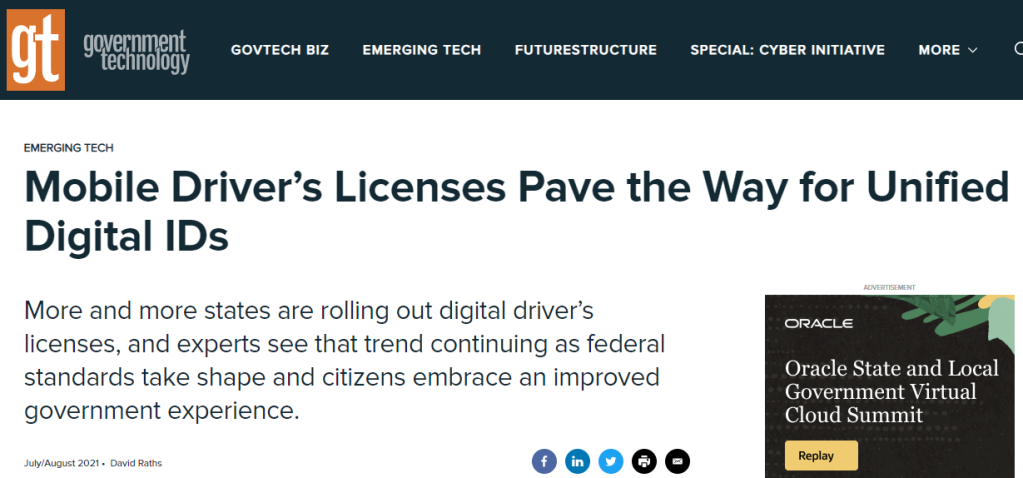
I’ve been busy helping a client who needed summer fill-in help, but I’m finally making the time to catch up on my reading. And this article from Government Technology was on my reading list.
When I read the title “Mobile Driver’s Licenses Pave the Way for Unified Digital IDs,” I was intrigued by the last three words. I mean, there are more and more states releasing (non-pilot) mobile driver’s licenses, and the standard is coming along, and work is being done to prepare for federal acceptance.
But what about the “unified” part? How did David Raths address that?
Government uses of digital ID
Well, he listened to Eric Jorgensen, director of Arizona’s Department of Transportation.
“I actually hate the term ‘mDL’ because it doesn’t recognize the power of what we’re doing here….The whole concept is that we’re providing a way to remotely authenticate a person, to provide a trusted digital identity that doesn’t exist today. Once we provide that, we’re opening doors to enhanced government services. Also, the government can play a key role in facilitating commerce, providing a better citizen experience and providing for the security of that citizen — that goes way beyond what a driver’s license is about.”
Although all that Jorgensen is discussing is providing a trusted digital identity that is equivalent to a trusted physical identity. If you have to show your driver’s license when visiting a government office’s physical location, conceivably you can show your digital driver’s license when visiting a government office’s website.
Enterprise uses of digital ID
And there are applications beyond government. Delaware and other states are persuading private businesses to accept mobile driver’s licenses as valid forms of identification. There’s a powerful use case for age-restricted products, of course; since all that an alcohol-selling business needs to know is whether you are over the age of 21, the mobile driver’s license ONLY shows that you are over the age of 21. It doesn’t show your address, your weight, or even your birthdate.
But what about a true UNIFIED digital ID?
However, I semantically question whether this is truly a “unified” ID. This is just digitization of an existing government-endorsed ID. A “unified” ID would be one that would not only let me drive, vote, and buy alcohol, but would also serve as my ID to log into Facebook or buy Bitcoin. (Yes, I realize that use of a government ID to buy Bitcoin violates the space-time continuum in some way.)
And for that to happen, work may need to be done to make mobile IDs compatible with existing authentication/authorization methods such as OAuth and OpenID Connect.
And the whole “but what if I don’t have a digital ID?” question must be addressed.
And the whole “but what if I want to use a self-sovereign ID that is NOT government endorsed?” question must be addressed.
And presumably a myriad of other questions would need to be addressed also.
But for me, I can’t address unified digital IDs today. Just got a message from my summer-challenged client…
Although I’ve never worked with the company directly, I have a long history with ESRI.
When Printrak acquired portions of SCC back in 1997, Printrak became the company of record for SCC’s computer aided dispatch product, which used ESRI technology for its mapping.
When I rejoined the Proposals organization about a decade ago, the (then) Southern California Chapter of the (then) Association of Proposal Management Professionals arranged for satellite locations for its chapter meetings. Initially I would go to Redlands and attend the meetings at ESRI’s corporate headquarters. (Very nice facility, by the way.) Eventually I arranged to host satellite meetings at MorphoTrak’s Anaheim headquarters on Tustin Avenue, so my visits to ESRI in Redlands ceased. Now most meetings (other than Training Day) are online-only.
Add my interest in mapping to the mix, and you would think that I would be a prime target to attend ESRI’s annual User Conference in San Diego. However, as I mentioned, I wasn’t working with the company directly, and so I could never justify attending the ESRI User Conference in the same way that I could justify attending Oracle OpenWorld, the International Association for Identification, or IDEMIA/MorphoTrak/Motorola/Printrak’s own User Conference.
Then this pandemic thing happened, I became a free agent, bla bla bla. And so I found myself watching the Monday plenary session for the virtual 2021 ESRI User Conference.
For those who know ESRI, it’s no surprise that the speaker for much of the 3 1/2 hour plenary session was Jack Dangermond. This was the first time that I heard Dangermond speak at any length, and he provided a helpful overview of the company and its offerings, supported by a slew of ESRI product managers and outside partners.
For those who know ESRI, it’s no surprise that ESRI’s offerings have expanded since the late 1990s, with mobile and cloud options that could barely be envisioned in the last millennium.
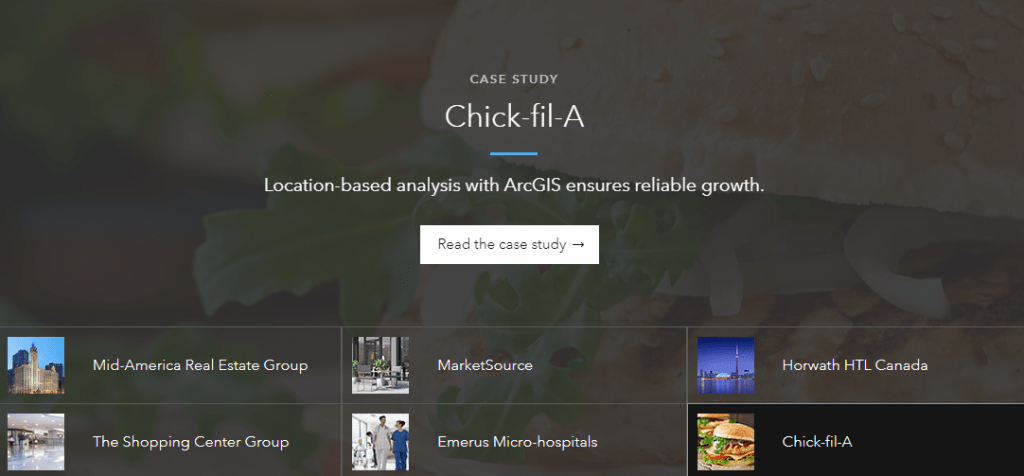
And (like Oracle) ESRI has expanded from its base product into various verticals, such as ArcGIS Business Analyst for location-based market intelligence. The case studies illustrate how this product can benefit its users.
Within the last hour I’ve run across two articles that discuss various aspects of facial recognition, dispelling popular society notions about the science in the process.
Ban facial recognition? Ain’t gonna happen
The first article was originally shared by my former IDEMIA colleague Peter Kirkwood, who certainly understood the significance of it from his many years in the identity industry.
With most 2021 legislative sessions concluded or winding down for the year, proposals to ban or heavily restrict the technology have had very limited overall success despite recent headlines. It turns out that such bills failed to advance or were rejected by legislatures in no fewer than 17 states during the 2020 and 2021 sessions: California, Colorado, Hawaii, Kentucky, Maine, Maryland, Massachusetts, Michigan, Minnesota, Montana, Nebraska, New Hampshire, New Jersey, New York, Oregon, South Carolina and Washington.
And the article even cited one instance in which public safety and civil libertarians worked together, proving such cooperation is actually possible.
In March, Utah enacted the nation’s most comprehensive and precise policy safeguards for government applications. The measure, supported both by the Utah Department of Public Safety as well as the American Civil Liberties Union, establishes requirements for public-sector and law enforcement use, including conditions for access to identity records held by the state, and transparency requirements for new public sector applications of facial recognition technology.
This reminds me of Kirkwood’s statement when he originally shared the article on LinkedIn: “Targeted use with appropriate governance and transparency is an incredibly powerful and beneficial tool.”
NIST’s biometric exit tests reveal an inconvenient truth
Meanwhile, the National Institute of Standards and Technology, which is clearly NOT an industry association, continues to enhance its ongoing Facial Recognition Vendor Test (FRVT). As I noted myself on Facebook and LinkedIn:
With its latest rounds of biometric testing over the last few years, the National Institute of Standards and Technology has shown its ability to adapt its testing to meet current situations.
In this case, NIST announced that it has applied its testing to the not-so-new use case of using facial recognition as a “biometric exit” tool, or as a way to verify that someone who was supposed to leave the country has actually left the country. The biometric exit use case emerged after 9/11 in response to visa overstays, and while the vast, vast majority of people who overstay visas do not fly planes into buildings and kill thousands of people, visa overstays are clearly a concern and thus merit NIST testing.
But buried at the end of the NIST report (accessible from the link in NIST’s news release) was a little quote that should cause discomfort to all of those who reflexively believe that all biometrics is racist, and thus needs to be banned entirely (see SIA story above). Here’s what NIST said after having looked at the data from the latest test:
“The team explored differences in performance on male versus female subjects and also across national origin, which were the two identifiers the photos included. National origin can, but does not always, reflect racial background. Algorithms performed with high accuracy across all these variations. False negatives, though slightly more common for women, were rare in all cases.”
And as Peter Kirkwood and many other industry professionals would say, you need to use the technology responsibly. This includes things such as:
In criminal cases, having all computerized biometric search results reviewed by a trained forensic face examiner.
ONLY using facial recognition results as an investigative lead, and not relying on facial recognition alone to issue an arrest warrant.
So facial recognition providers and users had a good day. How was yours?
When I first entered the biometric world, the portion of the world that directly interested me (the automated fingerprint identification system, or AFIS industry) had three major players and one emerging player. Of those four, two were privately held American companies, and the other two were U.S. subsidiaries of foreign companies (one French, one Japanese).
Just a few days ago I wrote a post dedicated to marketing intangible products, in which I said things like this:
…when I started attending trade shows in the mid 1980s, I would go by booths and pick up company case studies and white papers and stuff them into a bag. (Booths and sponsors that provided such bags were VERY important.) Today, some vendors don’t even have printed case studies and white papers in their booths any more; the attendees simply request electronic copies.
and:
In the old days of product marketing collateral, you could get into big discussions about the quality, weight, and finish of the paper that you used to print your collateral. Today, those discussions are for the most part irrelevant, since the recipients print the collateral on their own printers, if they print the collateral at all.
My priorpost definitively stated that all of that printed collateral stuff was a relic of the past.
Then I went to an event on Friday.
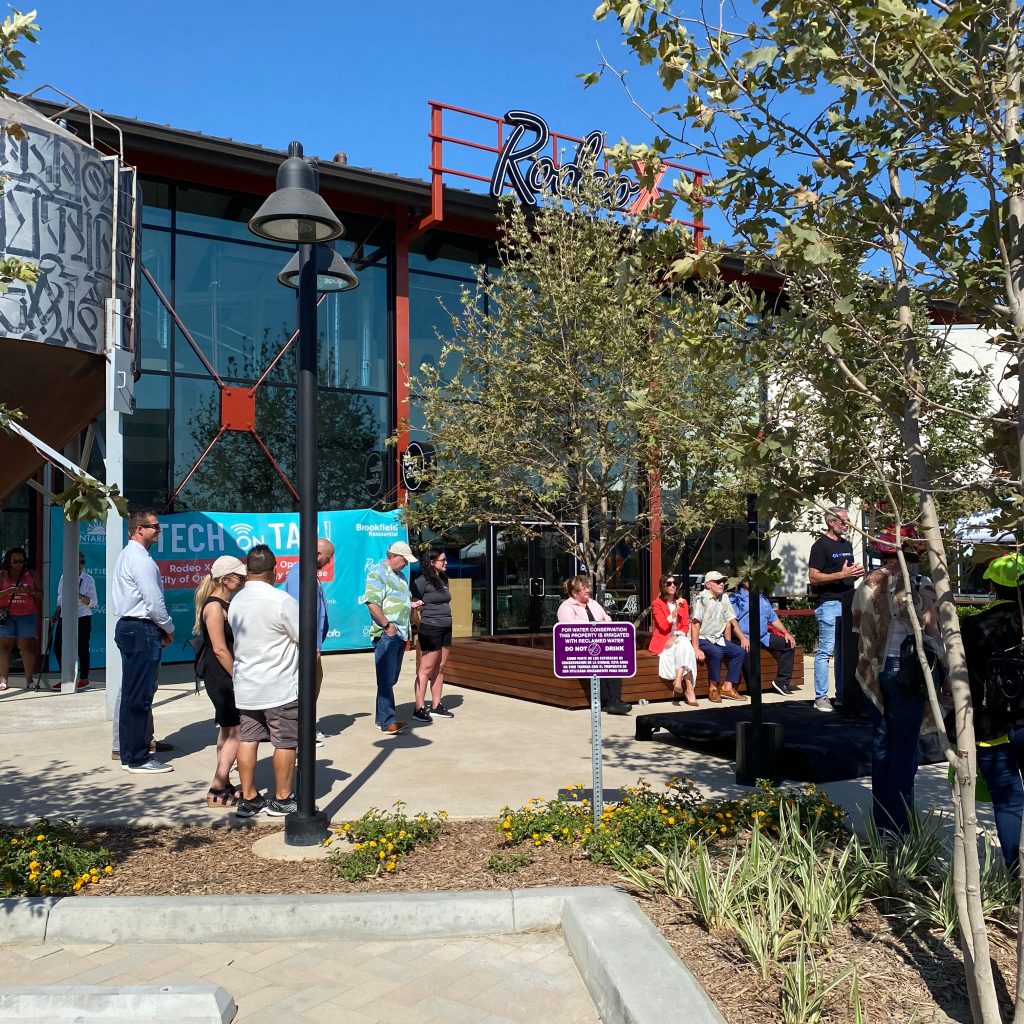
The event was here in the city of Ontario, although it was way on the other side of the city and it took me 25 minutes to drive there. It was called “Tech on Tap,” and was held at the New Haven Marketplace, a shopping center next to a new residential development in the former agricultural reserve.
The event started with a half hour of speeches, followed by the ribbon cutting for a new microbrewery. Rather than listening to all the speeches, I spent my time visiting all the “Tech on Tap” booths.
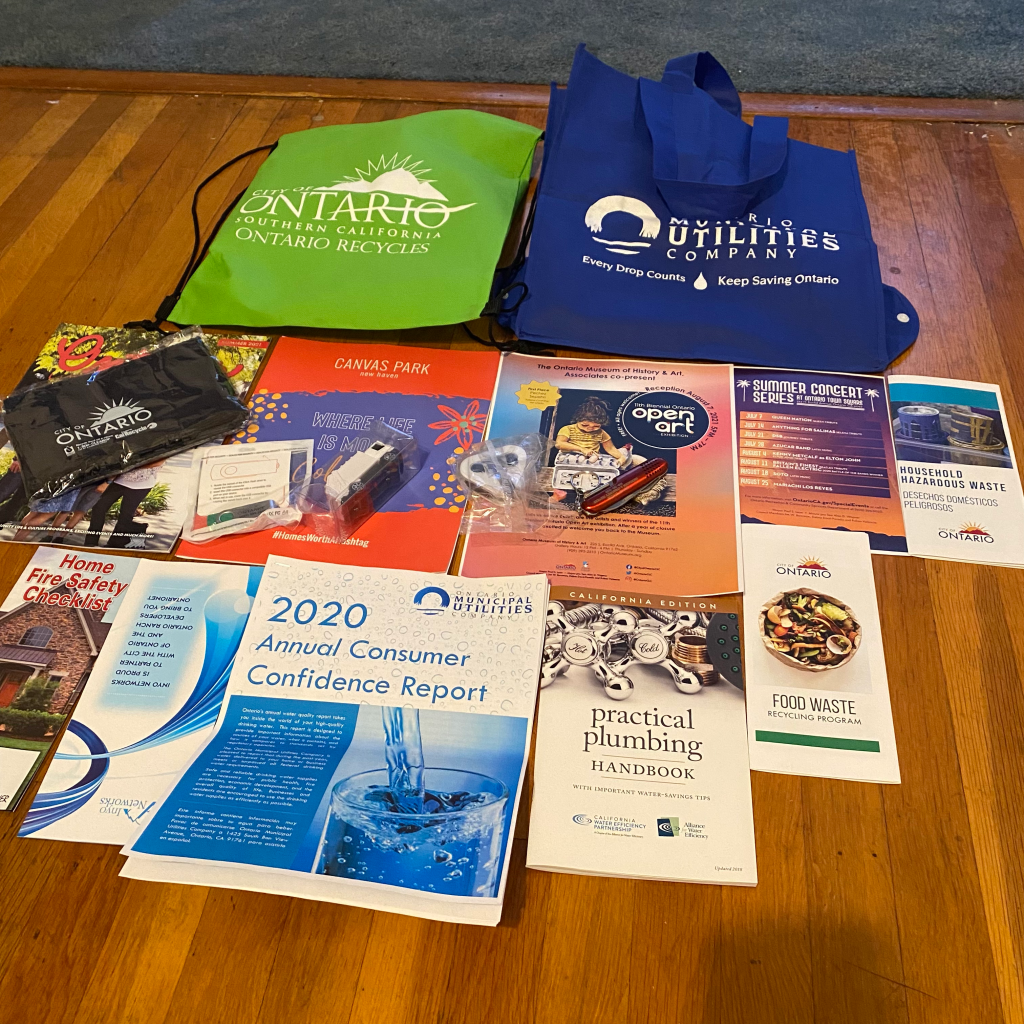
When I went home, I realized that I had accumulated a BIT of tangible collateral.
OK, a LOT of tangible collateral.
So much for Mr. “Everything is Intangible.”
So WHY was I spectacularly wrong? I think there were two reasons:
I am normally used to attending events in the B2G/B2B space. The city’s event was clearly a B2C event, and individual consumers have different expectations than business/government attendees. (Even for B2G/B2B events, how many attendees end up snatching booth swag for their kids?)
While a number of the booths at “Tech on Tap” were staffed by tech companies (robots, ISPs, and the like), about half of the booths were staff by departments of the city of Ontario. Sometimes cities do not rush into tech as quickly as businesses do, and sometimes the citizens of a government do not EXPECT cities to rush into tech.
If you look closely at my loot, you will see that most of it is from city agencies. And there were a lot of agencies represented, including city utilities, police, fire, and recreation.
Oh, and if you look closely at my loot, you will see that I ended up with TWO bags, BOTH from the same agency, the Ontario Municipal Utilities Company. This agency had two separate booths on opposite ends up the area, one staffed by the recycling/trash folks, the other by the water folks. After I had already obtained the green bag from the recycling/trash booth, the person at the water booth insisted on giving me the blue bag (which folds up; nice). And when I started to put the blue bag inside my already-filled green bag, he convinced me that I should do the opposite.
I’m still amused that I, the proclaimer that there will be no “death of passwords,” was myself equally insistent about the “death of tangible collateral.” Neither is going to happen.
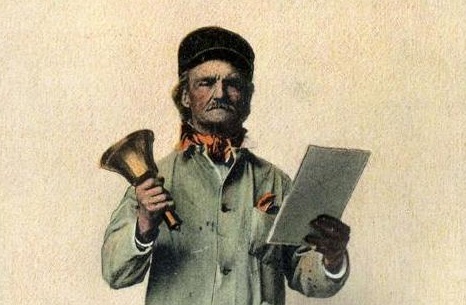
Town criers were actually a remarkable technological innovation at the time, allowing notification over a (relatively) wide area of a newsworthy event.
‘Oyez’ (pronounced ‘oh yay’) comes from the French ouïr (‘to listen’) and means “Hear ye”. The town crier would begin his cry with these words, accompanied by the ringing of a large hand bell to attract attention. It was the job of the crier or bellman to inform the townspeople of the latest news, proclamations, bylaws and any other important information, as at this time most folk were illiterate and could not read….
Having read out his message, the town crier would then attach it to the door post of the local inn, so ‘posting a notice’, the reason why newspapers are often called ‘The Post’.
So in essence the town crier was a rather loud announcement of something that was followed up (for the literate) with written material. Town criers did other things also, but you can read about them here if you’re interested.
From town criers to callouts
However, it turns out that the medieval town crier is NOT the origin of the term “callout.”
Although I think it should be.
(Brief aside: Microsoft advises “callout” for noun use, “call out” for verb use. Sounds good to me. Comment if you think otherwise.)
In reality, call out first appeared as a verb in the 15th century and as a noun in the 19th. But even then, it was used to refer to summoning into action (for example, calling out troops). The definition for “call out” or “callout” as I tend to use the term appeared some time later. That definition, of course, is:
2: an often bordered inset in a printed article or illustration that usually includes a key excerpt or detail
Why call out?
Although I don’t use callouts in these blog posts (perhaps I should), I definitely use them in the case studies and white papers that Bredemarket authors in conjunction with clients. Big blocks of unending text are hard to read, so authors usually like to break up that text with textual callouts, alternative formatting (such as quotes and bullets), and images. Which reminds me:
The hope of the callout-using author is that even if the reader does not read every single word of the text that is presented, including the mispelled word in this sentence, the reader will at least look at the callout and get the message from the callout.
Is there a reason you are highlighting the content that you are putting in the callout?
If you want the reader to look at that text, the callout had better be meaningful, and had better convey a benefit to the reader.
A blue example
Rather than use an example from an actual client, let’s return to my favorite widget manufacturer, Wendy’s Widget Company. You know, the company that used a contractor to market its new square blue widgets.
Now when I previously discussed Wendy’s Widget Company in the context of ABC criteria, I never did get around to explaining exactly how the marketing consultant chose to market the square blue widgets. Of course, one person at the client’s company offered a helpful idea.
“Hey, I’ve seen the advertising for a phone manufacturer, and its advertising is really cool. I suggest that when you write that case study, you include a callout that says, “It’s blue!” And…get this…print the text of the callout in blue text! Isn’t that great?”
The marketing consultant turned to the person and offered these four words:
Then the marketing consultant offered a suggested callout, framed as a quote from one of the first companies to purchase the square blue widget.
“I like the fact that it doesn’t roll away.”
(But the consultant did print the callouts in blue text. That seemed like a good idea.)
Conclusion
When the final written product is created, everything has to work together to convey the client’s intended message, including the headings, subheadings, images, and callouts.
If that fails, then just get a person with a loud voice to hand out tangible copies of your collateral and yell out the important parts.
And if you need Bredemarket’s help with callouts for a white paper or case study, contact me. We will collaborate to ensure that your document’s callouts convey the appropriate benefits.










 Bredemarket