Metal Injection Attack: The Ozzy Version

In my previous blog post about a fingerprint biometric security metal injection attack, I said:

“This metal injection attack isn’t from an Ozzy Osbourne video…”

Well, now there IS an Ozzy Osbourne video about the metal injection attack. The reel is on Instagram.

“Metal Injection Attack” Instagram reel.

Metal Injection Attack: Bypassing Biometric Fingerprint Security

(Image from LockPickingLawyer YouTube video)

This metal injection attack isn’t from an Ozzy Osbourne video, but from a video made by an expert lock picker in 2019 against a biometric gun safe.

The biometric gun safe is supposed to deny access to a person whose fingerprint biometrics aren’t registered (and who doesn’t have the other two access methods). But as Hackaday explains:

“(T)he back of the front panel (which is inside the safe) has a small button. When this button is pressed, the device will be instructed to register a new fingerprint. The security of that system depends on this button being inaccessible while the safe is closed. Unfortunately it’s placed poorly and all it takes is a thin piece of metal slid through the thin opening between the door and the rest of the safe. One press, and the (closed) safe is instructed to register and trust a new fingerprint.”

Biometric protection is of no use if you can bypass the biometrics.

But was the safe (subsequently withdrawn from Amazon) over promising? The Firearm Blog asserts that we shouldn’t have expected much.

“To be fair, cheap safes like this really are to keep kids, visitors, etc from accessing your guns. Any determined person will be able to break into these budget priced sheet metal safes….”

But still the ease at bypassing the biometric protection is deemed “inexcusable.”

So how can you detect this injection attack? One given suggestion: only allow the new biometric registration control to work when the safe is open (meaning that an authorized user has presumably opened the safe). When the safe is closed, insertion of a thin piece of metal shouldn’t allow biometric registration.

For other discussions of injection attack detection, see these posts: one, two.

By the way, this is why I believe passwords will never die. If you want a cheap way to lock something, just use a combination. No need to take DNA samples or anything.

Oh, and a disclosure: I used Google Gemini to research this post. Not that it really helped.

Clean Fast Contactless Biometrics

(Image from DW)

The COVID-19 pandemic may be a fading memory, but contactless biometrics remains popular.

Back in the 1980s, you had to touch something to get the then-new “livescan” machines to capture your fingerprints. While you no longer had messy ink-stained fingers, you still had to put your fingers on a surface that a bunch of other people had touched. What if they had the flu? Or AIDS (the health scare of that decade)?

As we began to see facial recognition in the 1990s and early 2000s, one advantage of that biometric modality was that it was CONTACTLESS. Unlike fingerprints, you didn’t have to press your face against a surface.

But then fingerprints also became contactless after someone asked an unusual question in 2004.

“Actually this effort launched before that, as there were efforts in 2004 and following years to capture a complete set of fingerprints within 15 seconds…”

This WAS an unusual question, considering that it took a minute or more to capture inked prints or livescan prints. And the government expected this to happen in 15 seconds?

A decade later several companies were pursuing this in conjunction with NIST. There were two solutions: dedicated kiosks such as MorphoWave from my then-employer MorphoTrak, and solutions that used a standard smartphone camera such as SlapShot from Sciometrics and Integrated Biometrics.

The, um, upshot is that now contactless fingerprint and face capture are both a thing. Contactless capture provides speed, and even the impossible 15 second capture target was blown away. 

Fingers and faces can be captured “on the move” in airports, border crossings, stadiums, and university lunchrooms and other educational facilities.

Perhaps Iris and voice can be considered contactless and fast. 

But even “rapid” DNA isn’t that rapid.

Adherence Does NOT Require 100% Compliance

(Green and red medicine bottle image from Google Gemini)

As many of you know, I spend the majority of my time in identity/biometrics, where in some cases a 99% accuracy rate is considered woefully inadequate. Imagine if your bank had a million customers and 10,000 of them couldn’t login…or 10,000 fraudsters COULD log in. The bank would throw a fit with its biometric vendor.

So perhaps my experience resulted in…um, bias when I wrote the following in my recent post on adherence and identity:

“Let’s say you are told to take 4 pills a day for 7 days, and the pharmacy gives you a prescription for 28 pills. A week later all the pills are gone.

“Does this demonstrate patient adherence to health instructions?”

Perhaps you spotted the implicit assumption that taking 28 of 28 pills (100%} constitutes adherence, while taking 27 of 28 pills (96.4%} constitutes NON-adherence.

Tain’t so, Sherlock, as Philip Morisky pointed out in a comment on my LinkedIn post on adherence and identity. He said, in part:

“…the threshold at 80% means that even if you do not have access to the medication for 6 out of 30 days, you are still considered adherent.”

Morisky presumably knows what he’s talking about, since he works for a company called…adherence. And Philip’s father, Dr. Donald Morisky, developed the Morisky Medication Adherence Scale (MMAS) for medication self-reporting.

But what of this 80% threshold? 

It’s commonly cited…like the statement that 30% of crime scene latent prints come from palms

But the 80% adherence threshold is not universally accepted, as this National Library of Medicine study notes.

“Based on Haynes’s early empirical definition of sufficient adherence to antihypertensive medications as taking ≥80% of medication, many researchers used this threshold to distinguish adherent from non-adherent patients. However, we propose that different diseases, medications and patient’s characteristics influence the cut-off point of the adherence rate above which the clinical outcome is satisfactory (thereafter medication adherence threshold).”

This particular study concluded that…more research is needed.

“…we cannot reject or confirm the validity of the historical 80% threshold. Nevertheless, the 80% threshold was clearly questioned as a general standard.”

Despite the questions about the 80% threshold, Philip Morisky’s basic point remains: you don’t have to take 100% of your medications to be considered adherent from a health perspective.

But I still maintain that for critically important medications, the IDENTITY of the person taking them needs to be known at a level very close to 100%.

Friction is Bad

Some time ago I read a story (which may or may not have been true) about an employer who called multiple job applicants to the office for a morning interview. As time passed and the employer didn’t interview anyone, some of the applicants got tired of waiting and left. At the end of the day, only one applicant remained. That applicant got the job.

  • The person who told the story thought that it demonstrated that perseverance pays off.
  • Most of the readers thought that it demonstrated that the employer was a jerk and that the work environment was probably toxic.

If this were to happen in real life, the employer would paradoxically lose out on the BEST candidates who had better things to do than sit around an office all day.

Why?

Because people avoid friction. If job applicants can obtain jobs without playing silly games, they will.

Friction is bad.

Waiting room in an airport.
Waiting room image by User:Mattes – Own work, Public Domain, https://commons.wikimedia.org/w/index.php?curid=1732601.

The evolution of fingerprint capture

When I started in the biometric industry 30 years ago, many police agencies were capturing fingerprints by putting ink on a person’s fingers and rolling/slapping the prints on a card.

That was messy and time-consuming, so companies like Digital Biometrics and Identix developed “livescan” devices, which did not require ANY ink and which let police agencies capture fingerprints by rolling/slapping the prints on a glass platen. This process could require a minute or two for the livescan operator to capture all fourteen images.

That’s a long time.

As I’ve previously noted, it was TOO long for some people in the federal government, who began asking in 2004 if technology could capture a complete set of fingerprints in 15 seconds.

20 years later, we can capture fingerprints (at least 8 of them) in a couple of seconds.

How?

By avoiding friction. Rather than forcing people to place their fingerprints on a card or a platen, “contactless” technology lets the “wave” (or “fly”) their fingers over a capture device, or hold their fingerprints in front of a smartphone camera.

Friction is bad.

The sound of silence

Despite what lyricists say, silence is NOT your old friend.

When a prospect wants to find out about your biometric solution, how does silence help you?

Let’s say that a prospect hears that MegaCorp offers a biometric solution, but MegaCorp’s blog and social media haven’t posted anything lately.

What are the chances that the prospect will search far and wide to find out about MegaCorp’s biometric solution?

Actually, the chances are better that the prospect won’t search at all, and will turn to the competitors who are NOT silent.

Blogging benefits: 55% more website visitors, 67% more leads, 13x more likely to enjoy positive ROI, 92% acquire customers.

Are you going to look for the information that is easily available, or the information that is hard to obtain?

Friction is bad.

Eating my own wildebeest food

I’m trying to reduce friction in Bredemarket’s own practices.

While I still use landing pages for some thing that require further explanation for some prospects, I’m trying to avoid them in some instances.

I’m working on a marketing campaign for a client, and my first “draft 0.5” of the campaign was loaded with friction.

  • The prospect had to open an email.
  • In the email, the prospect had to click on a landing page.
  • On the landing page, the prospect had to fill out a form to book a meeting.

Huge numbers of people drop out of the process at every step. So why not eliminate a step, and let the prospect book a meeting in a form embedded in the email?

Friction is bad.

And I’m applying this same principle to this post.

If your identity/biometric firm is desperate for content to convert prospects into paying customers, why don’t you schedule a free 30-minute meeting with Bredemarket to discuss your needs and what I can offer?

Incidentally, while I often repurpose blog content on Bredemarket’s social media channels, this post WON’T be one of them. I can’t embed a Calendly form into an Instagram or LinkedIn post.

And I can’t embed YouTube videos either.

From https://www.youtube.com/watch?v=nkUOACGtGfA.

In Case You Missed My Incessant “Biometric Product Marketing Expert” Promotion

Biometric product marketing expert.

Modalities: Finger, face, iris, voice, DNA.

Plus other factors: IDs, data.

John E. Bredehoft has worked for Incode, IDEMIA, MorphoTrak, Motorola, Printrak, and a host of Bredemarket clients.

(Some images AI-generated by Google Gemini.)

Biometric product marketing expert.

Let’s Explain the MINEX Acronyms

(Part of the biometric product marketing expert series)

Any endeavor, scientific or non-scientific, tends to generate a host of acronyms that the practitioners love to use.

For people interested in fingerprint identification, I’ve written this post to delve into some of the acronyms associated with NIST MINEX testing, including ANSI, INCITS, FIPS, and PIV.

And, of course, NIST and MINEX.

After defining what the acronyms stand for, I’ll talk about the MINEX III test. Because fingerprints are still relevant.

Common MINEX acronyms

NIST

We have to start with NIST, of course. NIST is the National Institute of Standards and Technology, part of the U.S. Department of Commerce.

NIST was involved with fingerprints before NIST even existed. Back when NIST was still the NBS (National Bureau of Standards), it issued its first fingerprint interchange standard back in 1986. I’ve previously talked about the 1993 version of the standard in this post, “When 250ppi Binary Fingerprint Images Were Acceptable.”

But let’s move on to another type of interchange.

MINEX

It’s even more important that we define MINEX, which stands for Minutiae (M) Interoperability (IN) Exchange (EX).

From NIST, 2006.

You’ll recall that the 1993 (and previous, and subsequent) versions of the ANSI/NIST standard included a “Type 9” to record the minutiae generated by the vendor for each fingerprint. However, each vendor generated minutiae according to its own standard. Back in 1993 Cogent had its standard, NEC its standard, Morpho its standard, and Printrak its standard.

So how do you submit Cogent minutiae to a Printrak system? There are two methods:

First, you don’t submit them at all. Just ignore the Cogent minutiae, look at the Printrak image, and use an algorithm regenerate the minutiae to the Printrak standard. While this works with high quality tenprints, it won’t work with low quality latent (crime scene) prints that require human expertise.

The second method is to either convert the Cogent minutiae to the Printrak minutiae standard, or convert both standards into a common format.

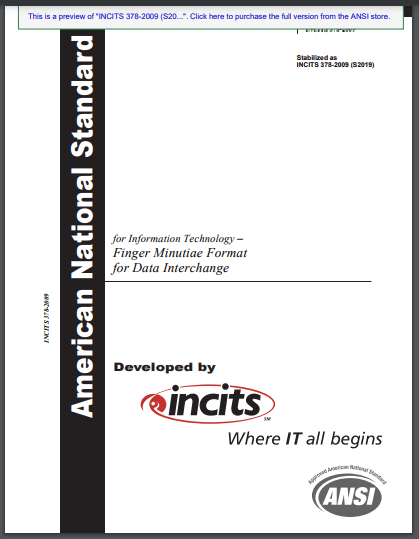
Something like ANSI INCITS 378-2009 (S2019).

So I guess we need to define two more acronyms.

ANSI

Actually, I should have defined ANSI earlier, since I’ve already referred to it when talking about the ANSI/NIST data interchange formats.

ANSI is the American National Standards Institute. Unlike NIST, which is an agency of the U.S. government, ANSI is a private entity. Here’s how it describes itself:

The American National Standards Institute (ANSI) is a private, non-profit organization that administers and coordinates the U.S. voluntary standards and conformity assessment system. Founded in 1918, the Institute works in close collaboration with stakeholders from industry and government to identify and develop standards- and conformance-based solutions to national and global priorities….

ANSI is not itself a standards developing organization. Rather, the Institute provides a framework for fair standards development and quality conformity assessment systems and continually works to safeguard their integrity.

So ANSI, rather than creating its own standards, works with outside organizations such as NIST…and INCITS.

INCITS

Now that’s an eye-catching acronym, but INCITS isn’t trying to cause trouble. Really, they’re not. Believe me.

INCITS, or the InterNational Committee for Information Technology Standards, is another private organization. It’s been around since 1961, and like NIST has been known under different names in the past.

Back in 2004, INCITS worked with ANSI (and NIST, who created samples) to develop three standards: one for finger images (ANSI INCITS 381-2004), one for face recognition (ANSI INCITS 385-2004), and one for finger minutiae (ANSI INCITS 378-2004, superseded by ANSI INCITS 378-2009 (S2019)).

When entities used this vendor-agnostic minutiae format, then minutiae from any vendor could in theory be interchanged with those from any other vendor.

This came in handy when the FIPS was developed for PIV. Ah, two more acronyms.

FIPS and PIV

One year after the three ANSI INCITS standards were released, this happened (the acronyms are defined in the text):

Federal Information Processing Standard (FIPS) 201 entitled Personal Identity Verification of Federal Employees and Contractors establishes a standard for a Personal Identity Verification (PIV) system (Standard) that meets the control and security objectives of Homeland Security Presidential Directive-12 (HSPD-12). It is based on secure and reliable forms of identity credentials issued by the Federal Government to its employees and contractors. These credentials are used by mechanisms that authenticate individuals who require access to federally controlled facilities, information systems, and applications. This Standard addresses requirements for initial identity proofing, infrastructure to support interoperability of identity credentials, and accreditation of organizations issuing PIV credentials.

So the PIV, defined by a FIPS, based upon an ANSI INCITS standard, defined a way for multiple entities to create and support fingerprint minutiae that were interoperable.

But how do we KNOW that they are interoperable?

Let’s go back to NIST and MINEX.

Testing interoperability

So NIST ended up in charge of figuring out whether these interoperable minutiae were truly interoperable, and whether minutiae generated by a Cogent system could be used by a Printrak system. Of course, by the time MINEX testing began Printrak no longer existed, and a few years later Cogent wouldn’t exist either.

You can read the whole history of MINEX testing here, but for now I’m going to skip ahead to MINEX III (which occurred many years after MINEX04, but who’s counting?).

  • Like some other NIST tests we’ve seen before, vendors and other entities submit their algorithms, and NIST does the testing itself.
  • In this case, all submitters include a template generation algorithm, and optionally can include a template matching algorithm.
  • Then NIST tests each algorithm against every other algorithm. So the “innovatrics+0020” template generator is tested against itself, and is also tested against the “morpho+0115” algorithm, and all the other algorithms.
From NIST. Retrieved July 29, 2024.

NIST then performs its calculations and comes up with summary values of interoperability, which can be sliced and diced a few different ways for both template generators and template matchers.

From NIST. Top 10 template generators (Ascending “Pooled 2 Fingers FNMR @ FMR≤10-2) as of July 29, 2024.

And this test, like some others, is an ongoing test, so perhaps in a few months someone will beat Innovatrics for the top pooled 2 fingers spot.

Are fingerprints still relevant?

And entities WILL continue to submit to the MINEX III test. While a number of identity/biometric professionals (frankly, including myself) seem to focus on faces rather than fingerprints, fingers still play a vital role in biometric identification, verification, and authentication.

Fingerprints are clearly a 21st century tool.

Even if one vendor continues its obsession with 1970s crime fighters.

And no, I’m NOT going to explain what the acronym FAP means. This post has too many acronyms already (TMAA).

When 250ppi Binary Fingerprint Images Were Acceptable

(Part of the biometric product marketing expert series)

I remember the first computer I ever owned: a Macintosh Plus with a hard disk with a whopping 20 megabytes of storage space. And that hard disk held ALL my files, with room to spare.

For sake of comparison, the video at the end of this blog post would fill up three-quarters of that old hard drive. Not that the Mac would have any way to play that video.

That Mac is now literally a museum piece.

By Tmarki – Own work, Public Domain, https://commons.wikimedia.org/w/index.php?curid=8058630.

And its 20 megabyte hard disk illustrates the limitations of those days. File storage was a precious commodity in the 1980s and 1990s, and we therefore accepted images that we wouldn’t even think about accepting today.

This affected the ways in which entities exchanged biometric information.

The 1993 ANSI/NIST standard

The ANSI/NIST standard for biometric data interchange has gone through several iterations over the years, beginning in 1986 when NIST didn’t even exist (it was called the National Bureau of Standards in those days).

Fingerprints only

When I began working for Printrak in 1994, the image interchange standard in effect was ANSI/NIST-CSL 1-1993, the “Data Format for the Interchange of Fingerprint Information.”

Yes, FINGERPRINT information. No faces. No scars/marks/tattoos. signatures, voice recordings, dental/oral data, irises, DNA, or even palm prints. Oh, and no XML-formatted interchange either. Just fingerprints.

No logical record type 99, or even type 10

Back in 1993, there were only 9 logical record types.

For purposes of this post I’m going to focus on logical record types 3 through 6 and explain what they mean.

  • Type 3, Fingerprint image data (low-resolution grayscale).
  • Type 4, Fingerprint image data (high-resolution grayscale).
  • Type 5, Fingerprint image data (low-resolution binary).
  • Type 6, Fingerprint image data (high-resolution binary).

Image resolution in the 1993 standard

In the 1993 version of the ANSI/NIST standard:

  • “Low-resolution” was defined in standard section 5.2 as “9.84 p/mm +/- 0.10 p/mm (250 p/in +/- 2.5 p/in),” or 250 pixels per inch (250ppi).
  • The “high-resolution” definition in sections 5.1 and 5.2 was twice that, or “19.69 p/mm +/- 20 p/mm (500 p/in +/- 5 p/in.”
  • While you could transmit at these resolutions, the standard still mandated that you actually scan the fingerprints at the “high-resolution” 500 pixels per inch (500ppi) value.

Incidentally, this brings up an important point. The series of ANSI/NIST standards are not focused on STORAGE of data. They are focused on INTERCHANGE of data. They only provided a method for Printrak system users to exchange data with automated fingerprint identification systems (AFIS) from NEC, Morpho, Cogent, and other fingerprint system providers. Just interchange. Nothing more.

Binary and grayscale data in the 1993 standard

Now let’s get back to Types 3 through 6 and note that you were able to exchange binary fingerprint images.

Yup, straight black and white images.

The original uploader was CountingPine at English Wikipedia. – Transferred from en.wikipedia to Commons., CC BY-SA 3.0, https://commons.wikimedia.org/w/index.php?curid=90286557.

Why the heck would fingerprint experts tolerate a system that transmitted binary images that latent fingerprint examiners considered practically useless?

Because they had to.

Storage and transmission constraints in 1993

Two technological constraints adversely affected the interchange of fingerprint data in 1993:

  • Storage space. As mentioned above, storage space was limited and expensive in the 1980s and the 1990s. Not everyone could afford to store detailed grayscale images with (standard section 4.2) “eight bits (256 gray levels)” of data. Can you imagine storing TEN ENTIRE FINGERS with that detail, at an astronomical 500 pixels per inch?
  • Transmission speed. There was another limitation enforced by the modems of the data. Did I mention that the ANSI/NIST standard was an INTERCHANGE standard? Well, you couldn’t always interchange your data via the huge 1.44 megabyte floppy disks of the day. Sometimes you had to pull your your trusty 14.4k or 28.8k modem and send the images over the telephone. Did you want to spend the time sending those huge grayscale images over the phone line?
Sound effects not included. By Wilton Ramon de Carvalho Machado – Own work, CC BY-SA 3.0, https://commons.wikimedia.org/w/index.php?curid=3572726.

So as a workaround, the ANSI/NIST standard allowed users to interchange binary (black and white) images to save disk space and modem transmission time.

And we were all delighted with the capabilities of the 1993 ANSI/NIST standard.

Until we weren’t.

The 2015 ANSI/NIST standard

The current standard, ANSI/NIST-ITL 1-2011 Update 2015, supports a myriad of biometric types. For fingerprints (and palm prints), the focus is on grayscale images: binary image Type 5 and Type 6 are deprecated in the current standard, and low-resolution Type 3 grayscale images are also deprecated. Even Type 4 is shunned by most people in favor of new friction ridge image types in which the former “high resolution” is now the lowest resolution that anyone supports:

  • Type 13, Variable-resolution latent friction ridge image.
  • Type 14, Variable-resolution fingerprint image.
  • Type 15, Variable-resolution palm print image.

We’ve come a long way.

Now that you’ve read this whole thing, I’ll share my video which covers everything in 25 seconds.

Fade to gray.

By the time I upload this video to Instagram, I’ll probably use Instagram’s music facilities to add this song as background music.

  • And note that the band name is spelled Visage with one I, not Viisage with two I’s. (Now part of IDEMIA, along with Printrak.)
  • But the spelling inaccuracy is not surpring. The band can’t spell “gray” either.
From https://www.youtube.com/watch?v=eZHk4RwIp_g.

Well, the Writer Was 60% Correct (Face-Iris Pixels Per Inch)

(Part of the biometric product marketing expert series)

I recently read a web page (I won’t name the site) that included the following text:

…fingerprints, palm prints, latents, faces, and irises at 500 or 1000 ppi.

Which is partially correct.

Yes, fingerprints, palm prints, and latent prints are measured in pixels per inch (ppi), with older systems capturing 500 ppi images, some newer images capturing 1,000 ppi images, and other systems capturing 2,000 ppi or larger images. 2,000 ppi resolution is used in some images in NIST Special Database 300 because why not?

I don’t know of any latent fingerprint examiner who is capturing 4,000 ppi friction ridge prints, but I bet that someone out there is doing it.

But faces and irises are not measured in pixels per inch.

Why not?

Because, at least until recently, friction ridge impressions were captured differently than faces and irises.

  • Since the 19th century, we’ve naturally assumed that friction ridges are captured via a contact method, whether by inking the fingers and palms and pressing against a paper card, pressing the fingers and palms against a livescan platen, or pressing a finger on a designated spot on a smartphone.
  • You don’t press your face or iris against a camera. Yes, you often have to place your iris very close to a camera, but it’s still a contactless method.
This is not a recommended method of facial image acquisition. From https://www.youtube.com/watch?v=4XhWFHKWCSE.

Obviously things have changed in the friction ridge world over the last decade, as more companies support contactless methods of fingerprint capture, either through dedicated devices or standard smartphone cameras.

And that has caused issues for organizations such as the U.S. Federal Bureau of Investigation, who have very deep concerns about how contactless fingerprints will function in their current contact-based systems.

For example, how will Electronic Biometric Transmission Specification Appendix F (version 11.2 here) compliance work in the world where the friction ridges are NOT pressed against a surface?

Vous n’êtes pas du coin, n’est-ce pas ?

In a recent conversation with a client, I was reminded that procedures in one country may not be followed in another. For example, the process of getting a U.S. passport differs from the process to get one in France.

By Nikimura – Own work, CC BY-SA 4.0, https://commons.wikimedia.org/w/index.php?curid=147981790

The client’s questions about ID document issuance

The client asked me about my experience with centralized and decentralized ID document issuance systems.

It turns out I was experienced in both based upon my time at IDEMIA. State agencies can manufacture driver’s licenses either via a dencentralized process where the driver’s license is printed at your local DMV office while you wait, or via a centralized process where all the driver’s licenses are produced at a secure facility which may or may not be located in the state in question. IDEMIA maintains several such centralized facilities to produce driver’s licenses and credit card-related materials, and they’re so secure that even when I was an IDEMIA employee I was not allowed to enter them.

Exton, Pennsylvania IDEMIA facility. “The property is ‘mission critical’ to IDEMIA, as it serves as the only manufacturing plant of card blanks for IDEMIA within the United States.” From https://royaloakrealtytrust.com/properties/idemia-identity-security/.

But then the client asked about passports.

Passports and passport renewals in the United States

When I joined Incode Technologies in May 2022, I had to quickly renew my passport so that I could attend a possible meeting in Mexico City. And it’s a good thing I did, because that meeting occurred soon afterwards…well, if you consider April 2023 “soon afterwards.”

My passport had expired in 2020, but I was able to renew my passport anyway with a fairly simple procedure.

  • Go to my local CVS drug store and use their automated machine to take the required passport photo in an ICAO-compliant fashion. The machine checked for ICAO compliance. (It took a few tries to get it right.)
  • Fill out a paper form.
  • Use an antiquated currency technology called a “check” to make out a payment to the U.S. State Department.
  • Put everything in an envelope and mail it to a centralized passport processing center.
  • Wait.
No, passports are not produced at the U.S. State Department headquarters. But the building looks cool. Source: diplomacy.state.gov, Public Domain, https://commons.wikimedia.org/w/index.php?curid=51192214

I forget how many weeks it took me to get my new passport, but I requested an expedited process so it couldn’t have been that many weeks.

This isn’t always true. If you don’t expedite the process, and if there’s a heavy backlog, it could take more than a month to get your passport.

Passports and passport renewals in France

After my meeting with the client, I was curious about the passport policies in other countries, and ran across this Expatica description of French passport production.

Let’s skip right to the biggest difference between France and the United States:

The passport will take a few days to process.

Uh…what?

Not “the passport will take a few days to process if you pay rush fees.”

It will take a few days to process, period.

And no, this isn’t because the United States is larger than France. The same time period applies if you apply for a passport in one of France’s scattered overseas departments, or at a French embassy or consulate.

So how do they do it?

First off, you don’t need to mail a bunch of stuff off to a centralized office. You can simply go to your local town hall (mairie), embassy, or consulate. You need the following:

  • A French ID card or other acceptable proof of French nationality.
  • A recent photograph (again, ICAO compliant).
  • Your fingers, which are presumably attached to your person, so that they can be captured for biometric purposes.
  • Proof of residence.
  • The passport fee.

Once your bring everything to the mairie, your passport is processed within a few days. (OK, perhaps slightly longer in the summer.) When it’s ready you go back to the mairie, sign your passport, and take it with you to travel to all of the countries you can visit with a French passport. (More than with a United States passport.)

Follow your local, um, customs

My research hasn’t yet uncovered a country where you can get your passport on the same day you apply for it, but such a timeframe is theoretically possible.

This isn’t a current concern of mine since Bredemarket only deals with U.S. firms, but some of these firms are multinational and may ask me to create written content regarding their installation in Vietnam or wherever.

Always ask what the local practice is and don’t assume that the locals do things like we do in Southern California.

We surf to school. Even if we live inland. By Dennis Hill – https://www.flickr.com/photos/fontplaydotcom/2742209717/, CC BY 2.0, https://commons.wikimedia.org/w/index.php?curid=146279529.