From my years in proposals, and from my time working to secure contracts for Bredemarket, I’ve had a lot of experience with win/loss situations. Often we compete for things, and we usually either win the things, or lose them.
But sometimes things are a little more complex. Take the example of my first three Bredemarket opportunities. At the time I wasn’t trying to win independent consulting contracts; I was trying to secure full-time employment. I’ve told the story before, but here’s a brief version of the story as a set of win/loss experiences.
Company
Did I get the job?
Did I get a consulting contract?
Company #1
No, I wasn’t trying to get a job with this company. The head of the company approached me for consulting work.
Yes, I got a consulting contract. (Actually multiple contracts.)
Company #2
No, I didn’t get the job.
Yes, I got a consulting contract.
Company #3
No, I didn’t get the job.
No, I didn’t get a consulting contract. (Yet.)
Three companies, no jobs, two consulting contracts. Did I win, or did I lose?
In terms of job offers, I got exactly zero job offers from these three companies. But I did get consulting contracts from two of the companies. So as a true marketing professional, I will officially declare a 67% win rate, unless I want to round it up even further and declare a 70% win rate.
But throughout my experiences, I’ve found that I’ve learned a lot from the losses. I’ve told a number of stories in this regard, but today I’m going to share a story that I haven’t shared publicly until now. So gather round while I tell my story. (No pranking.)
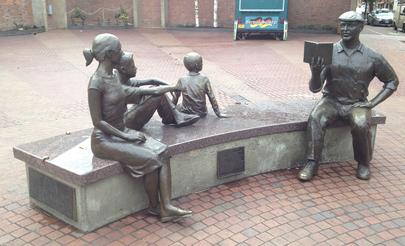
Photograph of sculpture “The Storyteller”, featuring Ken Kesey, in Eugene, Oregon. By Original work: Pete HelzerDepiction: Jonesey95 – own work, CC BY-SA 4.0, https://en.wikipedia.org/w/index.php?curid=48410264
Once I was competing for an opportunity to market two products for a firm. The two products competed in markets that were outside my identity (biometrics / secure documents) comfort zone, so I had to do some cramming to learn about the products and their markets. As I crammed, I discovered three “opportunities to excel,” or what some people refer to as “challenges.” Or “land mines.”
Who? First, the two products had come to the firm by way of acquisitions, so the market was confused about not only the names of the products, but the name of the company that was now offering the products. Market confusion is never good.
Um…who? Second, if you looked at the markets for these two products, this firm’s offerings weren’t widely known to some people. In my competitive research, I was checking a lot of sites that listed leading players in the two markets, and this firm’s offerings weren’t always listed. Market apathy is never good.
What? Third, the markets themselves were somewhat complex and ill-defined. The markets had a number of sub-markets, and some competitor products would concentrate on some sub-markets, while others would concentrate on others. It was cumbersome to compare these two products and evaluate the competitors and sort-of competitors. Market complexity is never good.
Anyway, despite my cramming sessions on these two products and their respective markets, I did not win the opportunity to market these two products for the firm. Someone else got that opportunity. (I never even got to show off my cramming knowledge, which is probably just as well.)
So now I can sit back and watch how the winner will take advantage of these opportunities to excel. Since the firm now has someone who can market these two products, I expect that we will all hear more about them soon.
But what did I personally learn from this experience?
First, I learned that it’s possible to extrapolate from your own experience to analyze new opportunities. (Actually, I already knew that, but it was good to have a reminder.)
Second, I learned a lot about these two markets, these two products, and their competitors. I won’t share this here, but maybe I’ll have an opportunity to share it some day. (If I can remember the results of my cramming exercises.)
Third, I was reminded (yet again) that a loss can sometimes be a win. After all, I got a blog post out of the experience.
POSTSCRIPT
Fourth…as I was trying to find a good illustration for “cramming” for this post (as you can see, I didn’t), I discovered an alternate term for cramming: swotting.
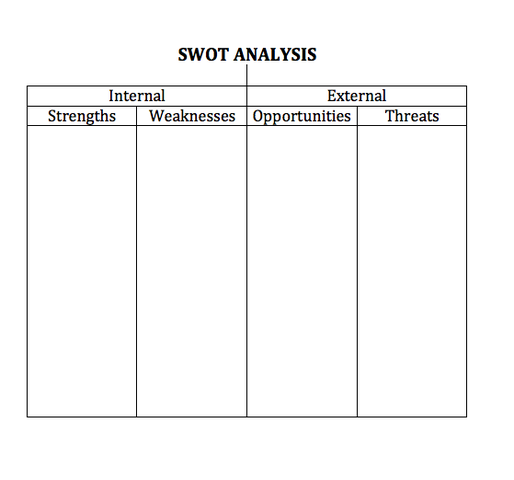
Marketers know that the acronym SWOT can also refer to Strengths, Weaknesses, Opportunities, Threats.
But for the rest of you who want to consider the question for a couple of minutes…
Life is messy. It’s easy to look around and find examples of ways in which people do things incorrectly. “If only people did things rationally,” you might think to yourself, “these problems would be avoided.” So some desire rational solutions, such as those that could be provided if engineers ruled the world.
In 2016, Global Construction Review asked the question “Should engineers rule the world?” But before I look at the possible answers to that question, let me share a couple of anecdotal stories.
Years and years ago, I worked for company that prided itself on being run by engineers, and having an engineering mindset. For this company, that meant that it exerted great effort to design technically superior solutions. Since I am not an engineer, I was therefore able to observe from the sidelines as the company designed and (after some time) released a product that was a technical marvel. There was only one problem: the product was so expensive that no one would buy it.
That same company had designed another technically superior product, but this one was priced reasonably enough that people throughout the world would buy it…except in the United States. There were established competitors in the United States, and it would take a great effort to displace them. From my vantage point in the US, I asked the product people an apparently simple question: why should US customers choose our company’s product rather than the competitors’ products? Apparently my question “did not compute” with the product people, because I never got an answer to my question. I guess they expected the US customers to be dazzled by our product’s obvious superiority or something.
Now that I’ve gotten those two anecdotal stories out of the way, let’s return to Global Construction Review’s question: “Should engineers rule the world?” The article begins by citing an example in which application of engineering principles at the outset could have prevented a catastrophe later on.
Take the Syrian civil war, for instance. In a paper published last year in the Proceedings of the National Academy of Sciences, Colin P. Kelley and co-authors proposed that a record-breaking drought in northeastern Syria between 2007 and 2010 caused the sudden migration of 1.5 million poor farmers into cities, setting the scene for the widespread unrest that erupted into outright revolt in early 2011.
The thinking, of course, is that if the drought had been minimized or averted through the timely application of scientific principles, the migration would not have happened, and the resulting unrest would not have happened.
So the question about engineers ruling the world was posed to several thinkers, beginning with Tim Chapman, described as the leader of an infrastructure group. Chapman began by observing that politicians concentrate too much on the short term, while some others concentrate too much on the long term.
Engineers are able to bridge this gap. A world run by engineers would be more planned, more strategic, more organised.
But Chapman wasn’t willing to hand the engineers the keys to everything. While he wanted them at the table, he noticed one drawback that engineers need to overcome.
But engineers also need to change, too, if they are to sell their answers to a sceptical world. They need to be better story-tellers who bring society along with them, rather than trying to impose solutions.
Some of the other people interviewed in the article echoed the thought that engineers should be at the table, but no one was willing to let them be the sole arbiters of what is best.
Oddly enough, or perhaps not so oddly, there was one word that I was unable to find in the article.
That word was “listen.”
It’s fine for engineers to be able to tell the story of why a solution should be adopted, but it’s also necessary for engineers to be able to listen to the people who may or may not benefit from the solution. Perhaps the proposed solution is too expensive (see my first anecdotal example), or perhaps existing solutions are perfectly fine (see my second anecdotal example). Or perhaps the solution goes against a group’s most important cultural values; while foreigners are often baffled by Americans’ resistance to government dictates, the fact remains that American history has influenced us to resist such dictates.
So while engineers should be heard, they shouldn’t rule the world.
I was performing some website maintenance this afternoon, and decided to add a page dedicated to Bredemarket’s services for identity firms. I was trying to think of an introductory illustration to go with the page, since the town crier can only go so far. So, claiming fair use, I decided that this image made perfect sense.
Now while use of the “Who Are You” album cover on a Bredemarket identity page makes perfect sense to me, it may not make sense to 6.9 billion other people. So I guess I should explain my line of thinking.
The link between human identification and the song “Who Are You” was established nearly two decades ago, when the television show “C.S.I. Crime Scene Investigation” started airing on CBS. TV shows have theme songs, and this TV show adopted a (G-rated) excerpt from the Who song “Who Are You” as its theme song. After all, the fictional Las Vegas cops were often tasked with identifying dead bodies or investigating crime scene evidence, so they would be expected to ask the question “who are you” a lot.
Which reminds me of two stories:
I actually knew a real Las Vegas crime scene investigator (Rick Workman), but by the time I knew him he was working for the neighboring city of Henderson.
CSI spawned a number of spinoffs, including “CSI:Miami.” When I was a Motorola product manager, CSI:Miami contacted us to help with a storyline involving a crime scene palm print. While Motorola software was featured in the episode, the GUI was jazzed up a bit so that it would look good on TV.
So this song (and other Who songs for the CSI spinoffs) is indelibly associated with police crime scene work.
But should it be?
After all, people think that “When a Man Loves a Woman” is a love song based upon its title. But the lyrics show that it’s not a love song at all.
When a man loves a woman Down deep in his soul She can bring him such misery If she is playin’ him for a fool
So are we at fault when we associate Pete Townshend’s 1970s song “Who Are You” with crime scene investigation?
Yes, and no.
While the “who are you” question has nothing to do with figuring out who committed a crime, it DOES involve a policeman.
This song is based on a day in the life of Pete Townshend….
Pete left that bar and passed out in a random doorway in Soho (a part of New York). A policeman recognized him (“A policeman knew my name”) and being kind, woke him and and told him, “You can go sleep at home tonight (instead of a jail cell), if you can get up and walk away.” Pete’s response: “Who the f–k are you?”
Because it was the 1970s, the policeman did not try to identify the drunk Townshend with a mobile fingerprint device linked to a fingerprint identification system, or a camera linked to a facial recognition system.
Instead, the drunk Townshend questioned the authority of the policeman. Which is what you would expect from the guy who wrote the line “I hope I die before I get old.”
Speaking of which, did anybody notice that on the album cover for “Who Are You,” Keith Moon is sitting on a chair that says “Not to Be Taken Away”? Actually, they did…especially since the album was released on August 18, 1978 and Moon died on September 7.
While Moon’s death was investigated, no crime scene investigators were involved.
When Arizonan Carl Hayden first joined the U.S. House of Representatives, a fellow Congressperson advised Hayden, “If you want to get ahead here, you have to be a work horse and not a show horse.” When Hayden became a U.S. Senator, he dispensed the same advice to incoming colleagues.
But it doesn’t just apply to U.S. Senators.
I thought of this “workhorse/showhorse” distinction last night. It was Valentine’s Day, and I was driving in the dark to pick up some pizza that we had ordered to mark the day. No, that wasn’t’ my Valentine’s Day present; my wife had already received chocolate-covered strawberries.
No, not THOSE chocolate covered strawberries. She got some REAL ones earlier in the day.
So anyway, I was driving back home in the dark after picking up the pizza and noticed something odd. Somewhere out there in the darkness, there were all these glittering tiny lights. I thought to myself, I will turn aside to see this great sight, why the tiny lights glitter.
It turns out that there was a guy, standing next to his van, holding glow-in-the-dark hearts that he was selling.
I didn’t stop, and I didn’t buy. (And I didn’t take a picture, because I knew it wouldn’t turn out well.) But as I was driving home I thought about the guy. And two things came to mind.
First, I doubt that the guy was out selling his products by his van earlier in the day. Why not? Because they wouldn’t look that good early in the day. They would look much better in the dark, in a parking space away from any store or street light. Buyers would then be attracted to his product, like moths to a flame. (Actually, moths probably aren’t attracted to flame. But I digress.)
Second, I realized what would have happened if I had succumbed to the urge to buy one of these glow-in-the-dark hearts from the guy, and if I had taken it home and brought it in the house.
Where it wouldn’t look so good, because we have lights all over the house that would diminish the effect of the present.
And if I tried to get my wife to go outside to see how the lights looked in the darkness, she would have refused to go out and would have returned to eating pizza.
The challenge that faces any provider is to provide a service that not only looks good when you buy it in the showroom, but also looks good when you put it to work in the workroom. Now there are certainly some providers who are more than happy to take the money and run, but most providers seek to provide long-term customer satisfaction, which is key to getting repeat business and references.
After all, if you go to a car showroom in California and buy a used car, you have the option to buy a contract that allows you to return the car within two days. So if that used car looks great in the showroom but is unsatisfactory when you drive it off the lot, the used car dealer loses that sale, and perhaps loses any future business from you and your friends. Many businesses, such as Amazon, offer similar policies that allow returns under certain circumstances.
Perhaps I’m making assumptions, but I’m guessing that the guy in the van in the dark didn’t have a return policy. It’s not economically feasible in his business.
And now I’m hungry for chocolate covered strawberries. But I’ll probably just get M&Ms and Welch’s fruit snacks.
It turns out that when you add services to your profile, you need to include images along with the listing.
Adding images to these service descriptions should be easy, I thought. After all, I don’t need to create the images myself, I just need to have a good (and royalty-free) concept. Piece of cake.
TL;DR: it wasn’t. So far I have only been partially successful. If you have any suggestions after reading my story, feel free to add them to the comments on this post.
The first attempt
For my Bredemarket 400 illustration, I didn’t have permission to cite any of the blog posts that I’ve written for my clients, so I posted an image from one of my own blog posts instead.
I already had a picture that I could use to illustrate the Bredemarket 2800 Medium Writing Service.
So I uploaded these pictures to the IS.
In this case, “IS” stands for “intermediary service.” It’s good to define your acronyms; otherwise, you might think that I was referring to the Input Station 2000. (OK, you probably wouldn’t think that.)
RTFM
The IS replied to both of my picture uploads with a message that indicated that I didn’t RTFM. I’m not going to define that acronym for you. If you don’t know what RTFM is, Google or Bing or DuckDuckGo it yourself.
You see, I thought it was a GREAT idea to illustrate my writing services with…well, with writing. But if I had RTFM, I would have realized that was the WORST thing I could have done.
Your project requires revisions before it can be approved because the images included do not adhere to our project guidelines. Specifically:
Image contains excessive text. For certain types of work, it is necessary and relevant to include images with text. However, this should be kept to a minimum and the images should be clear.
So I was trying to think of an image with minimal text that I could use to illustrate my writing services.
And that’s when a song popped into my head.
I sang
I wish that I could say that the song in my head was a profound and meaningful song, like Freur’s “Doot Doot.” But sadly, the song in my head didn’t convey the universal truths that Freur’s masterpiece did.
In fact, I couldn’t even remember all of the lyrics of the song that was now stuck in my head. All I could remember was the chorus.
All the people gonna come to Portland All the people gonna come to Portland All the people gonna come to Portland All the people gonna come to Portland
And it’s probably just as well that I couldn’t remember the rest of the lyrics, because this was a song that I wrote myself many years ago, when I was in college in the city of…guess. (Hint: the town is not in the state of Maine.)
I could remember the title of the song, though: “Town Crier.”
I cried
The title caught my attention, because town criers catch attention, because they have to. The Wikipedia article on the town crier explains that a town crier “was used to make public announcements in the streets.”
Prior to widespread literacy, town criers were the means of communication with the people of the town since many people could not read or write. Proclamations, local bylaws, market days, adverts, were all proclaimed by a bellman or crier.
People are literate today for the most part, but there’s so much cacophony surrounding us that sometimes extraordinary means are required to deliver important messages. I’m not suggesting that it is a good marketing practice for people to SHOUT AND WEAR ELABORATE ATTIRE, but you need some mechanism to get people to read your message.
And that’s what Bredemarket strives to do.
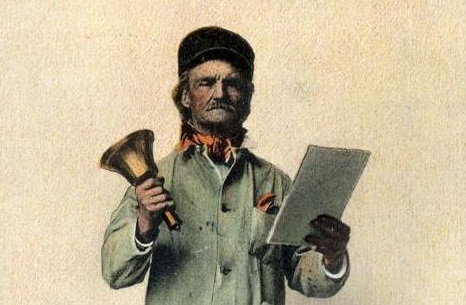
So I began to think that the image of a town crier would be just the thing to submit to the IS. And as it turned out, that Wikipedia article included a public domain image of a town crier, taken from an old, old postcard.
So I submitted that image to the IS and waited for a response.
When the right hand doesn’t know what the left hand is doing
And I got a response a few hours later, stating that my Medium Writing Service image had been…rejected.
Image is not related to the service being offered
I guess my “town crier” representation of my writing service was a little TOO subtle for the IS reviewer’s taste.
So I wondered if there were a better image to illustrate my writing services, since written text was apparently forbidden, and esoteric conceptual illustrations were also forbidden.
Unfortunately, the only idea that came to me was an image of two appropriately diverse people, smiling while looking at a piece of paper.
You know, something from the canned stock images that I detest so much. Note to the reader: using canned stock images to illustrate your marketing materials does NOT make you stand out from the competition.
And by this point I was married to my “town crier” idea anyway, and began thinking that if I actually referenced the words “town crier” in my description of my service, then the picture might become amazingly appropriate after all and would pass IS review.
I became more attracted to the “town crier” concept when I received a message a few hours later from the IS regarding my Short Writing Service.
Congratulations! Your project has been approved.
So, let’s recap.
Two similar writing service descriptions were submitted to the IS for approval, both using the same “town crier” image.
One was approved.
The other was not.
Obviously the descriptions were sent to two different approvers at the IS. Or perhaps the same approver saw both descriptions, and finally figured out my subliminal meaning when he or she read the description for the second submission.
So I decided that I would add a reference to the “town crier” to the unapproved description. And while I was at it, I figured that I’d add the same reference to the description that was already approved, in case another reviewer looked at the description later and didn’t like the image.
But I wasn’t going to do anything that evening. I decided I’d sleep on it.
I read
And as I was sleeping, a new idea popped into my head.
Since I had the opportunity to change my Medium Writing Service image anyway, perhaps I could select an image that was similarly themed to the “town crier” image. This would help distinguish the two services from each other a little bit., while emphasizing their commonality.
Ideally, the new image had to have an “old” feel to emphasize that commonality.
I wondered if a picture of (old) books from a library would do the trick. After all, if you post white papers and case studies on your business website, the documents serve as a “secret salesperson” to continue promoting your message, even when you’re not around.
I added this image to my Medium Writing Service description, and added a textual reference to a library in the descriptive text, and resubmitted it to the IS.
While I was at it, I added a textual reference to a town crier to the descriptive text for my Short Writing Service, and resubmitted that to the IS.
Because repurposing is good, I added those same images and text descriptions to the Short and Medium writing service descriptions on the Bredemarket website. I went ahead and added the images and text to the appropriate entries on the Bredemarket “Services” page on Facebook. (As I am writing this post, I realize that I probably ought to update some of the other services at some point. I’m putting that on the “to do” list.)
And now I waited to see if the new, improved (WITH EXTRA WORDS!) description of my Medium Writing Service would be approved by the IS.
You won’t believe what happened next!
And…the new submission was rejected.
Project category chosen doesn’t match the description or images
Because the IS doesn’t have a “white paper” category, I listed my Medium Writing Service under the “case study” category. However, my guess is that it doesn’t matter whether I use “case study” or “white paper” as my product category.
So, how do I illustrate a case study if I can’t show a literal case study?
Do I need to explicitly talk about case studies more frequently in my textual description?
At this point, I’m just going to sleep on it some more. Although if you have any suggestions, feel free to add them to the comments on this post.
And the exercise wasn’t a complete failure. Even though the Medium Writing Service remains unapproved, my Short Writing Service is now listed on the IS website, and I’ve made improvements to my Bredemarket web page and my Facebook page. Multiple wins for me; I get a cookie.
How many of us keep on doing the same thing, but just use different tools to do it?
For example, I am going to provide four examples of ways…I mean, for example, I am going to list four ways in which I have disseminated identity information to various internal and external audiences over the last fifteen years. Three of these methods had restricted access and some are no longer available, but the last one, Bredemarket Identity Firm Services, is publicly available to you TODAY.
You can get to this information source in ten seconds if you like. If you’re a TL;DR kind of person, click here.
For the rest of you, read on to see how I used COMPASS (most of you haven’t heard of COMPASS), SharePoint (you’ve heard of that), email (you’ve definitely heard of that), and LinkedIn (ditto) to share information.
Take One: Using Motorola Tools
For the first identity information source, let’s go back about fifteen years, when I was a product manager at Motorola (before The Bifurcation). Motorola had its own intranet, called COMPASS, which all of us Motorolans would use to store information except when we didn’t.
Using this intranet, I created a page entitled “Biometric Industry Information,” in which I pasted links and short descriptions of publicly-available news items. I’m not sure how useful this information source was to others, but I referred to it frequently.
Eventually Motorola sold our business unit to Safran, and “Biometric Industry Information” was lost in the transition. For all I know it may be available on some Motorola Solutions intranet page somewhere, though I doubt it.
Take Two: An Industry-Standard Tool and an Expanded Focus
The second identity information source was created a few years later, when I was an employee of MorphoTrak. Two things had changed since the Motorola days:
MorphoTrak’s parent company Safran didn’t use the Motorola intranet solution. Instead, it used an industry-standard intranet solution, SharePoint. This was tweaked at each of the individual Safran companies and regions, but it was pretty much a standard solution.
The second change was in the breadth of my interests, as I realized that biometrics was only part of an identity solution. Yes, an identity solution could use biometrics, but it could also used the driver’s licenses that MorphoTrak was slated to produce (but didn’t), and other security methods besides.
So when I recreated my Motorola information source, the new one at MorphoTrak was a Microsoft SharePoint list entitled “Identity Industry Information.”
Again, I’m not sure whether others benefited from this, but I certainly did.
Take Three: Taking Over an Email List
The third iteration of my information source wasn’t created by me, but was created about a decade ago at a company known as L-1 Identity Solutions. For those who know the company, L-1 was a conglomeration of multiple small acquisitions that provided multiple biometric solutions, secure document solutions, and other products and services. Someone back then decided that a daily newsletter covering all of L-1’s markets would be beneficial to the company. This newsletter began, and continued after Safran acquired L-1 Identity Solutions and renamed it MorphoTrust.
MorphoTrust and my company MorphoTrak remained separate entities (for security reasons) until Oberthur acquired some of Safran’s businesses and formed IDEMIA. In North America, this resulted in the de facto acquisition of MorphoTrak by MorphoTrust, and some significant shifting in organizational charts and responsibilities.
As a result of these changes, I ended up taking over the daily newsletter, tweaking its coverage to better meet the needs of today, and (in pursuit of a personal annual goal) expanding its readership. (This email was NOT automatically sent to everyone in the company; you had to opt in.)
Now some may believe that email is dead and that everyone should be on Volley or Clubhouse, but email does serve a valid purpose. As a push technology, emails are provided to you every day.
OK, every five seconds.
But modern email systems (including those from Microsoft and Google) provide helpful tools to help you manage your email. This allowed people to prioritize their reading of my daily newsletter, or perhaps de-prioritize it.
Two years later IDEMIA underwent another organizational change, and I was no longer responsible for the daily newsletter. Last I heard, the daily newsletter still continues.
Take Four: Market Me, Benefit You
Eventually I left IDEMIA and started Bredemarket, and the identity industry became one of the industries that I targeted for providing Bredemarket’s services. To build myself as an identity industry authority, and to provide benefits to identity industry firms, I needed to market specifically to that segment. While my online marketing outlets were primarily focused on my website, I was also marketing via LinkedIn and Facebook. My LinkedIn marketing was primarily though the Bredemarket LinkedIn company page.
I’m trying to add new content to Bredemarket Identity Firm Services on a daily basis. It’s primarily content from other sources, but sometimes my own content (such as this post) will find its way in there also. And, as in the example above, I’ll occasionally include editorial comments on others’ posts.
So if you’re on LinkedIn and would find such content useful to you, go to the showcase page and click the “Follow” button.
Sent an email to a client invoicing the client…but failed to attach the actual invoice.
Contacted an opportunity, and (due to an editing error) referred to a DIFFERENT company instead of the opportunity’s company.
Obviously I am not eating my own wildebeest food (yes, I’m burned out on iguanas). While these were short missives which would have been significantly delayed if I had literally “slept on it,” I could have caught these errors if I had read my communications just ONE MORE TIME.
In the first case, the client alerted me to my mistake before I realized that I had made it. I have a good relationship with the client, so I just re-sent the message WITH the attached invoice and thanked the client for alerting me. I WAS paid.
In the second case, I had no previous relationship with the opportunity, so I couldn’t draw upon any goodwill. Perhaps I would have lucked out and the opportunity wouldn’t have caught my mistake…but I doubt it. I could have remained silent and just chalked it up as a loss, but I proactively apologized for the mistake. Perhaps I’ve lost the opportunity anyway, or damaged my chances severely, but it was the right thing to do.
Sometimes mistakes are intentional
I guess I could have used the excuse that I made the wrong company name mistake intentionally.
For example, the title of this post is an example of an intentional “misteak,” designed to grab the attention of the discerning reader.
And phishers and scammers often embed intentional mistakes in their pitches, figuring that if the reader completely ignores the intentional mistake, the reader is more likely to fall for the scam. Although I’m sure that this product (advertised in a game app) is NOT a scam, but is a perfectly legitimate product.
Actually, this mistake may have been TOO MUCH of a mistake. It took me several readings to figure out what “bad stars” was supposed to mean. (If you’re similarly confused, it’s supposed to be “bed starts.”) Then again, I’m not the target audience.
But I can’t think of a way to claim that I INTENTIONALLY messed up the opportunity’s company name. There goes that excuse.
Why to proactively own up to mistakes
Some people may have legitimate reasons for not revealing a mistake to someone else. Perhaps the person is a secret agent, and doesn’t want to let the enemy agent know that the information is incorrect. Or perhaps revelation of a mistake to a competitor could allow the competitor to take advantage of it.
But in most cases, you’re not a secret agent, and you’re not talking directly to a competitor. Therefore, it’s best to admit the mistake and not let it fester.
Laura Click of Blue Kite Marketing described an instance in which the company sent out an email but didn’t format the email correctly. As a result, their subscribers received a message that began:
Morning, <name>!
This was especially embarrassing to Blue Kite because it is a marketing firm, helping clients to better market their products and services. An error like this seems to suggest that Blue Kite doesn’t eat its own wildebeest food.
So Blue Kite Marketing sent a follow-up email. If you read the post that described the episode and included the text of the follow-up email, you will see that Blue Kite did the following:
Admitted the mistake.
Described how the mistake happened (without making excuses for it).
Noted that these mistakes can happen, even to seasoned marketers.
Apologized profusely.
Thanked the people who pointed out the error.
Used the episode as an opportunity to have the recipients update their profiles (“if you want to make doubly sure we know your name”).
The recipients appreciated Blue Kite Marketing’s honesty, and that email admitting the mistake resulted in tremendous engagement. As Blue Kite noted, an episode like this “builds trust and loyalty.”
Of course, apologizing for a mistake is not a guarantee that things will be better. We’ll never know, but perhaps one recipient was so incensed by the error that the person resolved never to do business with the company again. And in my case, I very well could have blown my opportunity by using the wrong company name.
But I still maintain that sincerely apologizing for a mistake is better than doing nothing at all.
And it could have been worse
But if I think about the two mistakes that I know that I made over the last two weeks, and all the mistakes that I DIDN’T know that I made over the last two weeks, and all of my other mistakes over the past few decades, they all pale in comparison to a mistake that I made about 15 years ago.
I was working for Motorola (pre-split) at the time, and if you know anything about Motorola, you know that Motorola is very big on process. Our little division at Motorola was working on achieving a particular Software Engineering Institute – Capability Maturity Model (SEI-CMM) assessment, and I was one of two people responsible for the Requirements Management Key Process Area (KPA). Our team would revise the division’s processes at times, and would announce these changes in release notes.
When I wrote the notes for a particular release, my notes made a reference to “qualtiy.”
Yes, that’s “tiy,” not “ity.”
Even <name> criticized me for that one.
Postscript
After I drafted this post, but before I published it, someone sent me a “God job” message.
But the message came with money, so I didn’t quibble.
When I wrote Bredemarket’s goals for 2021 (latest version here), my second goal was to pursue multiple income streams. This requires me to sign up with various middlepersons that marry service providers (such as Bredemarket) to contractors.
Or to TRY to sign up to such middlepersons.
I signed up with one such middleperson a month and a half ago, and never heard back from them. I had occasion to ask someone from the middleperson how long signup takes, and the person indicated that the process should complete within 10 business days. So I contacted the middleperson to see where my application stood, and waited…and waited…and eventually re-read the signup process instructions and realized that the middleperson only contacted SUCCESSFUL applicants. Non-successful applicants receive no response.
Anyway, there’s another middleperson that’s much better at these sorts of things, and I’m trying to solicit work from that service. Essentially you bid on jobs by providing a rate and a text-based technical proposal. After that you either hear from the potential contractor…or you don’t.
I began wondering if there was a way to increase my chances of hearing from the potential contractor.
As I was bidding on a content and social media strategy opportunity, I hit upon an idea.
After describing the service that I would provide, but before my call to action, I included the following section in my text proposal. (If you read my goal 2, you already know why I talk about iguanas.) Pay special attention to the last paragraph.
REFERENCE WEBSITES
If you’re contracting with someone to manage your company’s social media, you’re probably asking if I eat my own iguana food. (Dog food is boring.) Please check out my Bredemarket and Bredemarket-related online channels:
I do not have Pinterest, Snapchat, or TikTok accounts, and I have not posted YouTube videos in years.
Incidentally, if you check out the links above, one of them will specify the color of the iguana. Let me know if you see it.
I have no idea who the potential contractor is, but I’m hoping that he/she is an ex-IDEMIA employee who exhibits curiosity. If so, the person may click on the links to discover the color of the iguana.
If so, I could be really cruel and wait to reveal the iguana’s color until the very last link (Instagram).
But I’m a nice guy. The color of the iguana is being revealed right here, in the second link (the Bredemarket blog). THE COLOR OF THE IGUANA IS PURPLE. (Color purple. Geddit?)
Then again…perhaps I’ll specify a DIFFERENT iguana color in one, or more, of my OTHER social media channels.
There may be an entire army of multicolored iguanas waiting to be discovered.
Obviously I’m wondering if my potential contractor is curious. And I might be wondering if others are curious.
I shared something on the Bredemarket LinkedIn page, and I also shared it on the Bredemarket Facebook page, but there are billions of people who don’t subscribe to either, so I thought I’d share it here too to VASTLY increase its reach.
“It” is an Andrea Olson article published this morning entitled “Why Positioning Is More Important Than Ever.” Olson believes that company positioning is mostly a lost art, and that some attempts to establish a unique company marketing position don’t really work in practice. For example, a Company X claim that it is “customer-focused” will only be effective if Company Y says that it is “not customer-focused.” (This doesn’t happen.)
I’m going to advance the hypothesis that it’s easier for very large companies and very small companies to establish unique market positions, but harder for medium sized firms.
Medium sized firms often do not have an established presence in our minds. Let’s say that you’ve just moved to a new city and you’re deciding where you’re going to buy a car. How do you tell one car dealer from another? Does one of them have a better coffee machine in its customer lounge? Is one of them customer-focused?
The very large companies DO conjure images in our minds. On one level, there’s no huge difference between what Walmart sells, what Target sells, and what Kmart sells. But if you read the names “Walmart,” “Target,” and “Kmart,” positive and/or negative images immediately pop into your brain.
Which brings us to the very small companies, and the question that I asked on LinkedIn and Facebook—what is MY company’s unique market position?
This is something that I’m working on enunciating, both in public forums such as this one and in more private ones such as emails to potential clients. There are certain things about the Bredemarket offerings that are clearly NOT unique:
Many writing companies offer a specified number of review cycles to their clients.
Many writing companies offer experience in writing about biometric technology.
Many writing companies offer experience in writing proposals.
But there’s one advantage that very small companies (sole proprietorships) offer—the uniqueness of the sole proprietor. This uniqueness is sometimes difficult to convey, especially in the current pandemic environment. But it’s there.
(This past illustration describes something that I performed in my career, either for a Bredemarket client, for an employer, or as a volunteer. The entity for which I performed the work, or proposed to perform the work, is not listed for confidentiality reasons.)
PROBLEM
Companies need to respond to questions from their potential customers. Often the company crafts a specific response to each potential customer, even when multiple potential customers are asking the exact same questions.
SOLUTION
As many people already know, the solution is to create a database of standard text.
In some cases, companies can create standard text by adapting previous text submitted to potential customers in the past. In other cases, new text must be written. Once developed, the standard text can be stored in a dedicated database designed for this purpose, or it can simply be stored in a Microsoft Word document of officially approved responses.
RESULTS
I have created (or tried to create) a lot of standard text over the years.
For two companies, I was one of the people responsible for gathering standard text from subject matter experts (SMEs), or for writing new standard text myself. This standard text had to be reviewed with SMEs at regular intervals, and any necessary updates had to be incorporated.
For a third company, I was the SME responsible for reviewing and updating the standard text.
For a fourth company, I suggested that the company create standard text, but the company chose not to act on my suggestion.
For a fifth company, I was asked to create a simple database of standard text, addressing multiple markets for a particular product line.
And, of course, I’ve created standard text for my own company, suitable for repurposing in multiple formats.










 Bredemarket
