I Just Saw People

Unlike my other Bredemarket blog posts, this one contains exactly zero images.

For a reason.

My most recent client uses Google Workspace, and I was in the client’s system performing some research for a piece of content I’m writing.

I was using Gemini for the research, and noticed that the implementation was labeled “Gemini Advanced.”

How advanced, I wondered. Bredemarket has a plain old regular version of Gemini with my Google Workspace, so I wondered if Gemini Advanced could do one particular thing that I can’t do.

So I entered one of my “draw a realistic picture” prompts, but did not specify that the entity in the picture had to be a wildebeest of iguana.

I entered my prompt…

…and received a picture that included…

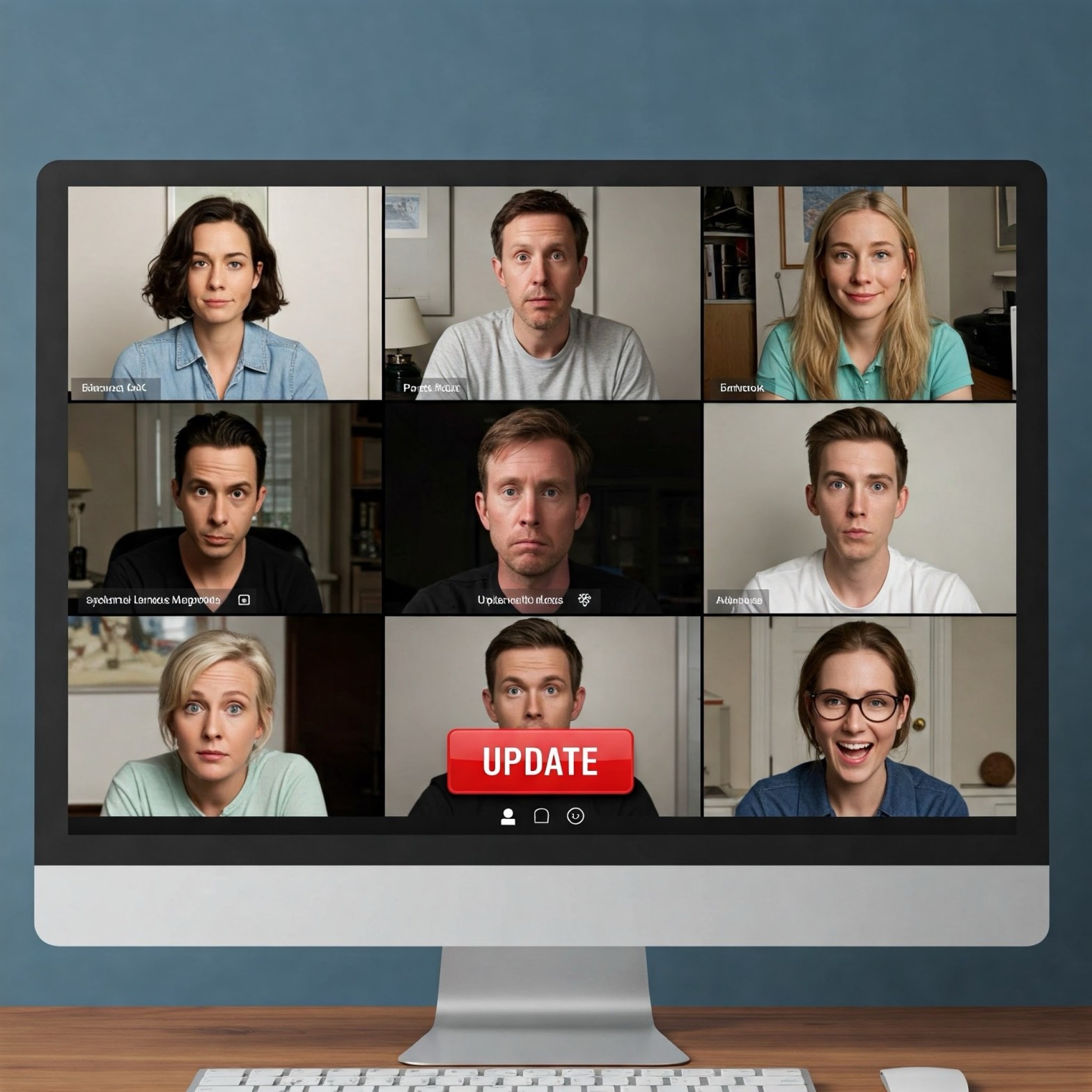
A PERSON.

(This is the part of the blog post where I should display the image, but the image belongs to my client so I can’t.)

In case you don’t know the history of why Google Gemini images of people are hard to get, it’s because of a brouhaha in 2024 that erupted when Google Gemini made some interesting choices when generating its images of people.

When prompted by CNN on Wednesday to generate an image of a pope, for example, Gemini produced an image of a man and a woman, neither of whom were White. Tech site The Verge also reported that the tool produced images of people of color in response a prompt to generate images of a “1943 German Soldier.”

I mean, when are we going to ever encounter a black Nazi?

Google initially stopped its image generation capabilities altogeher, but a few months later in August 2024 it rolled out Imagen 3. As part of this rollout, certain people were granted the privilege to generate images of people again.

Over the coming days, we’ll also start to roll out the generation of images of people, with an early access version for our Gemini Advanced, Business, and Enterprise users, starting in English….We don’t support the generation of photorealistic, identifiable individuals, depictions of minors or excessively gory, violent or sexual scenes.

Not sure whether Gemini Advanced users can generate images of black Popes, black Nazis, non-binary people, or (within the United States) the Gulf of Mexico.

Artificial intelligence is hard.

Incidentally, I have never tried to test guardrail-less Grok to see if it can generate images of black Nazis. And I don’t plan to.

My Gmail Labels Need a Draft 0.5 to Draft 1 Conversion

(All images from Imagen 3)

I’ve previously discussed my writing process, which consists of a draft 0.5 which I normally don’t show to anyone, and then (preferably after sleeping on it) a draft 1 in which I hack a bunch of the junk out of draft 0.5 to streamline the messaging.

I need to apply that elsewhere.

Like my Gmail labels.

Creating a content calendar

Bredemarket just started providing content services for a new consulting client (no proposal or analysis services—yet), and one of my first tasks was to set up a shared content calendar for the client.

Keeping a content calendar in an email or a document or a workbook works, and I’ve done this before. But keeping it on an accessible, shared platform is better because everyone has the same view and you don’t have to worry about synchronization issues.

Creating a content calendar in Jira

While Bredemarket’s own content calendars (internal and external) are in Asana, this client requested that I use Jira. Another client uses Jira for a content calendar, so I knew it would work fine.

If you’re curious, the content calendar I set up has the following statuses:

  • Backlog
  • On Hold
  • To Do
  • Doing
  • Done

Bredemarket’s external content calendar is more complex, but that’s because I know that everything on that calendar goes through my iterative review cycle process, and because most of my external projects require an invoicing step at the end. So “Doing” involves a lot of sub-statuses before I’m “Done.” My client obviously didn’t need all this. 

So I set up the content calendar, and the first issue (CC-1, create content calendar) is Done. (No confetti, Jira? Asana provides confetti.)

As Steve Taylor spoke in “Jung and the Restless,” “So what’s the problem?”

Creating email labels

The problem is one of my other obsessive habits, labeling or tagging my emails so that I can easily find them.

All my content work for this client generates a lot of emails. And I decided that the best way to label these emails was with their Jira issue number.

So emails concerning the creation of the content calendar bear the label jiracc001.

And emails concerning another issue are labeled jiracc005.

Did I mention that we already have 28 Jira issues so far? (Mostly in the Backlog.)

I shudder to think what my email will look like a week from now. I will find the relevant emails, but will have to wade through dozens or hundreds of labels first.

How to Recognize People From Quite a Long Way Away

I can’t find it, and I failed to blog about it (because reasons), but several years ago there was a U.S. effort to recognize people from quite a long way away.

Recognize, not recognise.

From https://www.youtube.com/watch?v=ug8nHaelWtc.

The U.S. effort was not a juvenile undertaking, but from what I recall was seeking solutions to wartime use cases, in which the enemy (or a friend) might be quite a long way away.

I was reminded of this U.S. long-distance biometric effort when Biometric Update reported on efforts by Heriot-Watt University in Edinburgh, Scotland and other entities to use light detection and ranging (LiDAR) to capture and evaluate faces from as far as a kilometer away.

At 325 metres – the length of around three soccer pitches – researchers were able to 3D image the face of one of their co-authors in millimetre-scale detail.

The same system could be used to accurately detect faces and human activity at distances of up to one kilometre – equivalent to the length of 10 soccer pitches – the researchers say.

(I’m surprised they said “soccer.” Maybe it’s a Scots vs. English thing.)

More important than the distance is the fact that since they didn’t depend upon visible light, they could capture faces shrouded by the environment.

“The results of our research show the enormous potential of such a system to construct detailed high-resolution 3D images of scenes from long distances in daylight or darkness conditions.

“For example, if someone is standing behind camouflage netting, this system has the potential to determine whether they are on their mobile phone, holding something, or just standing there idle. So there are a number of potential applications from a security and defence perspective.”

So much for camouflage.

But this is still in the research stage. Among other things, the tested “superconducting nanowire single-photon detector (SNSPD)” only works at 1 degree Kelvin.

That’s cold.

More on Injection Attack Detection

(Injection attack syringe image from Imagen 3)

Not too long after I shared my February 7 post on injection attack detection, Biometric Update shared a post of its own, “Veridas introduces new injection attack detection feature for fraud prevention.”

I haven’t mentioned VeriDas much in the Bredemarket blog, but it is one of the 40+ identity firms that are blogging. In Veridas’ case, in English and Spanish.

And of course I referenced VeriDas in my February 7 post when it defined the difference between presentation attack detection and injection attack detection.

Biometric Update played up this difference:

To stay ahead of the curve, Spanish biometrics company Veridas has introduced an advanced injection attack detection capability into its system, to combat the growing threat of synthetic identities and deepfakes…. 

Veridas says that standard fraud detection only focuses on what it sees or hears – for example, face or voice biometrics. So-called Presentation Attack Detection (PAD) looks for fake images, videos and voices. Deepfake detection searches for the telltale artifacts that give away the work of generative AI. 

Neither are monitoring where the feed comes from or whether the device is compromised. 

I can revisit the arguments about whether you should get PAD and…IAD?…from the same vendor, or whether you should get best in-class solutions to address each issue separately.

But they need to be addressed.

Age By Gesture?

(Churchill image public domain)

And I thought tongue identification was weird.

Biometric Update reported that the Australian government is evaluating a solution that estimates age by gestures.

At first thought I didn’t get it. Holding two fingers up in the air could be a 1960s peace hand gesture or a 1940s victory hand gesture.

Obviously I needed to give this a second thought. So I went to Needemand’s page for BorderAge. This is what I found.

« L’internaute doit simplement effectuer 3 mouvements de la main et l’avant-bras devant la caméra de son écran (ordinateur, tablette, smartphone). En quelques secondes, il/elle vérifie son âge sans dévoiler son identité. »

Help me, Google Translate; you’re my only hope.

“The Internet user simply has to make  3 movements of the hand and forearm  in front of the camera on their screen (computer, tablet, smartphone). In a few seconds, he/she verifies his/her age without revealing his/her identity.”

The method is derived from a 1994 scientific paper entitled “Rapid aimed limb movements: Age differences and practice effects in component submovements.” The abstract of the paper reads as follows:

“Two experiments are reported in which younger and older adults practiced rapid aimed limb movements toward a visible target region. Ss were instructed to make the movements as rapidly and as accurately as possible. Kinematic details of the movements were examined to assess the differences in component submovements between the 2 groups and to identify changes in the movements due to practice. The results revealed that older Ss produced initial ballistic submovements that had the same duration but traveled less far than those of younger Ss. Additionally, older Ss produced corrective secondary submovements that were longer in both duration and distance than those of the younger subjects. With practice, younger Ss modified their submovements, but older Ss did not modify theirs even after extensive practice on the task. The results show that the mechanisms underlying movements of older adults are qualitatively different from those in younger adults.”

So what does this mean? Needemand has a separate BorderAge website—thankfully in English—that illustrates the first part of the user instructions.

I don’t know what happens after that, but the process definitely has an “active liveness” vibe, except instead of proving you’re real, you’re proving you’re old, or old enough.

Now I’m not sure if the original 1994 study results were ever confirmed across worldwide populations. But it wouldn’t be the first scheme that is unproven. Do we KNOW that fingerprints are unique?

Another question I have regards the granularity of the age estimation solution. Depending upon your use case and jurisdiction, you may have to show that your age is 13, 16, 18, 21, or 25. Not sure if BorderAge gets this granular.

But if you want a way to estimate age and preserve anonymity (the solution blocks faces and has too low of a resolution to capture friction ridges), BorderAge may fit the bill.

Injection Attack Detection

(Injection attack syringe image from Imagen 3)

Having realized that I have never discussed injection attacks on the Bredemarket blog, I decided I should rectify this.

Types of attacks

When considering falsifying identity verification or authentication, it’s helpful to see how VeriDas defines two different types of falsification:

  1. Presentation Attacks: These involve an attacker presenting falsified evidence directly to the capture device’s camera. Examples include using photocopies, screenshots, or other forms of impersonation to deceive the system.
  2. Injection Attacks: These are more sophisticated, where the attacker introduces false evidence directly into the system without using the camera. This often involves manipulating the data capture or communication channels.

To be honest, most of my personal experience involves presentation attacks, in which the identity verification/authentication system remains secure but the information, um, presented to it is altered in some way. See my posts on Vision Transformer (ViT) Models and NIST IR 8491.

By JamesHarrison – Own work, Public Domain, https://commons.wikimedia.org/w/index.php?curid=4873863.

Injection attacks and the havoc they wreak

In an injection attack, the identity verification/authentication system itself is compromised. For example, instead of taking its data from the camera, data from some other source is, um, injected so that it look like it came from the camera.

Incidentally, I should tangentially note that injection attacks greatly differ from scraping attacks, in which content from legitimate blogs is stolen and injected into scummy blogs that merely rip off content from their original writers. Speaking for myself, it is clear that this repurpose is not an honorable practice.

Note that injection attacks don’t only affect identity systems, but can affect ANY computer system. SentinelOne digs into the different types of injection attacks, including manipulation of SQL queries, cross-site scripting (XSS), and other types. Here’s an example from the health world that is pertinent to Bredemarket readers:

In May 2024, Advocate Aurora Health, a healthcare system in Wisconsin and Illinois, reported a data breach exposing the personal information of 3 million patients. The breach was attributed to improper use of Meta Pixel on the websites of the provider. After the breach, Advocate Health was faced with hefty fines and legal battles resulting from the exposure of Protected Health Information(PHI).

Returning to the identity sphere, Mitek Systems highlights a common injection.

Deepfakes utilize AI and machine learning to create lifelike videos of real people saying or doing things they never actually did. By injecting such videos into a system’s feed, fraudsters can mimic the appearance of a legitimate user, thus bypassing facial recognition security measures.

Again, this differs from someone with a mask getting in front of the system’s camera. Injections bypass the system’s camera.

Fight back, even when David Horowitz isn’t helping you

Do how do you detect that you aren’t getting data from the camera or capture device that is supposed to be providing it? Many vendors offer tactics to attack the attackers; here’s what ID R&D (part of Mitek Systems) proposes.

These steps include creating a comprehensive attack tree, implementing detectors that cover all the attack vectors, evaluating potential security loopholes, and setting up a continuous improvement process for the attack tree and associated mitigation measures.

And as long as I’m on a Mitek kick, here’s Chris Briggs telling Adam Bacia about how injection attacks relate to everything else.

From https://www.youtube.com/watch?v=ZXBHlzqtbdE.

As you can see, the tactics to fight injection attacks are far removed from the more forensic “liveness” procedures such as detecting whether a presented finger is from a living breathing human.

Presentation attack detection can only go so far.

Injection attack detection is also necessary.

So if you’re a company guarding against spoofing, you need someone who can create content, proposals, and analysis that can address both biometric and non-biometric factors.

Learn how Bredemarket can help.

CPA

Not that I’m David Horowitz, but I do what I can. As did David Horowitz’s producer when he was threatened with a gun. (A fake gun.)

From https://www.youtube.com/watch?v=ZXP43jlbH_o.

(February 2026: Independent testing of the capability to withstand injection attacks)

The Wildebeest Speaks All Over The Place

(Imagen 3 AI-generated picture)

Bredemarket promotes itself in all sorts of places. My LinkedIn newsletter is an example, but there are other places where Bredemarket speaks, including the Bredemarket blog and a number of social channels.

The channels that Bredemarket uses have varied over time. While wise minds such as Jay Clouse have recommended to not spread yourself thin, I ignored his advice and found myself expanding from LinkedIn to TikTok. (TikTok is a Chinese-owned social media platform. You may have heard of it.)

Then in May 2024 I contracted my online presence, announcing that I was retreating from some social channels “that have no subscribers, exhibit no interest, or yield no responses.” After I had shed some channels, I ended up on a basic list of Facebook, Instagram, LinkedIn, and Threads.

You can guess what happened next.

Over the months I started posting on some of the paused social channels one by one. Eventually I was posting on all the channels I was using in July 2023—yes, I’ve even restarted the podcast—plus some other platforms such as Bluesky.

Now I may contract again, and I may expand again, but for now I want to touch upon the reasons why a business should post or not post on multiple social channels, and how the business can generate content for all those channels.

Why should you only post on a single social channel?

There is no right or wrong answer for every business, and there are some businesses that should only post on a single social channel.

  • If all your prospects are using a single social channel and are on NO OTHER channel, then you only need to post on that channel.
  • If you are NOT in danger of losing your account on that social channel because of some automated detection of a violation (“You violated one of the terms in our TOS. We won’t tell you which one. YOU figure it out.”), then you can continue to post on that channel and no other.
  • If the social channel is NOT in danger of business liquidation or forced government closure, then you can continue to post on that channel and no other.

Why should you post on multiple social channels?

Not all businesses satisfy all the criteria above. For one, your “hungry people” (target audience) may be dispersed among several social channels. From my personal experience, I know that some people only read Bredemarket content in my blog, some only read my content on LinkedIn, some only read my content on Facebook (yes, it’s true; one of Bredemarket’s long-term champions primarily engages with me on Facebook), some only on Instagram, and so forth.

What would happen if I decided to can most of my social channels and only post TikTok videos? I’d lose a lot of engagement and business.

Even if I concentrated on LinkedIn only, which seems like a logical tactic for a B2B service provider, I would lose out. Do you know how many people on Threads NEVER read LinkedIn? I don’t want to lose those people.

So that’s where I ended up. And if you know my system, the question after the “why” question is the “how” question…

How can you post on multiple social channels?

Repurposing…intelligently.

You don’t have to create completely unique content for every platform. You can adapt content for each platform, when it makes sense.

So now I’m going to eat my own wildebeest food and see where I can repurpose this text, which was originally a LinkedIn article. Yes, even on TikTok. I may not come up with a whopping 31 pieces of content like I did in a 2023 test, but I can certainly get this message out to people who hate LinkedIn. Perhaps maybe even to my mailing list, for people who have subscribed to the Bredemarket mailing list.

I haven’t figured out what I’ll do in this particular instance, but here are some general guidelines on content repurposing:

  • You can just copy and paste the entire piece of content on another platform. For example, I took all this text and copied it from the original LinkedIn article. But I hope I remembered to edit all the phrases that assume this content is posted on LinkedIn. And I’d have to consider something else…
  • You can just copy and paste the entire piece of content on another platform and remove the links. To be honest, no social media platform likes outbound links, but some platforms such as Instagram REALLY don’t like outbound links. So before you do this, ask if the content still makes sense if the links aren’t present.
  • You can provide a summary of the content and link back to the original content for more detail. Isolate the important points in the content, just publish those isolated points, and then link back to the original content if the reader wants more detail. Bear in mind that they probably won’t, because clicking on a link is one extra step that most people won’t want to do.
  • You can provide a really short summary of the content and link back to the original content for more detail. Bluesky and other Twitter wannabe platforms have character limitations, so often you have to really abridge the content to fit it in the platform. I’ve often written a “really short” version of my content for resharing, then discovered that even that version is too long for Bluesky.
  • You can address the content topic in an entirely different medium. Because of my preferences, I usually start with text and then develop an image and/or a video and/or audio that addresses the topic. But trust me—if I convert this blog post (yes, I rewrote the preceding three words when I copied this from the original LinkedIn article) into video or audio format, it will NOT include all the words you are reading here. Unless I’m feeling particularly cranky.
  • Oh, and if you’re using pictures with your content, don’t forget to adjust the pictures as needed. A 1920×1080 LinkedIn article image will NOT work on Instagram.

So there you have it. Posting on multiple social channels helps you reach people you may not otherwise reach, as long as you don’t spread yourself too thin or get discouraged. And you can repurpose content to fit within the expectations of each of these social channels, allowing you to re-use your content multiple times.

If you’ll excuse me, I have a lot of work to do. (Plus the usual Bredemarket services: I onboarded a new client yesterday and hope to onboard another one this week.)

Which reminds me. If you need help generating content for your company’s blog and social channels, follow this link to learn about Bredemarket’s “CPA” (content-proposal-analysis) offerings.

Clean Fast Contactless Biometrics

(Image from DW)

The COVID-19 pandemic may be a fading memory, but contactless biometrics remains popular.

Back in the 1980s, you had to touch something to get the then-new “livescan” machines to capture your fingerprints. While you no longer had messy ink-stained fingers, you still had to put your fingers on a surface that a bunch of other people had touched. What if they had the flu? Or AIDS (the health scare of that decade)?

As we began to see facial recognition in the 1990s and early 2000s, one advantage of that biometric modality was that it was CONTACTLESS. Unlike fingerprints, you didn’t have to press your face against a surface.

But then fingerprints also became contactless after someone asked an unusual question in 2004.

“Actually this effort launched before that, as there were efforts in 2004 and following years to capture a complete set of fingerprints within 15 seconds…”

This WAS an unusual question, considering that it took a minute or more to capture inked prints or livescan prints. And the government expected this to happen in 15 seconds?

A decade later several companies were pursuing this in conjunction with NIST. There were two solutions: dedicated kiosks such as MorphoWave from my then-employer MorphoTrak, and solutions that used a standard smartphone camera such as SlapShot from Sciometrics and Integrated Biometrics.

The, um, upshot is that now contactless fingerprint and face capture are both a thing. Contactless capture provides speed, and even the impossible 15 second capture target was blown away. 

Fingers and faces can be captured “on the move” in airports, border crossings, stadiums, and university lunchrooms and other educational facilities.

Perhaps Iris and voice can be considered contactless and fast. 

But even “rapid” DNA isn’t that rapid.

Ensuring Accurate Product Marketing Messaging

One of the drawbacks of LinkedIn’s collaborative articles is that the answers end up in a difficult-to-access place.

So I’m repurposing my recent answer to an article on ensuring accurate messaging. My original answer is buried within https://www.linkedin.com/advice/3/sales-promoting-misleading-product-claims-how-hpzxf?contributionUrn=urn%3Ali%3Acomment%3A%28articleSegment%3A%28urn%3Ali%3AlinkedInArticle%3A7277750320556855296%2C7277750322389807104%29%2C7291507111144919040%29&dashContributionUrn=urn%3Ali%3Afsd_comment%3A%287291507111144919040%2Curn%3Ali%3AarticleSegment%3A%28urn%3Ali%3AlinkedInArticle%3A7277750320556855296%2C7277750322389807104%29%29&articleSegmentUrn=urn%3Ali%3AarticleSegment%3A%28urn%3Ali%3AlinkedInArticle%3A7277750320556855296%2C7277750322389807104%29 (told you it was difficult to access).

  1. First, create the correct messaging, both internal and external. If Sales has no material, they’re going to say whatever they want.
  2. Second, get executive buy in on the messaging. And make sure they’ve bought in. One of my projects was doomed when I received no response, then kinda sorta got an OK, then later got a “why are we doing this?”
  3. Third, communicate the messaging. That’s why you need the internal part.
  4. Fourth, enforce the messaging.