I’ve created honeypots before, but this one was designed to lure people who scam GoFundMe fundraisers.
And it worked.

Bredemarket helps anti-fraud firms market their products. https://bredemarket.com/mark/

Identity/biometrics/technology marketing and writing services

I’ve created honeypots before, but this one was designed to lure people who scam GoFundMe fundraisers.
And it worked.
Bredemarket helps anti-fraud firms market their products. https://bredemarket.com/mark/

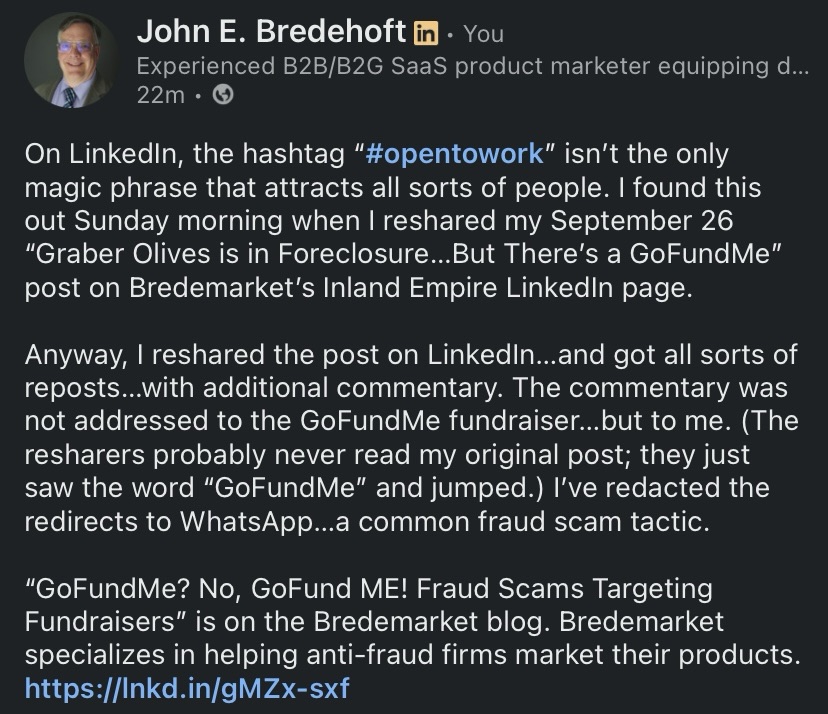
On LinkedIn, the hashtag “#opentowork” isn’t the only magic phrase that attracts all sorts of people. I found this out Sunday morning when I reshared my September 26 “Graber Olives is in Foreclosure…But There’s a GoFundMe” post on Bredemarket’s Inland Empire LinkedIn page.
You will recall that the post detailed Kelsey Graber’s fundraising efforts to keep the Graber Olive House from foreclosure. As of October 19 the GoFundMe fundraiser is still active at the https://www.gofundme.com/f/dont-let-ontario-lose-its-oldest-landmark URL.

I should note this is Kelsey Graber’s GoFundMe. This is not my GoFundMe.
Anyway, I reshared the post on LinkedIn…and got all sorts of reposts…with additional commentary. The commentary was not addressed to the GoFundMe fundraiser…but to me. (The resharers probably never read my original post; they just saw the word “GoFundMe” and jumped.) I’ve redacted the redirects to WhatsApp…a common fraud scam tactic.
Foone Berkeley:
“Hi, I came across your campaign, really impressive work. It reminded me of an independent group I’ve seen quietly helping project owners connect with private contributors who genuinely want to make a difference.
I’m not part of their team, but I’ve seen them support a few people in my circle. If you’re open to exploring new sources of backing, you can reach them directly here:
📞 WhatsApp: [REDACTED]
They usually prefer to speak one-on-one with campaign owners to understand their goals and see if there’s a good fit.
Wishing you continued success, your work truly deserves attention.”
Alex Mary:
“Hello 🌸 I just read your campaign, and it truly touched me. I know how tough fundraising can be, but there are genuine people out there who want to help. A trusted charity once helped me raise over $38,000 after I’d almost given up. If you’d like, you can message them on WhatsApp 👉 [REDACTED] they might be able to guide you too. 💙”
Olivia Williams:
“If you’re looking to grow your campaign donations fast, I truly recommend reaching out to Crowd. She’s an expert in GoFundMe promotions and helped me raise over $180,000 a few months ago! he knows exactly how to attract real donors and get results. You can contact her directly here [REDACTED]”
Let’s look at the red flags common to all three:
So why are these people so willing to recommend helpers who can assist desperate GoFundMe fundraisers? GoFundMe itself has addressed this:
“If someone you don’t know is reaching out to offer something that sounds too good to be true, we always recommend validating the individual before sharing any personal information. Donors and donor networks shouldn’t expect anything from you in return for their generosity.”
Two common tactics include:
There are other tactics, but the goal is the same. Instead of helping you raise money, the “helper” wants to get money from you.
Now there are legitimate companies that assist charities in their fundraising efforts…but they can be contacted via methods other than WhatsApp.
And now that I’ve written this warning, I’m going to conduct a little experiment.
I’m going to reshare THIS post on LinkedIn.
With quotes from the first and fourth paragraphs that include several mentions of the word “GoFundMe”…plus the additional honeypot word #opentowork. (I haven’t planted an opentowork honeypot in a while. Oh, and not that they’ll notice, but the words “fraud” and “scam” also appear.
Let’s see what moths are attracted to the new flame.
And consider what YOU are doing to fight fraud.
Bredemarket specializes in helping anti-fraud firms market their products.
(Image sources: Gemini (still), GoFundMe, Grok (video). Only the GoFundMe is real.)

While the deepfake video generators that fraudsters use can be persuasive, the 6-second videos created by the free version of Grok haven’t reached that level of fakery. Yet.
In my experience, Grok is better at re-creating well-known people with more distinctive appearances. Good at Gene Simmons and Taylor Swift. Bad at Ace Frehley and Gerald Ford.
So I present…Willie Nelson.
Willie with two turntables and a microphone, and one of his buds watching.
And for the, um, record, Nelson appeared in Snoop’s “My Medicine” video.
As an added bonus, here’s Grok’s version of Cher, without audio customization. It doesn’t make me believe…
Reminder to marketing leaders: if you need Bredemarket’s content-proposal-analysis help, book a meeting at https://bredemarket.com/mark/

I’ll confess: there is a cybersecurity threat so…um…threatening that I didn’t even want to think about it.
You know the drill. The bad people use technology to come up with some security threat, and then the good people use technology to thwart it.
That’s what happens with antivirus. That’s what happens with deepfakes.
But I kept on hearing rumblings about a threat that would make all this obsolete.
Today’s Q word is “quantum.”
But with great power comes great irresponsibility. Gartner said it:
“By 2029, ‘advances in quantum computing will make conventional asymmetric cryptography unsafe to use,’ Gartner said in a study.”
Frankly, this frightened me. Think of the possibilities that come from calculation superpowers. Brute force generation of passcodes, passwords, fingerprints, faces, ID cards, or whatever is necessary to hack into a security system. A billion different combinations? No problem.
So much for your unbreakable security system.
Unless Thales has started to solve the problem. This is what Thales said:
“The good news is that technology companies, governments and standards agencies are well aware of the deadline. They are working on defensive strategies to meet the challenge — inventing cryptographic algorithms that run not just on quantum computers but on today’s conventional components.
“This technology has a name: post-quantum cryptography.
“There have already been notable breakthroughs. In the last few days, Thales launched a quantum-resistant smartcard: MultiApp 5.2 Premium PQC. It is the first smartcard to be certified by ANSSI, France’s national cybersecurity agency.
“The product uses new generation cryptographic signatures to protect electronic ID cards, health cards, driving licences and more from attacks by quantum computers.”
So what’s so special about the technology in the MultiApp 5.2 Premium PQC?
Thales used the NIST “FIPS 204 standard to define a digital signature algorithm for a new quantum-resistant smartcard: MultiApp 5.2 Premium PQC.”
The NIST FIPS 204 standard, “Module-Lattice-Based Digital Signature Standard,” can be found here. This is the abstract:
“Digital signatures are used to detect unauthorized modifications to data and to authenticate the identity of the signatory. In addition, the recipient of signed data can use a digital signature as evidence in demonstrating to a third party that the signature was, in fact, generated by the claimed signatory. This is known as non-repudiation since the signatory cannot easily repudiate the signature at a later time. This standard specifies ML-DSA, a set of algorithms that can be used to generate and verify digital signatures. ML-DSA is believed to be secure, even against adversaries in possession of a large-scale quantum computer.”
ML-DSA stands for “Module-Lattice-Based Digital Signature Algorithm.”

Now I’ll admit I don’t know a lattice from a vertical fence post, especially when it comes to quantum computing, so I’ll have to take NIST’s word for it that modules and lattice are super-good security.
The Thales technology was then tested by researchers to determine its Evaluation Assurance Level (EAL). The result? “Thales’ product won EAL6+ certification (the highest is EAL7).” (TechTarget explains the 7 evaluation assurance levels here.)
France’s national cybersecurity agency (ANSSI) then certified it.
However…
…remember that certifications mean squat.
For all we know, the fraudsters have already broken the protections in the FIPS 204 standard.

And the merry-go-round between fraudsters and fraud fighters continues.
If you need help spreading the word about YOUR anti-fraud solution, quantum or otherwise, schedule a free meeting with Bredemarket.

I just ran across a phrase I had never seen before: “multi-accounting.” But it has nothing to do with “cooking the books.”
Incognia used the phrase in its report “The State of Fraud in the Gig Economy” (available here), and the term refers to people fraudulently creating multiple accounts to evade bans. If Henry Kissinger is banned from creating an account at the Ho Chi Minh website, perhaps “Kenry Hissinger” will sign up for an account.
“One clear pattern emerges: multi-accounting and ban evasion are a key part of the engine behind many of these concerns. Abuse at scale—whether it’s stacking promos, exploiting refunds, or coordinating scams—typically depends on the ability to create and recycle accounts without getting caught. And collusion and cancellation abuse can rely on the same cycle.“
Incognia recommends that gig economy firms examine their upstream processes to “close the gaps that enable account recycling.”
However, some device ID, tamper detection, and location intelligence anti-fraud tools are flawed and easily circumvented.
I’m sure Incognia would be more than happy to help you find an anti-fraud solution. Its solution for ride-sharing firms is described here.

Last night I saw a Substack post from one of my subscriptions, but I immediately distrusted the post.
The post was purportedly from Kathy Kristof from SideHusl.com. Now Kristof herself is legitimate, and her SideHusl website evaluates…well, side hustles.
But this message didn’t sound like Kathy, and my spidey sense was aroused.

Let me count the ways.
My immediate reaction?
“I ain’t clicking that Access Dashboard button.”

And:
“Suspicious message, purportedly from Kathy Kristof at Sidehusl.com, asking you to click a button.
“No way.”

Be careful out there.

(Part of the biometric product marketing expert series)
Inland Empire locals know why THIS infamous song is stuck in my head today.
For those who don’t know the story, Rob Pilatus and Fab Morvan performed as the band Milli Vanilli and released an extremely successful album produced by Frank Farian. The title? “Girl You Know It’s True.”
But while we were listening to and watching Pilatus and Morvan sing, we were actually hearing the voices of Charles Shaw, John Davis, and Brad Howell. So technically this wasn’t a modern deepfake: rather than imitating the voice of a known person, Shaw et al were providing the voice of an unknown person. But the purpose was still deception.
Anyway, the ruse was revealed, Pilatus and Morvan were sacrificed, and things got worse.
“Pilatus, in particular, found it hard to cope, battling substance abuse and legal troubles. His tragic death in 1998 from a suspected overdose marked a sad epilogue to the Milli Vanilli saga.”
But there were certainly other examples of voice deepfakes in the 20th century…take Rich Little.
So deepfake voices aren’t a new problem. It’s just that they’re a lot easier to create today…which means that a lot of fraudsters can use them easily.
And if you are an identity/biometric marketing leader who needs Bredemarket’s help to market your anti-deepfake product, schedule a free meeting with me at https://bredemarket.com/mark/.
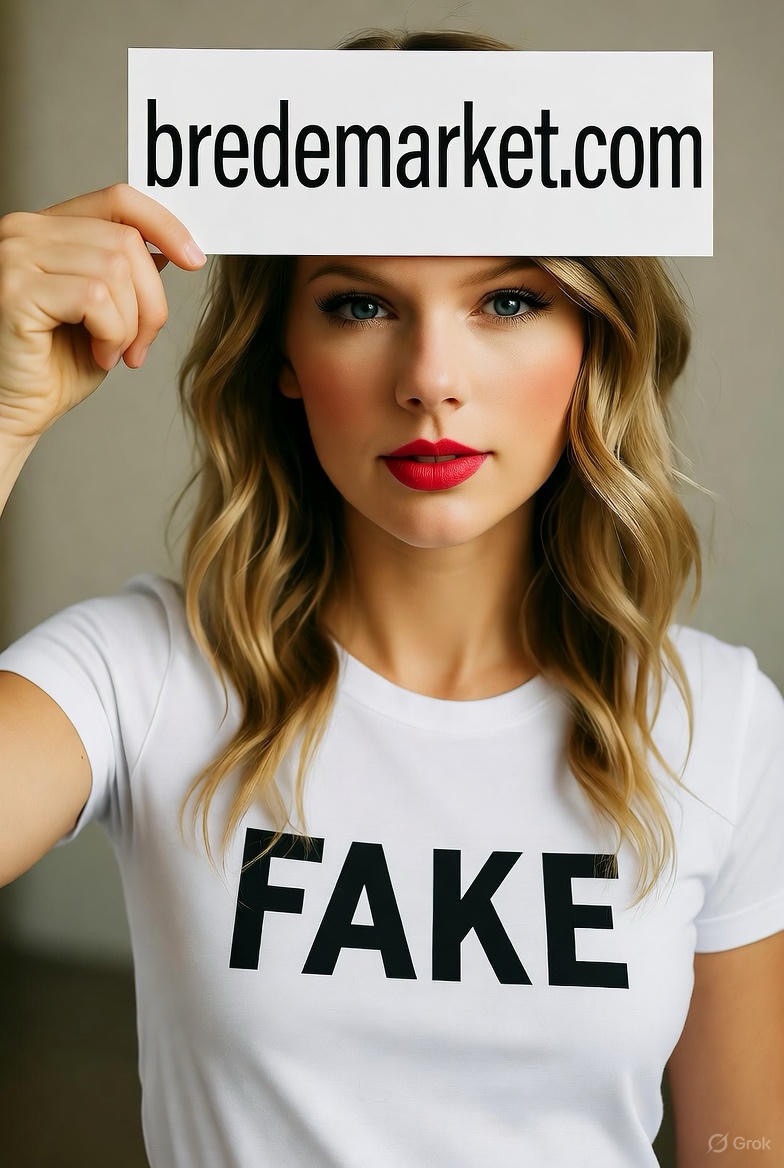
Using Grok for evil: a deepfake celebrity endorsement of Bredemarket?
Although in the video the fake Taylor Swift ends up looking a little like a fake Drew Barrymore.
Needless to say, I’m taking great care to fully disclose that this is a deepfake.
But some people don’t.

I just posted the latest edition of my LinkedIn newsletter, “The Wildebeest Speaks.” It examines the history of deepfakes / likenesses, including the Émile Cohl animated cartoon Fantasmagorie, my own deepfake / likeness creations, and the deepfake / likeness of Sam Altman committing a burglary, authorized by Altman himself. Unfortunately, some deepfakes are NOT authorized, and that’s a problem.
Read my article here: https://www.linkedin.com/pulse/what-truth-bredemarket-jetmc/
(Part of the biometric product marketing expert series)
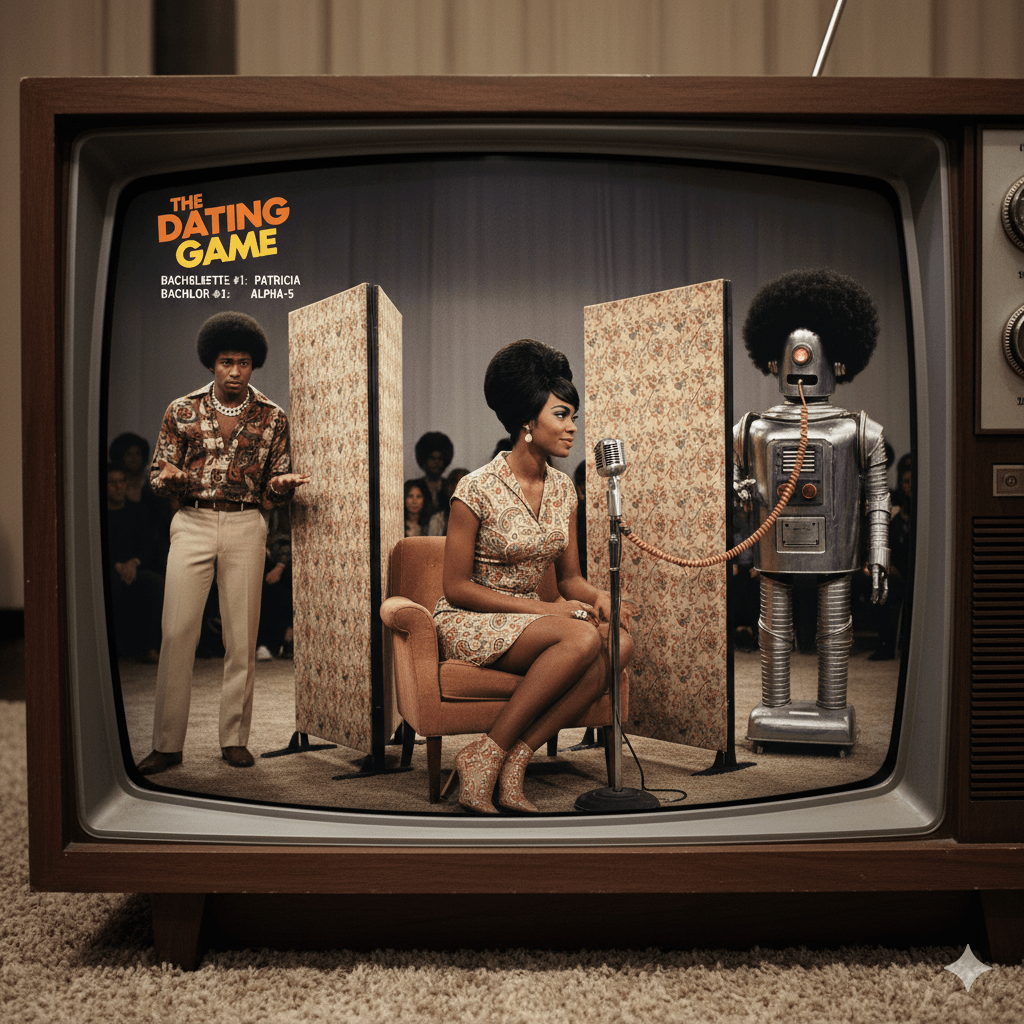
A recent PYMNTS article entitled “AI Voices Are Now Indistinguishable From Humans, Experts Say” includes the following about voice deepfakes:
“A new PLoS One study found that artificial intelligence has reached a point where cloned voices are indistinguishable from genuine ones. In the experiment, participants were asked to tellhuman voices from AI-generated ones across 80 samples. Cloned voices were mistaken for real in 58% of cases, while human voices were correctly identified only 62% of the time.”
Since you already read the title of this post, you know that I’m concentrating on the word “participants.”
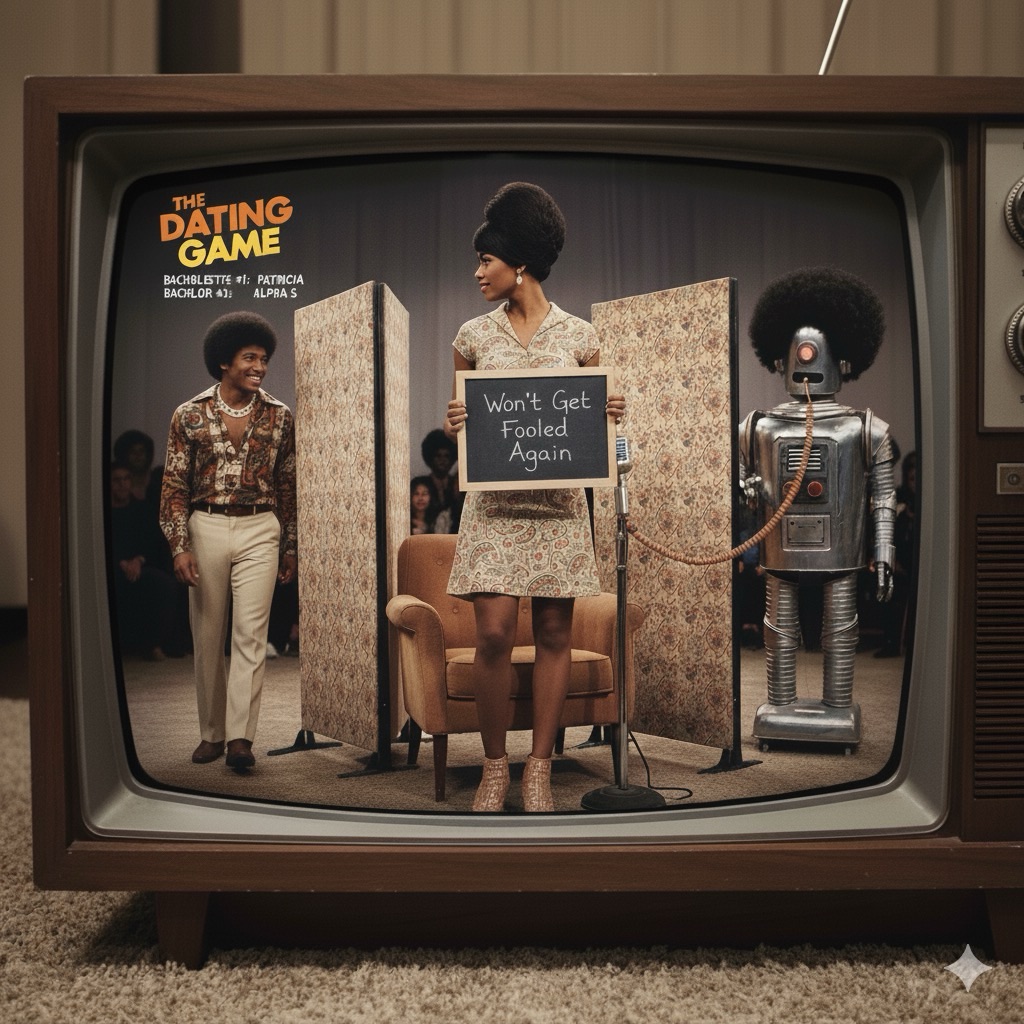
The PLoS One experiment used PEOPLE to try to distinguish real voices from deepfake ones.
And people aren’t all that accurate. Never have been.
Before you decide that people can’t detect fake voices…
…why not have an ALGORITHM give it a try?
But to be fair, that wasn’t the goal of the PLoS One study, which specifically focused on human perception.
“Recently, an intriguing effect was reported in AI-generated faces, where such face images were perceived as more human than images of real humans – a “hyperrealism effect.” Here, we tested whether a “hyperrealism effect” also exists for AI-generated voices.”
For the record, the researchers did NOT discover a hyperrealism effect in AI-generated voices.
But if future deepfake voices sound realer than real, then we will REALLY need the algorithms to spot the fakes.
And if your company has a voice deepfake detection solution, I could have talked about it right now in this post.
Or on your website.
Or on your social media.
Where your prospects can see it…and purchase it.
And money in your pocket is realer than real.
Let’s talk. https://bredemarket.com/mark/

 Bredemarket