
There are Inland Empire companies that have an online presence, and companies that don’t.
If your Inland Empire company doesn’t have an online presence, one quick way to create one is to create a business page on Facebook.
This post outlines the benefits of establishing an online presence via a Facebook business page. It also provides four examples of Facebook business pages. Finally, the post addresses the thorny question of creating content for your Facebook business page.
Why Faceboook may be the best online presence for your business
For the first time in years, I attended an Ontario IDEA Exchange meeting at AmPac Business Capital on Tuesday afternoon. There was a mixture of attendees: some who had established several businesses, some like me who had run one business for some time, and a few who were just starting out in business.
The ones who were starting out were still trying to figure out all the things you need to do to start a business: figuring out why the business exists in the first place, getting the appropriate business licenses (and in some cases professional licenses), printing business cards (or creating the online equivalent), setting up SOME kind of way to track prospects and customers…and establishing an online presence.
Now some businesses choose to establish their online presence by creating a website.
I believe that this is the best way to establish an online presence since you have more control over the content. Plus, there are several alternative ways to create a business website (I use WordPress, but you can use SquareSpace, Wix, or any of several other website builders).
But even the simplest website can involve a lot of complexity—bredemarket.com currently has 57 pages, not counting tag pages and individual blog post pages.
For many small businesses, it may be much easier to create a Facebook business page then to create an entire website.
- Facebook business pages are free. (Well, unless you run ads.)
- Facebook business pages are easy to create.
- Facebook business pages potentially reach billions of people, including your prospects and customers.
Creating a Facebook business page
So how do you create a Facebook business page?
There’s no need for me to document all of that in detail, since many have already done so.
Starting with Facebook itself.
As long as you have a personal Facebook profile, and as long as you can provide basic information about your business (category, address, areas serviced, email, phone number, website, hours, etc.), you can create a Facebook page from your laptop or desktop computer by following these steps:
From https://www.facebook.com/business/help/473994396650734?id=939256796236247
- From the Pages section, click Create new Page.
- Add your Page name and category.
- Add your Page’s bio and click Create.
- (Optional) Add information, such as Contact, Location and Hours, and click Next.
- (Optional) Add profile and cover photos, and edit the action button, and click Next.
- (Optional) Invite friends to connect with your Page, and click Next.
- Click Done.
Don’t worry if you don’t have all the optional items, such as a page cover picture. You can add them later. This will get you going.
Other guides to creating Facebook business pages are available from Buffer (with pictures), Hootsuite (with pictures). Sprout Social (with pictures), and a number of other sources.
But before you create YOUR Facebook business page, let me show you four varied examples of EXISTING Facebook business pages.
Four examples of Facebook business pages
Let’s take a look at some pages that already exist. Perhaps one or more of these will give you ideas for your own page.
The artist page (Paso Artis)
Paso Artis is a European business whose proprietor is a painter who sells her paintings.

The menu options at the bottom of the picture above (some of which cannot be seen) illustrate some of the elements you can include in a Facebook page. Here are just a few of the page elements that Paso Artis uses:
- Posts. This is the equivalent of a blog on a website, and allows you to post text, images, videos, and other types of content.
- About. This is where you provide contact and other basic information about your business.
- Shop. Facebook allows you to include a shop, which Paso Artis uses to sell her paintings.

- Photos. As you can imagine for an artist’s page, photos of the artwork are essential.
The shirtmaker page (Shirts by Kaytie)
(UPDATE 10/20/2023: Because Shirts by Kaytie is sadly no longer in business, I have removed the, um, live links to her Facebook page.)
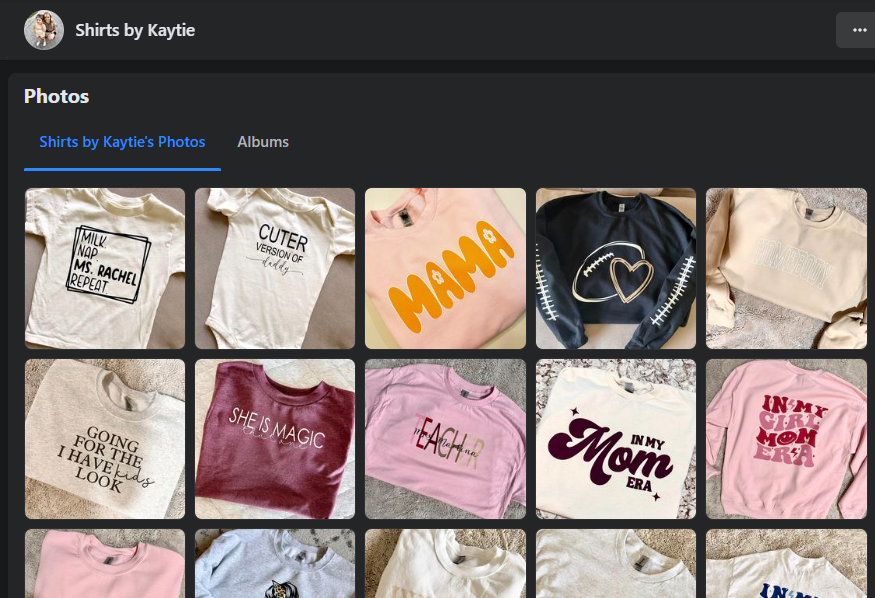
Let’s leave Europe and go to Illinois where we find another artist, but her work is not displayed on paintings, but on shirts. Here is the Shirts by Kaytie Facebook page.

You’ll notice that Shirts by Kaytie has a different menu item order (and different menu items) than Paso Artis. For example, Shirts by Kaytie doesn’t have a Facebook “shop” element; you need to contact her directly to purchase items.
But Shirts by Kaytie certainly has photos.
The marketer/writer page (Bredemarket)
Enough of such exotic locations as Europe and Illinois. Let’s head to California’s Inland Empire and look at my favorite marketing/writing services Facebook page, the Bredemarket Facebook page.
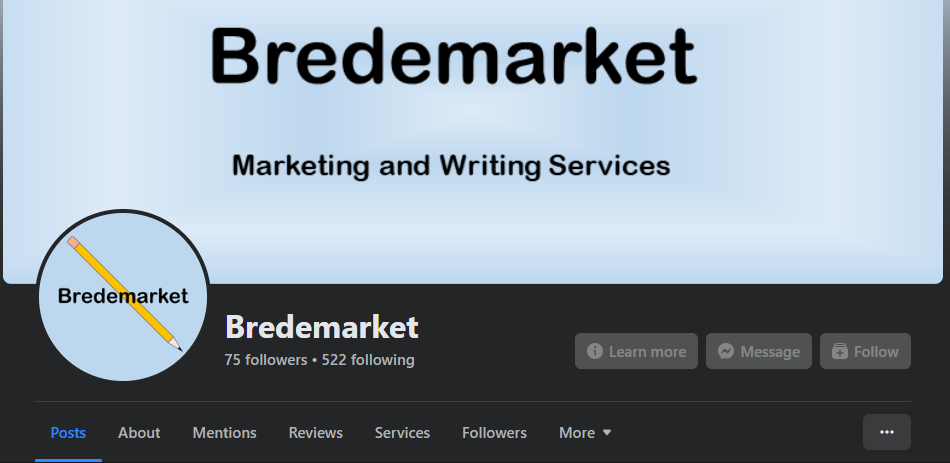
I’d like to point out two things here.
- First, Bredemarket (unlike Paso Artis and Shirts by Kaytie) provides services rather than tangible products. Therefore, I chose to include a “Services” element as part of my Facebook page.

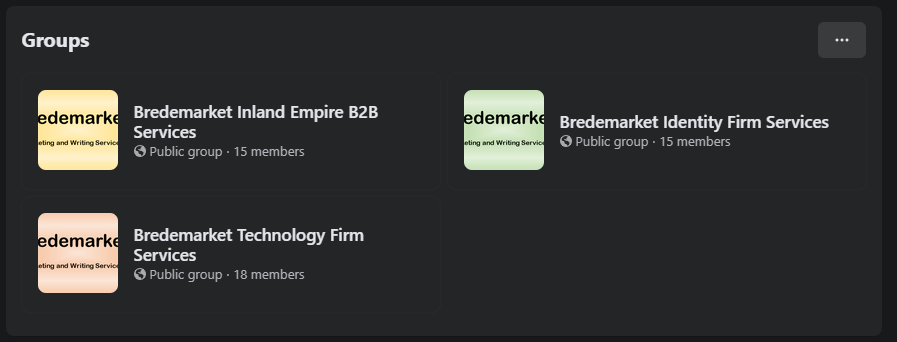
Second, Bredemarket has chosen to implement Facebook’s “groups” feature. In Bredemarket’s case, there are three separate groups that focus on various aspects of Bredemarket’s business. Inland Empire businesses can read the content in the Bredemarket Inland Empire B2B Services group and not get bogged down in out-of-area identity discussions about the change from FRVT to FRTE. (They’re missing out.)
The local technology champion page (Startempire Wire)
I saved the Startempire Wire Facebook page for last because it makes terrific use of Facebook’s capabilities.

By the way, if you are an Inland Empire business—especially an Inland Empire startup technology business—and you have never heard of Startempire Wire, STOP READING MY POST and go follow Startempire Wire’s Facebook page NOW. Startempire Wire is THE news source for Inland Empire startup tech information, and is a strong champion of the IE tech community.
So what does Startempire Wire’s Facebook page offer? Posts, photos, weekly videos, and the “Inland Empire Startup Scene” group. All of the content is jam-packed with information.
Facebook pages are essential to these firms’ strategies
Now in some cases the Facebook pages are only part of the online presence for these firms. Both Bredemarket and Startempire Wire have their own web pages, and both firms are also active on other online properties such as LinkedIn. (Bredemarket is almost everywhere, but not on Snapchat.) But Facebook is an essential part of the outreach for all four of these firms, allowing them to reach prospects and clients who are only on Facebook and nowhere else.
Perhaps a Facebook page is a perfect solution for YOUR firm’s online presence.
Let’s talk about content
But creating a Facebook page is not enough.
You need to populate it with content, such as images, videos…and posts.
And if your Facebook page doesn’t have any content, it’s useless to your prospects. As I’ve preached for years, an empty page makes your prospects and customers question whether you exist.
Now I’m not saying that you HAVE to update your Facebook page daily, but it’s a good idea to add new content at least once a month.
But what if you aren’t a writer, or don’t have time to write? Do you have to resort to ChatGPT?
Heavens no. (I’ll say more about that later.)
Well, online content creation is where Bredemarket comes in. I help firms create blog posts, Facebook posts, LinkedIn articles, case studies, white papers, and other content (22 different types of content at last count).

Let me help you populate your Facebook page (or other online content).
Authorize Bredemarket, Ontario California’s content marketing expert, to help your firm produce words that return results.
- Email me at john.bredehoft@bredemarket.com.
- Book a meeting with me at calendly.com/bredemarket.
- Contact me at bredemarket.com/contact/.
- Subscribe to my mailing list at http://eepurl.com/hdHIaT.

 Bredemarket
5 Comments