

We want information and we want it now. Grocery bill balance? Document word count? Tell me!
Dashing through the store
Last spring I discussed the demise of Amazon’s Just Walk Out in favor of Dash Carts.
Even though the Just Walk Out system was a model of zero friction, it was also a model of zero information.
“It’s masterful, really. You just throw your purchases into your cart, and a battery of cameras record and price everything automatically.
“In reality, a battery of cameras and third world workers record and price everything semi-automatically. But I digress.
“Anyway, all your purchases are recorded and totaled, and your payment method is charged as you just walk out.
“THEN you find out how much you just spent.”
Too late?
In contrast, the lower tech Dash Cart solution—shopping carts with scanners—allows customers to “scan items as they shop, view their basket total in real time, and pay using contactless payment at the end.”
High friction because the shopper has to scan every item instead of letting “AI”—either cameras or low-paid remote employees—do the work.
But the shopper has immediate information.
Writing through the words
And I need immediate information while performing Bredemarket work.
Two of my packages are based on word count. The Bredemarket 400 Short Writing Service delivers between 400 and 600 words, the Bredemarket 2800 Medium Writing Service between 2,800 and 3,200.
Approximately. I don’t get bent out of shape if the final work product has 3,317 words. And as you know if you saw one of my recent videos…
…I currently charge $500 for the short service and $2.000 for the other. And if a particular work product falls between these two word counts, I charge accordingly.
The upshot is that I have a vested interest in knowing the number of words in my Microsoft Word documents.
- I can go to the Word Count menu item and get the word count.
- Or for working documents in which the seven questions (and more) are embedded in the bottom of the file…
- …I just select the portion of text that contains the work product itself, go to the Word Count menu item, and get the word count of only the selection.
- Or I can use fields. On a recent project, I used a Word field, NumWords, to display the word count without requiring me to go to a menu item or select anything.
There’s only one problem with using fields: NumWords is static and requires me to manually refresh the field to update the current word count.
But Microsoft Word lets you do things several different ways.
- I could bypass menu items and fields altogether if I would simply remember to look in the lower left corner of my Microsoft Windows desktop app for Word, where the word count has been displayed all along.
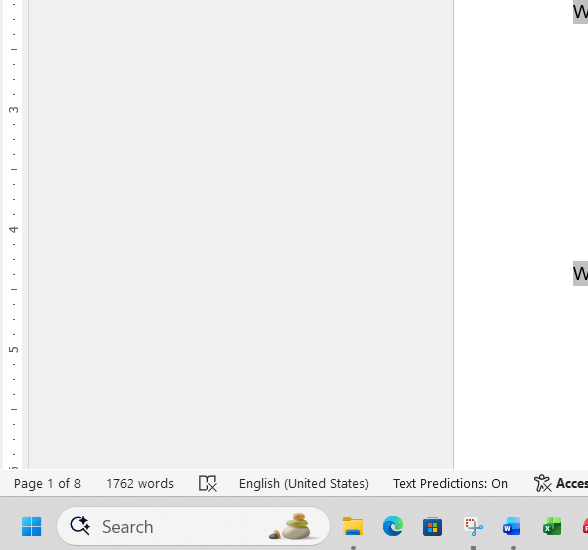
Sometimes the answer is right in front of you.
Frictionless.
If you need content of varying word lengths, talk to Bredemarket.

 Bredemarket