

Vibe coding is real…and you can do it yourself for free. Since I’m on the Google platform, I used Google Gemini to guide me through the steps.
Specification
I started informally:
Online analysis of the chief biometric news from the last seven days, sorted into finger, face, iris, voice, DNA, and other.
Google then formalized a Product Requirements Prompt for Build Mode for Gemini AI Studio (which I had never used before). It made all the UI choices, which I didn’t change (although I haven’t used green on black since the DOS days).
PRODUCT REQUIREMENTS PROMPT (PRP): “BIOMETRIC PULSE 2026”
1. VISION & VIBE
You are building “Biometric Pulse 2026,” a high-frequency, automated data dashboard and visualization tool.
The Vibe: Minimalist, data-dense, dark mode (matrix-green and stark white accents), 1980s retro-futurist ‘terminal’ aesthetic. High information density with zero clutter. The app must feel intelligent, real-time, and analytical.
2. FUNCTIONAL SPECIFICATIONS
The application is a full-stack automated news and regulation analyzer. It must perform the following tasks without user input:
Phase 1: Data Ingestion (Automation)
- Source Strategy: Use a hybrid approach:
- Google Search API (Real-time): Schedule a request every 4 hours for the query
"biometrics industry news" OR "facial recognition technology" OR "iris scanning update" OR "voice biometrics market" OR "DNA border control policy" OR "biometric regulation". (Grounding is required).- Web Scraper (Targeted): Target specific domain feeds for deeper insights (e.g., BiometricUpdate.com, SecurityInfoWatch, specialized legal/regulatory feeds). If you cannot build the scraper, mock this data with realistic data from the last 7 days.
- Date Filtering: Automatically filter all results to only include data from the last 7 calendar days (using the current date dynamically).
Phase 2: AI Classification & Analysis
- Categorization: Use Gemini 3 Flash to analyze the title/snippet of every news item and classify it into one or more of these 6 buckets:
fingerfaceirisvoicednaother(Regulation, Business Mergers, Multi-modal)- Contextual Tagging: Assign secondary sentiment/type tags (e.g.,
[Surveillance],[Privacy Win],[Market Growth],[New Tech]).
3. UI/UX REQUIREMENTS (THE DASHBOARD)
The main view is a single-page, real-time updated dashboard.
Component A: The Pulse Feed (Primary View)
- A vertically scrolling list of news items.
- Items must be chronologically sorted (newest first).
- Card Design: Every card must have:
- A clear category icon/tag (e.g.,
[ 👤 FACE ]in bright green).- An automated, one-sentence summary (using Gemini).
- The primary source link, relative date (“2 days ago”).
- Sentiment analysis tags.
Component B: Filter Terminal (Left Sidebar)
- A stack of minimalist buttons for the 6 primary categories.
- Show the live “count” of articles found in the last week next to each (e.g.,
[ 👤 FACE (14) ],[ 🧬 DNA (3) ]).- Clicking a category filters the Pulse Feed instantly.
Component C: “The Weakly Pulse” Chart (Right Sidebar)
- A stacked bar chart visualization.
- X-Axis: The 6 modalities (Face, Finger, etc.).
- Y-Axis: Number of news events reported this week.
- Color Code: The bars should show sentiment (e.g., red for surveillance/privacy concern; green for innovation/market growth).
4. TECHNICAL ARCHITECTURE & STACK
- Model: Gemini 3 Flash (required for continuous analysis and low latency).
- Integration: Google AI Studio Build Mode.
- Runtime: Node.js (Vite server for the frontend).
- Package Needs:
react-query(or simpleuseEffectfor data fetching),chart.js(for the weekly pulse chart), and a minimalist CSS framework or Tailwind (but customized to the dark terminal look).- Deployment: Pre-configure for One-Click deployment to Google Cloud Run.
Use
So there it is. I went into Google AI Studio and used Build to build the thing, and without publishing it, I ended up with something that looked like this.
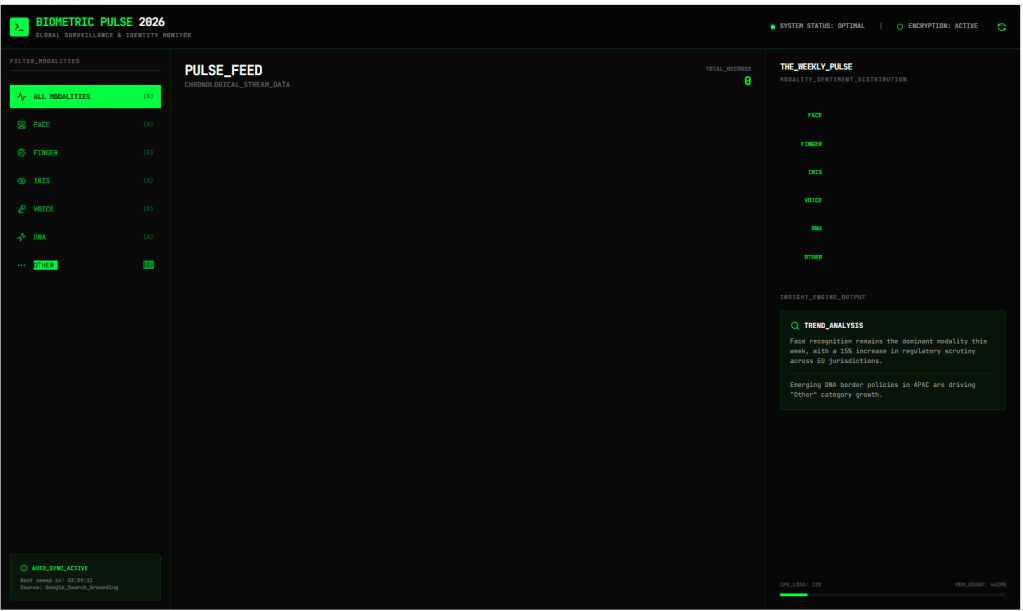
It certainly has the retro user interface…but if you look carefully at the data, there isn’t any. I don’t know if I have to wait four hours for the data to auto-refresh, or if I actually have to publish it to have it generate data. Or buy tokens or something.
But if I can get this to actually work, I’ll have proven that you can easily specify simple tasks using modern tools.
But as I noted in my earlier post, I can’t maintain the code.
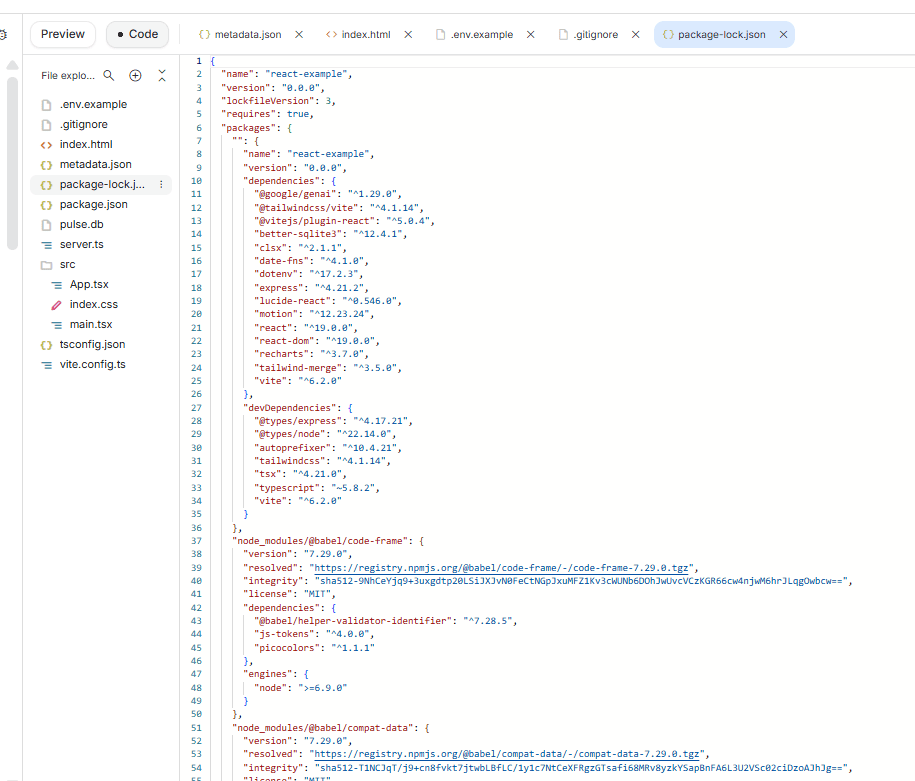
If I play with this more I’ll provide an update.
But you can save yourself the heartache and just ask someone like Silicon Tech Solutions to code your app. They know what they’re doing.


 Bredemarket