
It was Sunday afternoon, and I was reading my LinkedIn feed. (Yes, I know; the first step is admitting you have a problem.)
Except that I was seeing stuff that was weeks old. Posts about “upcoming” trade shows that already took place. News about the “upcoming” Prism Project deepfake report that was released long ago.
I don’t know why LinkedIn’s algorithm thinks I need to read ancient history. What’s next…reports that Enron may be a fraud?
The chronological feed
So I decided to bypass the algorithm and access the tried and true chronological feed. You know, the way things used to work before we supposedly got “smart.”
(As an aside, I remember when FriendFeed would AUTOMATICALLY update the chronological feed when new content was posted. The way that the pitchforks were raised, you would have thought the world ended. As it turned out, the world wouldn’t end until August 10, 2009…or April 10, 2015. But I digress.)
Anyway, I went to the feed to look for the switch to swap to chronological…but could find no such switch.
So I checked Google Gemini, and discovered that the “Most Recent” feed switch was buried in the Settings. For mobile LinkedIn users, it was in the “Account preferences” section, in the “Feed preferences.”
Except that it wasn’t.
Whack a Mole
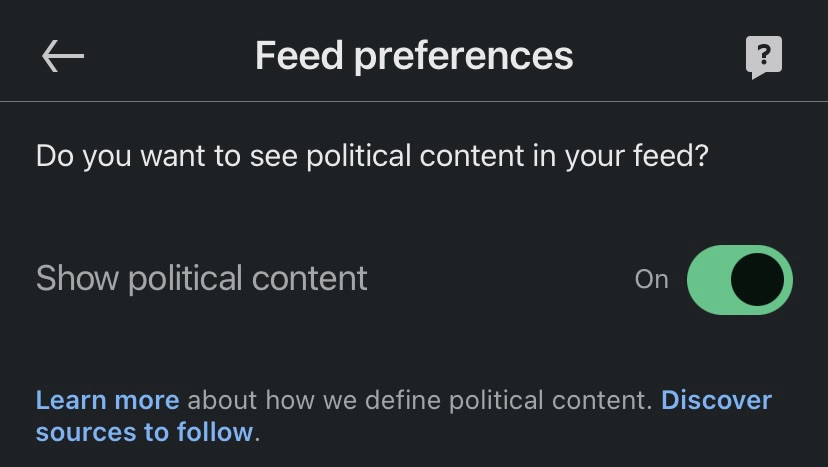
“Feed preferences” only governed display or non-display of political content. The option below “Feed preferences,” “Preferred feed view,” was the one I wanted.
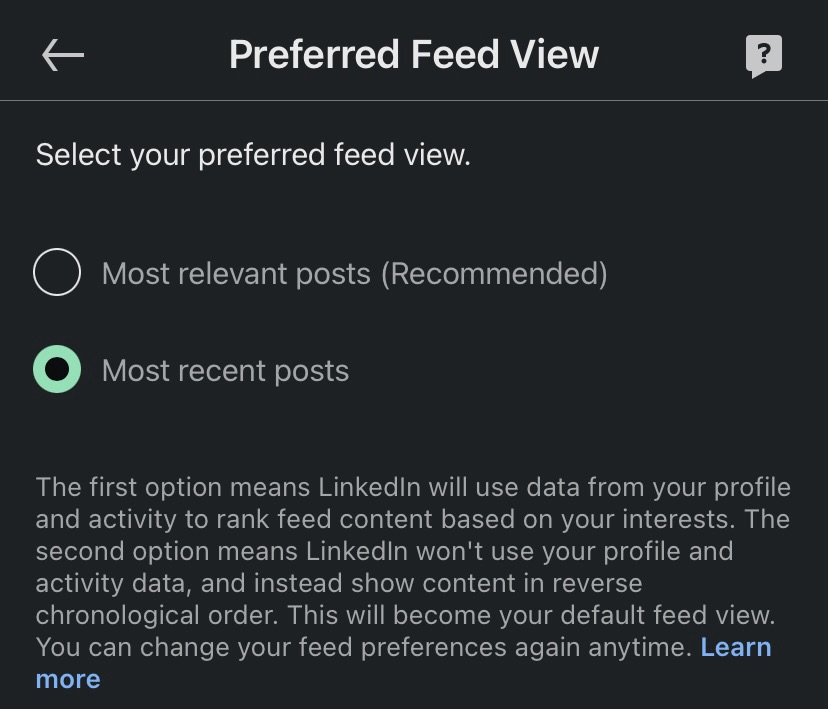
Color me conspiratorial, but I think everyone in the Really Big Bunch—Microsoft (LinkedIn), Meta (Facebook), and the others—likes to play “Whack a Mole” with the location of the chronological feed setting so that we give up and stick with the algorithmic feed of The Things We Are Supposed To See.
So the instructions here, written on June 22, 2025, may be invalid on June 22, 2026. Or July 22, 2025. Or June 23, 2025.
But for this moment I have the chronological feed set on LinkedIn, and since it takes effort to change it back, I don’t know when I will.
Update
When I returned to LinkedIn to share a LinkedIn version of this post, my preferred feed view had been reset to “most relevant.”

 Bredemarket